 sales@webguruz.in
 +1 (213) 715-5368
Vedanshi
2026-10-23
7 min read
Custom HubSpot Integrations: Benefits, Examples, and Best Practices
Your business uses HubSpot to manage customer relationships, but disconnected systems create data issues.
Read More
Published On:2026-01-21
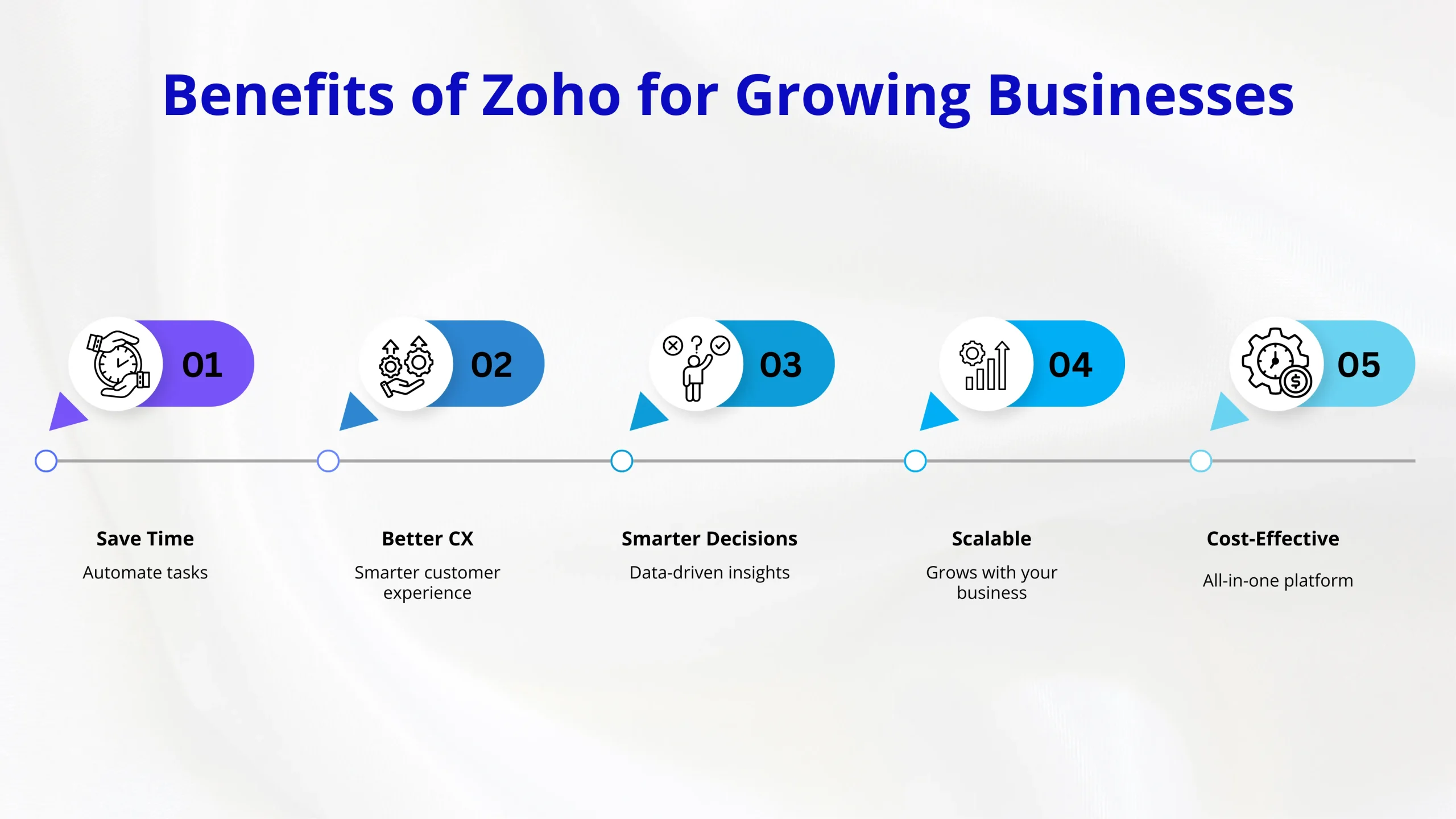
Running an online store today means juggling multiple tasks, including managing inventory, handling customer relationships, running marketing campaigns, and keeping track of sales. If you’re a small business owner or startup, you’ve probably felt overwhelmed trying to keep everything running smoothly. That’s where Zoho Commerce and Zoho CRM come in as powerful tools that can transform how you run your eCommerce business.
The Zoho Commerce platform is an eCommerce website builder designed specifically for businesses that want to grow without the complexity. Unlike other platforms that require technical knowledge or expensive developers, Zoho gives you a straightforward way to build and manage your online store.
Think of it as your all-in-one solution. You get a website, payment processing, inventory management, and marketing tools all in one place. For startups and SMEs (small and medium enterprises), this means you don’t need to piece together different software that might not work well together.
What you get with Zoho Commerce:
The best part is that you don’t need to be a tech expert to use it. The platform is built for business owners who want to focus on selling, not troubleshooting technical issues.
While Zoho Commerce handles your store, Zoho CRM takes care of your customer relationships. Getting proper Zoho CRM implementation right from the start can make the difference between struggling with disorganized customer data and having a smooth sales process.
Many businesses work with experts who specialize as Zoho Service Partners or invest in professional Zoho CRM Consulting Services to set things up correctly. These experts understand how to configure the system to match your specific business needs, which saves you time and prevents headaches down the road.
When it comes to converting visitors into customers, the Zoho CRM sales features are designed to help you track every interaction with potential buyers, from their first visit to your website to their purchase and beyond. This creates a complete picture of your customer journey, which is essential for building a full-funnel marketing strategy.
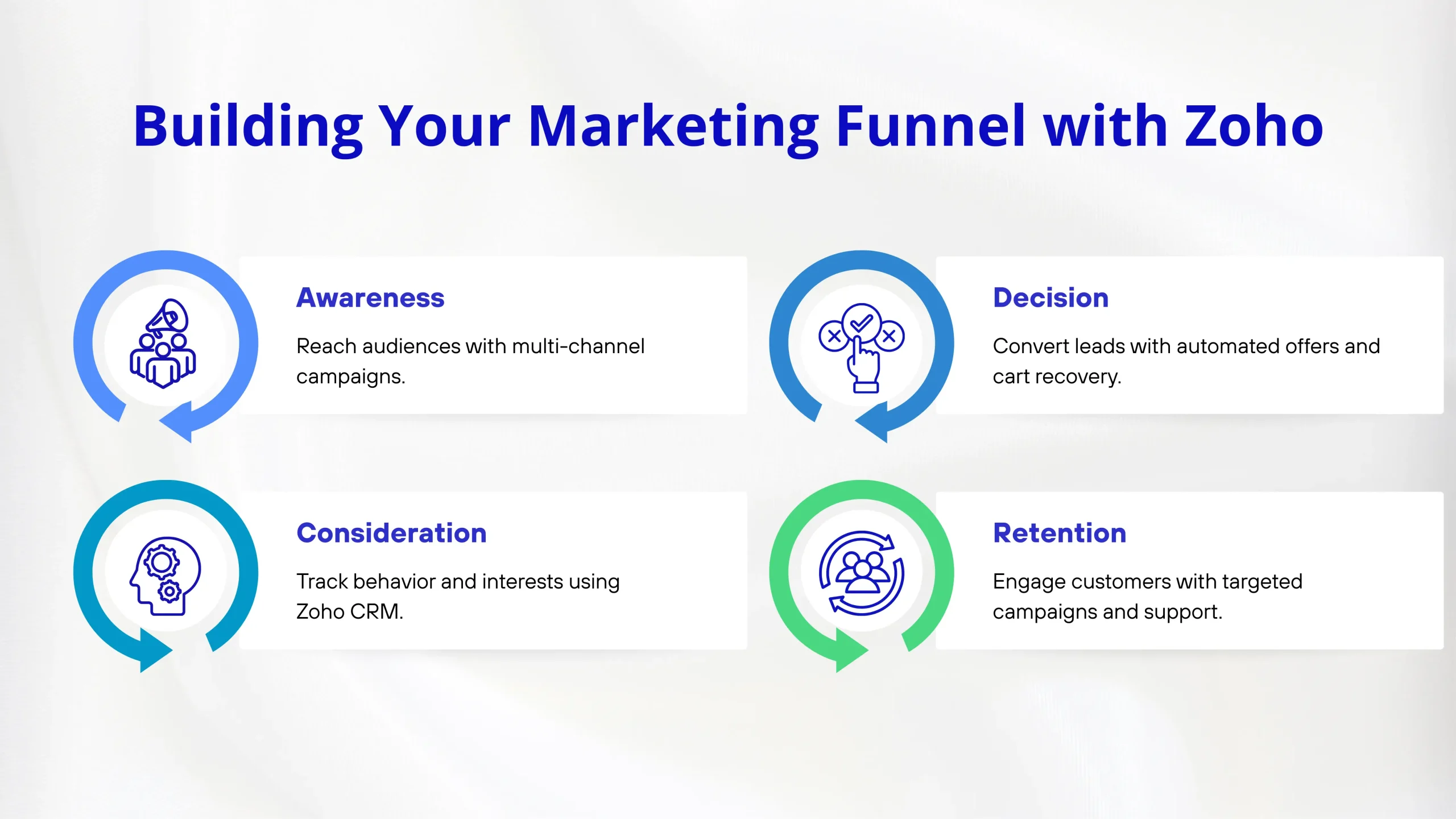
Let’s talk about the marketing funnel. It’s basically the path someone takes from first hearing about your business to becoming a loyal customer. Most successful businesses think about this in stages: awareness, consideration, decision, and retention.
Here’s how Zoho helps at each stage:
Use Zoho multi-channel marketing campaigns to reach people where they spend time, including email, social media, and your website. The platform lets you create consistent messaging across all these channels without switching between different tools.
As potential customers explore your products, Zoho CRM tracks their behavior. Which products did they view? What pages did they spend time on? This information helps you understand what they’re interested in.
When someone is ready to buy, eCommerce automation kicks in. Abandoned cart emails, special offers, and personalized recommendations happen automatically, giving customers that extra nudge they need.
After the purchase, Zoho helps you stay connected with customers through targeted campaigns and excellent service management.
This full-funnel marketing campaign approach is similar to what you’d find in platforms like HubSpot, where AI Agents and Funnel Optimization Strategies help businesses improve conversion rates at every step.
One of the most powerful features you’ll use is Zoho’s customizable workflow automation. This sounds technical, but it’s actually quite simple. You’re teaching the system to do repetitive tasks automatically.
For example, when someone makes a purchase, you can set up workflows that:
These marketing funnel tactics save hours of manual work every week and ensure nothing falls through the cracks. You’re essentially building a system that runs your business processes even when you’re not actively working.
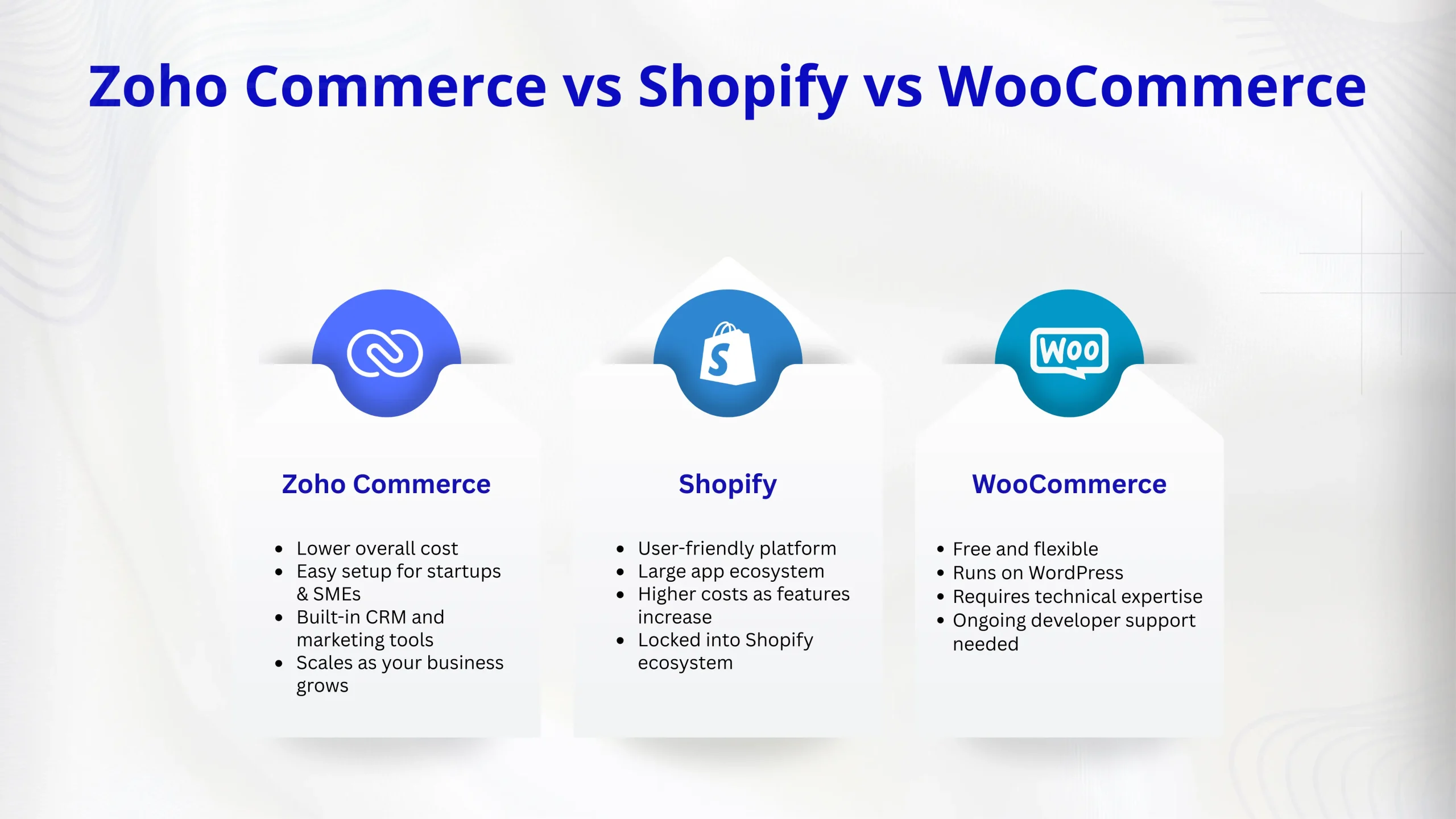
You’ve probably heard of Shopify and WooCommerce. They’re the big names in eCommerce. So, when comparing Zoho Commerce vs Shopify and WooCommerce, what should you know?
Many businesses turn to Shopify development services because Shopify is user-friendly and has lots of apps. However, it can get expensive as you add more features, and you’re locked into their ecosystem. Monthly fees add up quickly for growing businesses.
Others seek out a reliable WooCommerce development company because WooCommerce is free and flexible (it runs on WordPress). But it requires more technical knowledge to set up and maintain. You’ll likely need ongoing support from developers.
Zoho Commerce for startups and SMEs offers a middle ground. You get:
The best Zoho Commerce tips for small business owners emphasize starting simple and growing into features as you need them. You don’t pay for tools you’re not using yet.
For businesses ready to scale, Zoho CRM Plus Implementation brings everything together under one roof.
This package combines:
This unified approach is particularly valuable for eCommerce development because all your business functions share the same customer data. Your support team sees what marketing sent. Your sales team knows about support tickets. Everyone works from the same information.
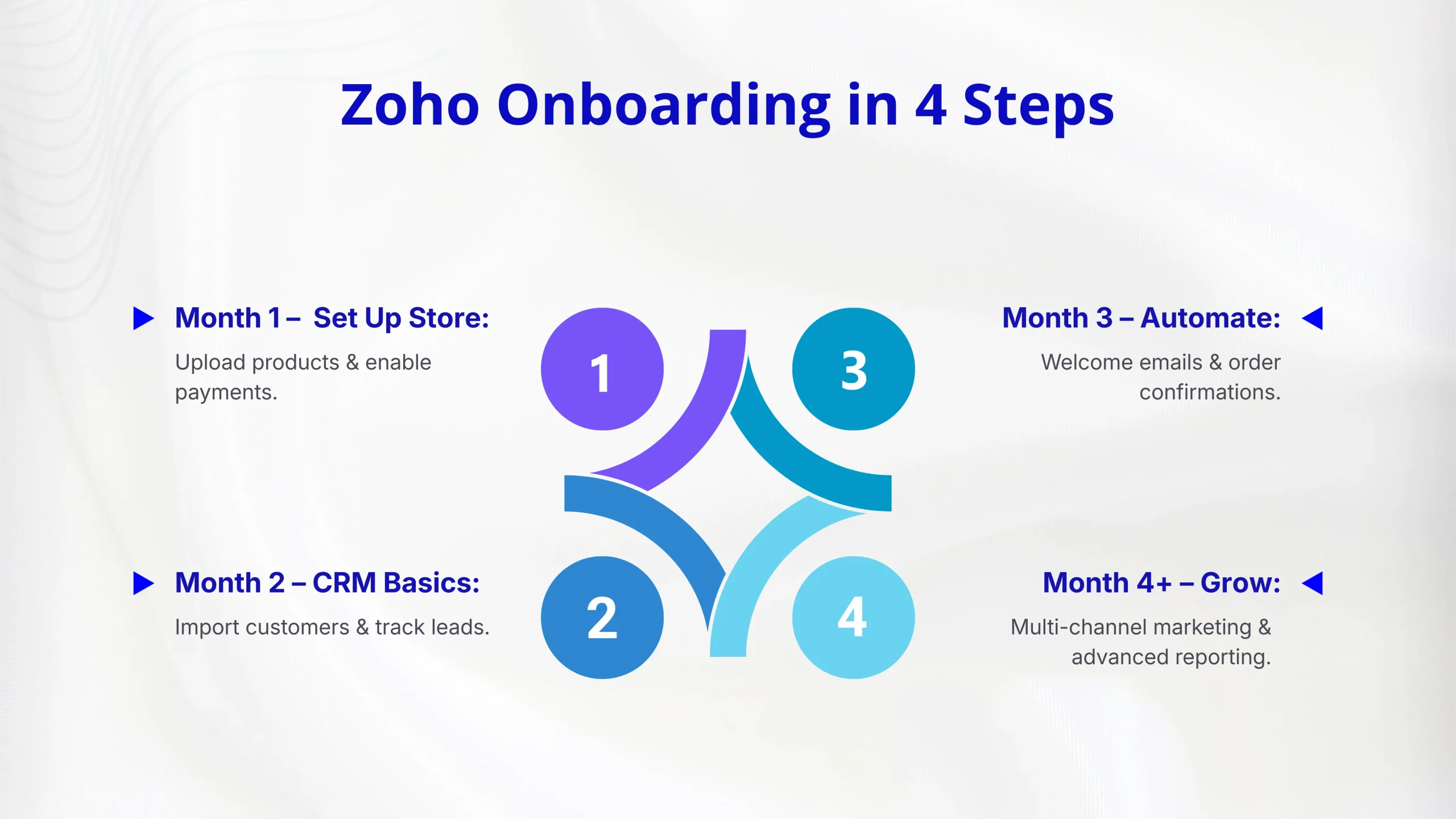
Starting with Zoho doesn’t have to be complicated. Here’s a realistic approach:
Set up your Zoho eCommerce store with basic products. Focus on getting your catalog online and payment processing working. Use templates to save time on design.
Implement basic CRM functionality. Import your existing customer list and start tracking new leads and sales through the system.
Add your first automation workflows. Start with simple things like welcome emails and order confirmations.
Expand into multi-channel marketing campaigns, advanced reporting, and more sophisticated automation based on what you’ve learned.
Many businesses find value in working with a Zoho Service Partner during this process, especially for Zoho CRM implementation. The initial investment in consulting services often pays for itself through time saved and mistakes avoided.
With all these tools at your disposal, it’s important to focus on metrics that drive real business growth:
Zoho’s reporting features let you track all of these without needing separate analytics tools. This integrated approach to eCommerce automation means you can make data-driven decisions quickly.
 t
t
After working through the technical features, let’s talk about what this means for your actual business. When you combine Zoho Commerce with CRM and marketing automation, you’re building a system that:
Small businesses and startups especially benefit because you get enterprise-level features without enterprise-level complexity or costs. You’re competing on a more level playing field with bigger companies.
If you’ve invested in Shopify development services or worked with a WooCommerce development company, switching platforms might seem daunting. But consider the ongoing costs: monthly Shopify apps and WooCommerce developer fees add up quickly. Zoho’s integrated approach means you’re upgrading your entire business system, not just changing eCommerce platforms.
A: Basic setup can be done in a few days, but expect 1-3 months to fully implement and customize the system to your needs. Working with Zoho CRM Consulting Services can speed this up significantly.
A: Yes, migration is possible. You can export your product data, customer information, and order history from most platforms. A Zoho Service Partner can help ensure the migration goes smoothly without losing important data.
A: No extensive technical skills are needed for basic operations. The interface is designed for business users. However, for advanced customizations and integrations, you might want professional help from eCommerce development experts.
A: Zoho multi-channel marketing campaigns let you manage email, social media, and website messaging from one platform. While dedicated tools might have more advanced features for specific channels, Zoho provides strong capabilities across all channels with better integration between them.
A: Standard Zoho CRM focuses on sales and customer relationships. Zoho CRM Plus adds customer support, social media management, email campaigns, and project management tools. It’s a complete business suite rather than just a CRM system.
Vedanshi
2026-10-23
7 min read
Your business uses HubSpot to manage customer relationships, but disconnected systems create data issues.
Read More
Vedanshi
2026-10-22
7 min read
Ask ChatGPT, Gemini, or Perplexity to recommend a supplier or a software tool, and you get a short list of names, not ten blue links.
Read More
Vedanshi
2026-10-21
7 min read
Building a website takes more than picking colors, dropping in images, and writing copy.
Read More