 sales@webguruz.in
 +1 (213) 715-5368
Vedanshi
2026-10-23
7 min read
Custom HubSpot Integrations: Benefits, Examples, and Best Practices
Your business uses HubSpot to manage customer relationships, but disconnected systems create data issues.
Read More
Published On:2026-01-02
If you’ve ever felt frustrated trying to bend your business software to match how your team actually works, you’re not alone. Most businesses struggle with rigid systems that force them to change their processes instead of adapting to them. That’s exactly where Zoho has built its reputation as a game-changer in the world of workflow automation, especially for companies exploring Zoho CRM Consulting Services to tailor automation around real business needs.
Workflow automation isn’t just about saving time anymore. It’s about creating systems that think like your business, respond to your specific needs, and grow alongside your company. While platforms like Salesforce, HubSpot, and Microsoft Dynamics have their strengths, Zoho has carved out a unique position by offering customization that doesn’t require a computer science degree or a massive budget.
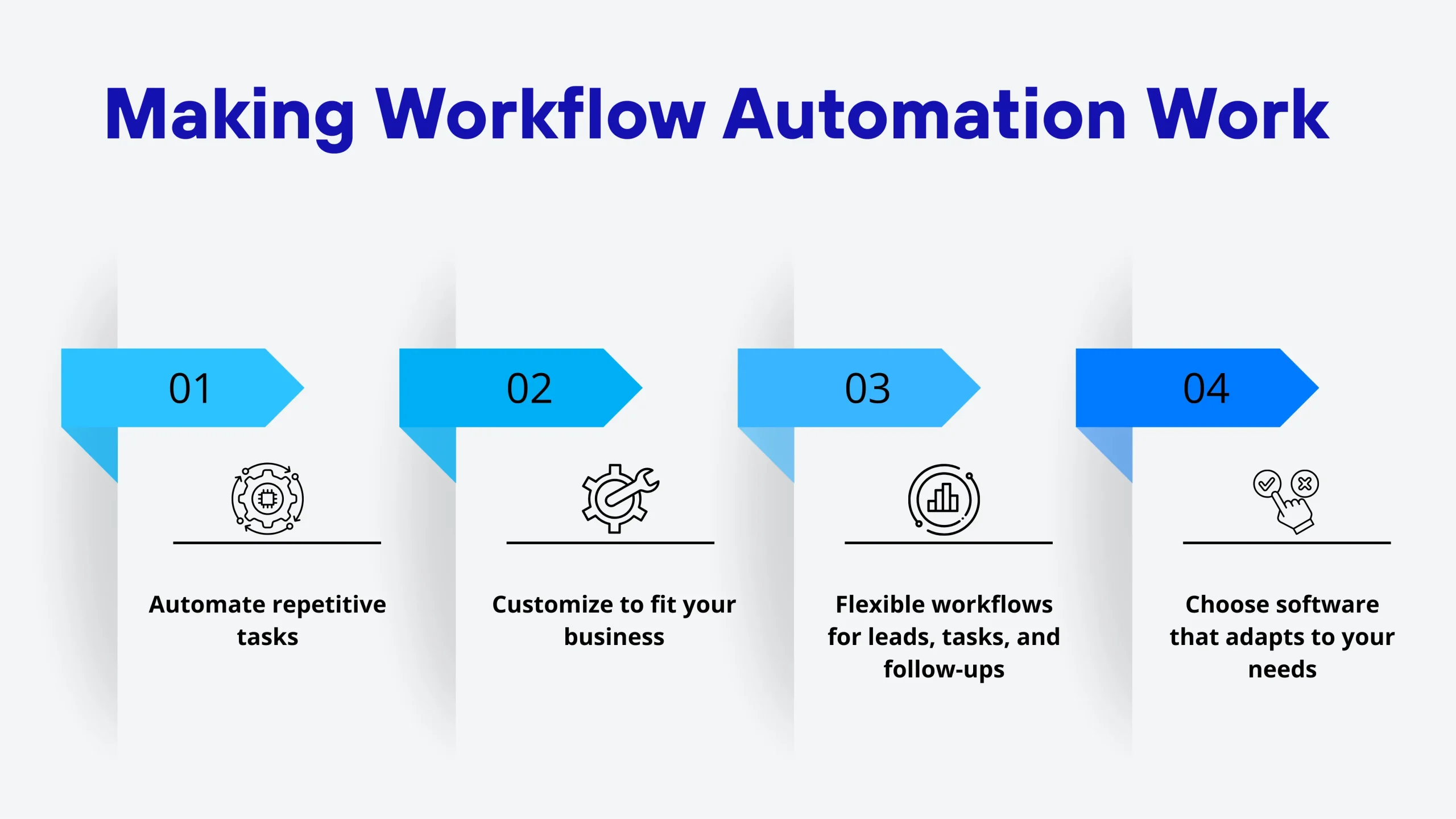
At its core, automation means setting up your software to handle repetitive tasks without human intervention. But the real magic happens when these automated workflows can be customized to match your exact business processes.
Think about how your sales team operates. Maybe they need to send a specific welcome email when a lead downloads a white paper, then assign that lead to a rep based on location, then schedule a follow-up task if there’s no response in three days. That’s a workflow. The question is, how easily can your software handle these custom requirements?
Most CRM platforms offer some level of automation, but they differ dramatically in how flexible and powerful their customization options are. Some systems lock you into predefined templates. Others require expensive developers to make simple changes. Zoho takes a different approach entirely.
When companies evaluate CRM and automation platforms, they’re usually comparing Zoho against heavy hitters like Salesforce Integration Services, Microsoft Dynamics 365, and HubSpot CRM Workflows. Each platform has loyal followers, but Zoho consistently wins on several key factors.
Salesforce can cost hundreds of dollars per user per month when you factor in the add-ons you actually need. Microsoft Dynamics 365 isn’t much better. These enterprise platforms were built for Fortune 500 companies with matching budgets.
Zoho CRM Plus delivers comparable functionality at a fraction of the cost. For small and medium businesses, this pricing difference isn’t just significant; it’s often the deciding factor between affording proper automation tools or making do with spreadsheets.
While platforms like Salesforce Integration Services often require you to hire specialized developers for customization, Zoho built its system with normal business users in mind. Their drag-and-drop workflow builder lets you create complex automation without writing a single line of code.
When you do need advanced customization, working with a Zoho Implementation Partner can accelerate your setup significantly and help you avoid common pitfalls that slow down first-time implementations.
One of Zoho’s biggest advantages comes from how its products work together. Zoho CRM Plus isn’t just a CRM; it’s an integrated suite that includes email marketing, social media management, helpdesk software, analytics, and more. This integration eliminates the nightmare of connecting multiple third-party tools.
With Zoho CRM Plus, your workflows can seamlessly span across different business functions. A customer service ticket can automatically create a CRM task. A sales deal closing can trigger a welcome email sequence and notify your support team. Everything talks to everything else because it’s built on the same platform.
This unified approach stands in stark contrast to platforms like Monday.com Consulting solutions, which excel at project management but require extensive integration work to connect with your other business systems.
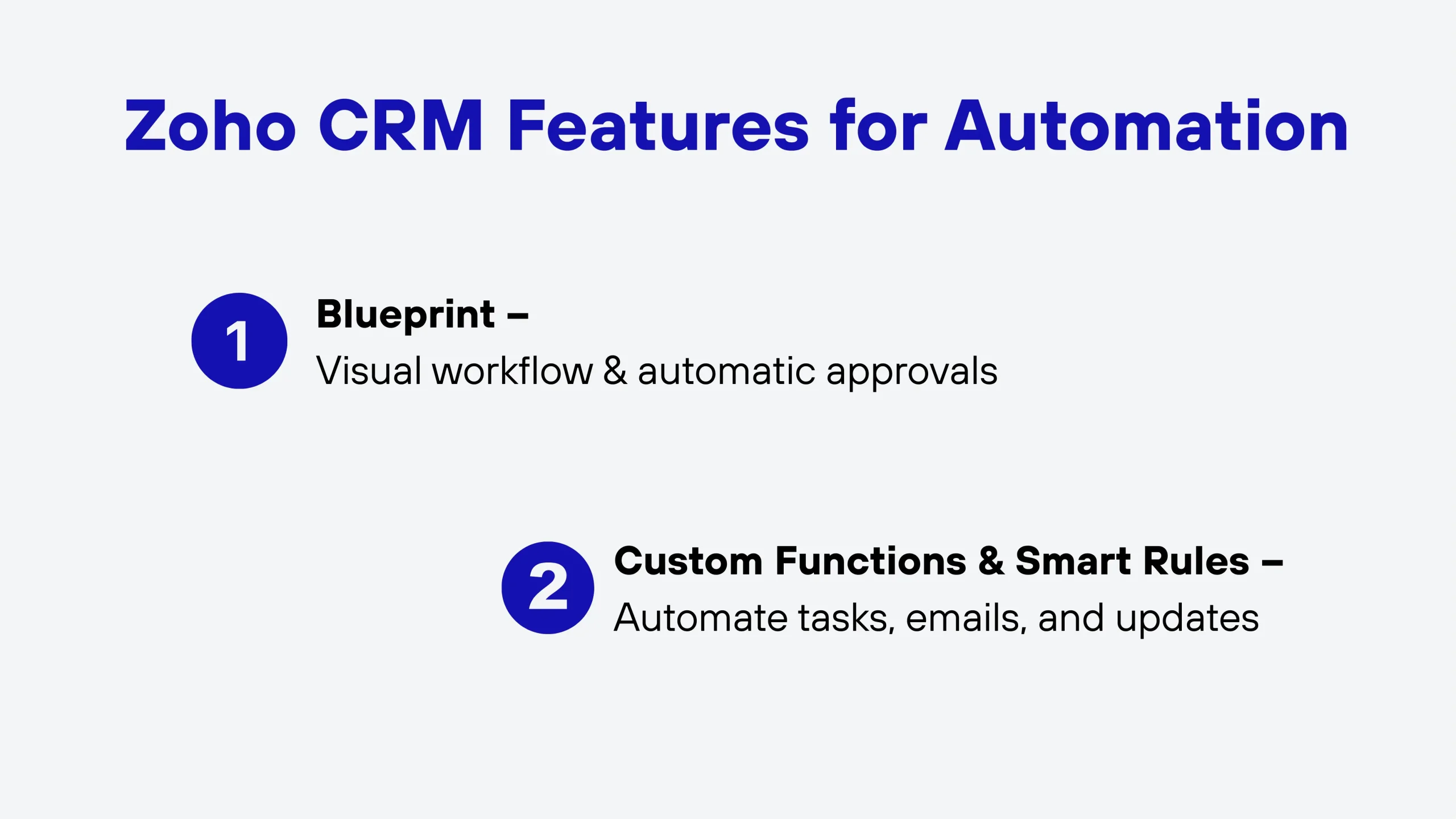
Understanding these Zoho CRM features helps explain why businesses can build such sophisticated workflows without enterprise-level complexity.
Zoho’s Blueprint feature is like having a flowchart that actually runs your business processes. You map out each stage visually, define what happens at each step, and let the system guide your team through the process. For example, your sales process might require manager approval for discounts over 20%. With Blueprint, you can enforce this automatically.
While Zoho doesn’t require coding for basic workflows, its Deluge scripting language lets you create virtually any automation you can imagine. A Zoho Service Partner can help you leverage these advanced features when your workflows demand more than drag-and-drop options can provide.
Workflow rules in Zoho let you automate field updates, task assignments, email alerts, and webhook calls based on triggers you define. You can easily combine multiple conditions and actions to create sophisticated automation that matches your exact business needs.
Marketing automation has become table stakes for modern businesses, but not all platforms handle it equally well. Zoho multi-channel campaigns give you the ability to reach customers across email, social media, SMS, and web push notifications from one unified platform.
You can set up lead nurturing sequences that adapt based on engagement. If someone opens your email but doesn’t click, they get one follow-up. If they click through but don’t convert, they enter a different sequence. This level of coordination across channels is where Zoho outperforms more specialized tools.
While HubSpot CRM Workflows are excellent for inbound marketing, they don’t integrate as seamlessly with social media management and customer support. Zoho gives you the complete picture of each customer’s journey across every touchpoint. Your automated campaigns can trigger based on CRM data, creating a cohesive customer experience that feels personal even when it’s fully automated.
While Zoho’s platform is designed for business users, there’s tremendous value in working with experts who live and breathe the system. This is where Zoho CRM Consulting Services come into play.
A qualified consultant can audit your current processes, identify automation opportunities you might have missed, and design workflows that actually match how your team works. When you engage with Zoho CRM Consulting Services, you’re getting strategic partners who understand both the technology and business process optimization.
A Zoho Implementation Partner specializes in getting you up and running. They handle the initial setup, data migration, customization, and training. A Zoho Service Partner provides ongoing support and optimization, acting as your long-term technology partner who helps you adapt Zoho as your business changes.
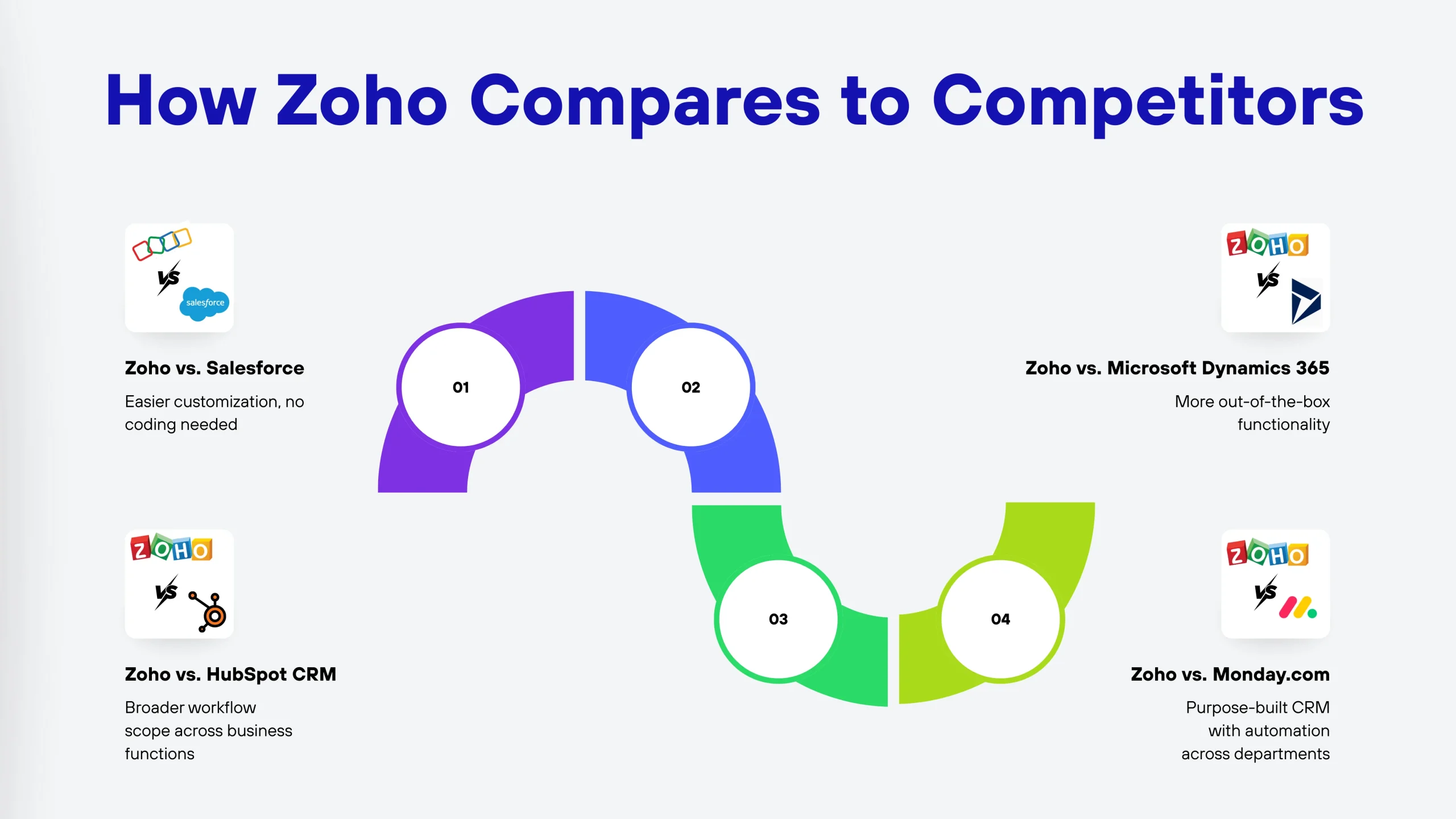
Salesforce is powerful and mature, but that enterprise focus comes with enterprise complexity and pricing. Salesforce Integration Services are necessary because connecting Salesforce to your other systems is rarely straightforward. Workflow customization often requires Apex programming knowledge, while Zoho lets business users handle most customization themselves.
Microsoft Dynamics 365 integrates well with other Microsoft products but carries enterprise pricing and complexity. Customizing workflows often requires Powerful automation skills and sometimes custom development. Where Zoho wins is in providing a complete business suite with more functionality out of the box.
HubSpot offers genuinely excellent workflow automation for marketing teams specifically. The limitation is the scope. HubSpot started as a marketing tool and added CRM features later. They don’t match Zoho’s breadth across sales, marketing, support, and operations. Zoho provides comparable workflow capabilities across a broader range of business functions at more predictable pricing.
Monday.com is excellent for project management, but Monday.com Consulting solutions typically focus on team management rather than customer relationship management. While you can bend Monday.com to work as a CRM, it’s not purpose-built for that function. Zoho’s workflow automation spans CRM, marketing, support, finance, and HR from the ground up.
While Zoho’s native integrations are extensive, some businesses need custom connections to proprietary systems or specialized software. A web development company with experience in API integrations can bridge gaps between Zoho and your unique systems.
If your business relies on a custom content management system, working with a CMS development company that understands both your CMS and Zoho’s API can create powerful automated workflows. For example, automatically creating CRM records when users submit forms on your website or updating website content based on CRM data.
The beauty of Zoho’s open API is that these integrations are possible. Unlike some closed systems that limit external connections, Zoho welcomes integration with your broader technology stack.
One of the biggest mistakes companies make is building workflows that solve today’s problems but can’t scale for tomorrow’s needs. Zoho’s architecture supports growth in ways that many competitors struggle with.
Start simple with basic lead assignment rules and follow-up reminders. As your team gets comfortable, add email automation, then implement approval workflows. Eventually, you’re running sophisticated multi-step processes across departments. Zoho doesn’t penalize you for starting small, and the platform’s flexibility means your workflows can evolve continuously without requiring complete rebuilds.
Zoho typically makes the most sense for small to medium-sized businesses that need enterprise features without enterprise pricing, companies that want an all-in-one platform, businesses with unique processes that require customization, and organizations planning to scale. It is especially well-suited for organizations evaluating Zoho CRM Consulting Services to design automation the right way from the start.
For most businesses, Zoho’s combination of power, flexibility, and affordability makes it a compelling choice. When supported by expert Zoho Service Partner guidance, its workflow automation capabilities rival enterprise platforms while remaining accessible to regular business users.
Migration complexity depends on your customization level. Basic data migration is straightforward using Zoho’s import tools. Most businesses complete migration in 4-8 weeks. A Zoho Implementation Partner significantly smooths the transition.
Yes. Zoho’s Blueprint feature was designed for multi-stage approval processes with multiple approvers based on conditions like amount, type, or department. Each approval stage can have different rules and escalation paths.
Most teams are productive within a few days for basic usage. Creating simple workflow automations takes about a week of practice. Zoho CRM Consulting Services often include training that accelerates learning significantly.
Zoho CRM Plus costs around $57 per user per month annually. Compare this to Salesforce ($165+ per user), Microsoft Dynamics 365 ($115+ per user), or HubSpot Professional ($800+ per month base). Zoho delivers comparable automation at 30-50% less.
Zoho’s Deluge scripting language and extensive API make virtually any customization possible. Many Zoho Service Partner companies specialize in advanced customization. For extensive custom development, partnering with a web development company experienced in Zoho integrations ensures your unique requirements get met.
Vedanshi
2026-10-23
7 min read
Your business uses HubSpot to manage customer relationships, but disconnected systems create data issues.
Read More
Vedanshi
2026-10-22
7 min read
Ask ChatGPT, Gemini, or Perplexity to recommend a supplier or a software tool, and you get a short list of names, not ten blue links.
Read More
Vedanshi
2026-10-21
7 min read
Building a website takes more than picking colors, dropping in images, and writing copy.
Read More