sales@webguruz.in
 +1 (213) 715-5368

Properties01

What CRM information does the workflow need?

Turn repetitive CRM tasks into automated workflows that keep leads, deals, and customer data moving. Build automation around your business processes to improve consistency, reduce manual work, and help every team stay aligned.
Talk to a HubSpot Expert
A lead enters HubSpot. A lifecycle stage changes. A deal moves to a new stage. Customer information is updated. A record meets defined CRM criteria.
Each event may create another action for your team.
When those actions depend entirely on someone remembering what to do next, lead assignment, CRM updates, and follow-ups can become inconsistent.
Our CRM automation solutions turn defined business rules into connected CRM processes. We identify the event, review the CRM data behind the decision, define the right action, and build automation around what should happen next.
Adding more workflows does not automatically create a better CRM. Before we build automation, we look at the process behind it. What starts the action? What CRM data is needed? Which conditions change the path? Who needs to act? What should HubSpot update?
Our approach to HubSpot CRM automation starts with these questions so workflows are planned around clear business rules instead of disconnected actions.
CRM processes often involve a series of small decisions and repeatable actions. We identify where clear business rules exist and use HubSpot CRM automation to help those processes move with less manual intervention.


New leads enter HubSpot, but ownership still depends on manual review or internal coordination.

Tasks and next actions are managed manually, increasing the risk of inconsistent follow-up.

A deal moves forward, but related tasks, notifications, or CRM updates still need manual action.

Record ownership or responsibility changes, but the next team does not have a clearly defined process.

Teams spend time changing properties and record information even when clear update rules already exist.

Overlapping triggers, outdated actions, and unclear workflow logic make CRM automation difficult to manage.
A CRM workflow should have a clear reason to exist.
HubSpot CRM workflows can support repeatable CRM processes through defined enrollment criteria, workflow logic, and actions. The workflow should start with a clear event or CRM condition and follow the business process your team has already defined.
The trigger may come from a property value, lifecycle stage, lead status, deal stage, record activity, or another defined CRM condition.
The workflow may need to review CRM properties, customer stage, record ownership, pipeline information, or other process criteria.
HubSpot can perform the planned CRM action, such as assigning a record, creating a task, updating CRM information, or notifying the right user.
What changed?
What does the CRM data tell us?
Does the process need another path?
What should HubSpot do?
Where does the CRM process continue?
Good automation starts with understanding the manual process before opening the workflow builder.

We identify the CRM task, handoff, or process that needs to be automated for greater consistency and efficiency.
We map workflow conditions, decision points, approvals, and user actions to match your business requirements.
We assess customer properties, lifecycle stages, ownership, and record data required for accurate automation.
We configure HubSpot workflow logic, including triggers, branches, delays, actions, and notifications around your approved process.
Every workflow is tested against real business scenarios to verify enrolment criteria, workflow logic, and expected outcomes.
Once approved, workflows are deployed, monitored, and refined to support changing business processes and long-term CRM performance.
CRM automation starts with context already available in HubSpot. A property changes. A lifecycle stage is updated. A deal reaches a new stage. A record meets defined criteria. The next CRM action should follow the process your business has already defined.

 01
01
 02
02
 03
03CRM automation works best when a clear event, data condition, or record change can define what should happen next. We build CRM automation solutions around repeatable processes inside HubSpot CRM.

Automatically assign leads and CRM records to the right owner or team using customer data, territories, services, or custom business rules.

Automate lifecycle stages, lead status updates, ownership changes, and customer records to keep your CRM organised and accurate.

Trigger tasks, notifications, and workflow actions as opportunities progress through your sales pipeline.

Automatically create follow-up tasks, reminders, and internal actions to keep sales and service teams on track.
Update contact properties, company records, deal information, and custom fields based on predefined workflow conditions.
Notify the right teams and automate record handoffs between marketing, sales, and customer service to ensure a seamless customer experience.

Some CRM processes go beyond standard workflow configuration. Complex CRM logic, custom data requirements, API-based actions, or advanced workflow processes may require technical HubSpot development beyond standard automation.
Support CRM processes that require deeper technical planning and more complex process paths.
Extend workflow processes where the available HubSpot functionality and project requirements support custom code.
Connect CRM workflow processes with external systems and business data.
Support automation around more complex CRM structures and technical processes.
Plan CRM automation where HubSpot needs to work with custom applications.
Support business rules that cannot be handled through standard workflow configuration alone.
A workflow may be technically active and still produce the wrong result if CRM data is incomplete, inconsistent, or structured around unclear rules. That is why our automation approach considers the CRM data behind every trigger, condition, and action.

What CRM information does the workflow need?

Does the customer stage support the automation rule?

Does the current lead position match the next CRM action?

Who should receive the record or take the next action?

Does the process depend on connected contacts, companies, or deals?

What CRM information should change when the action is completed?

Building a workflow is the easy part. The harder question is whether the workflow reflects the real CRM process, uses the right data, handles different process paths, and supports the people responsible for the next action.
That is where our connected HubSpot approach matters.
Work with a team experienced across HubSpot CRM, development, automation, migration, and connected platform requirements.
We identify what teams currently do before deciding what HubSpot should automate.
Triggers, criteria, exceptions, and process paths are reviewed before workflow build.
Properties, lifecycle stages, lead status, ownership, and record context are considered as part of the automation logic.

The workflow is planned around what should happen after a record meets the defined condition.
If an automation challenge reveals CRM, migration, integration, or development requirements, our wider HubSpot expertise helps connect the right solution area.
HubSpot development should solve real process problems, reduce manual work, and create clearer customer journeys.
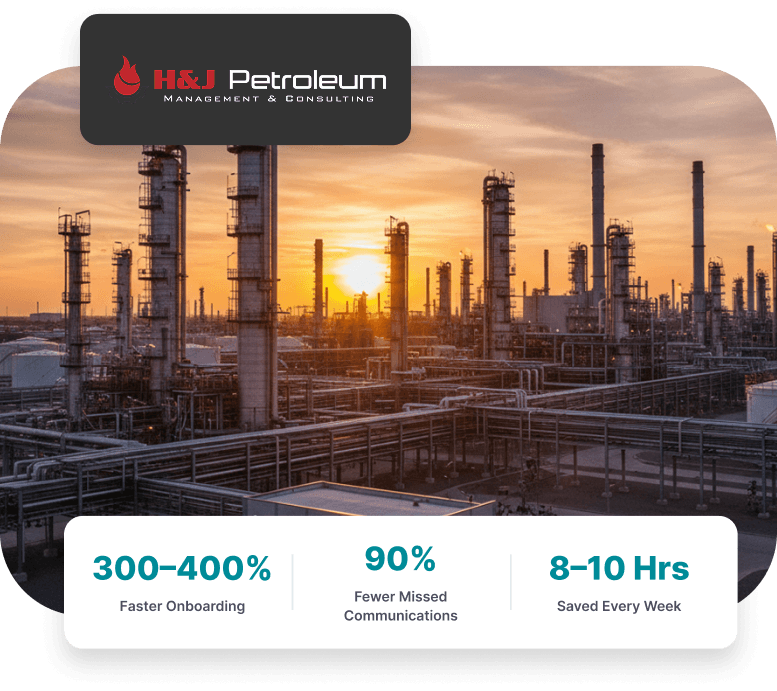
We built a custom HubSpot CRM to automate onboarding, approvals, and recruitment.
See What We Did
We unified 30+ forms, automated workflows, and simplified lead management with HubSpot CRM.
See What We Did
Talk through your manual CRM processes, existing workflows, and record handoffs with our HubSpot team.

Choose a convenient time to discuss the process your team repeats, the CRM data involved, and what you want HubSpot to handle next.
Review Your Manual CRM Process
Discuss Existing Workflows
Identify Automation Gaps
Plan the Right Next Step