 sales@webguruz.in
 +1 (213) 715-5368
Vedanshi
2026-10-23
7 min read
Custom HubSpot Integrations: Benefits, Examples, and Best Practices
Your business uses HubSpot to manage customer relationships, but disconnected systems create data issues.
Read More
Published On:2025-12-04
Choosing the right email automation platform can significantly impact your marketing efforts. With dozens of automation tools in the market today, the decision becomes even more challenging. Should you opt for a specialized email marketing tool or invest in a comprehensive platform like HubSpot?
If you’re asking yourself this question, you’re not alone. Thousands of businesses face this exact dilemma every year. Let’s break down what actually matters when choosing between HubSpot and standalone email automation tools in 2026.
The email automation market has undergone significant changes over the past few years. What started as simple email schedulers has evolved into sophisticated Marketing Automation Solutions that can handle complex customer journeys. But here’s the catch: not all tools are created equal.
Which tool is commonly used for email automation? The most popular options include Mailchimp, ActiveCampaign, Constant Contact, and Klaviyo for standalone email marketing services. On the other hand, comprehensive platforms like HubSpot, Marketo, and Pardot offer HubSpot Marketing Automation and similar capabilities as part of a larger ecosystem.
According to recent industry data, approximately 64% of businesses now use some form of marketing automation, up from just 49% three years ago. This shift shows that companies recognize automation is no longer optional; it’s essential for staying competitive.
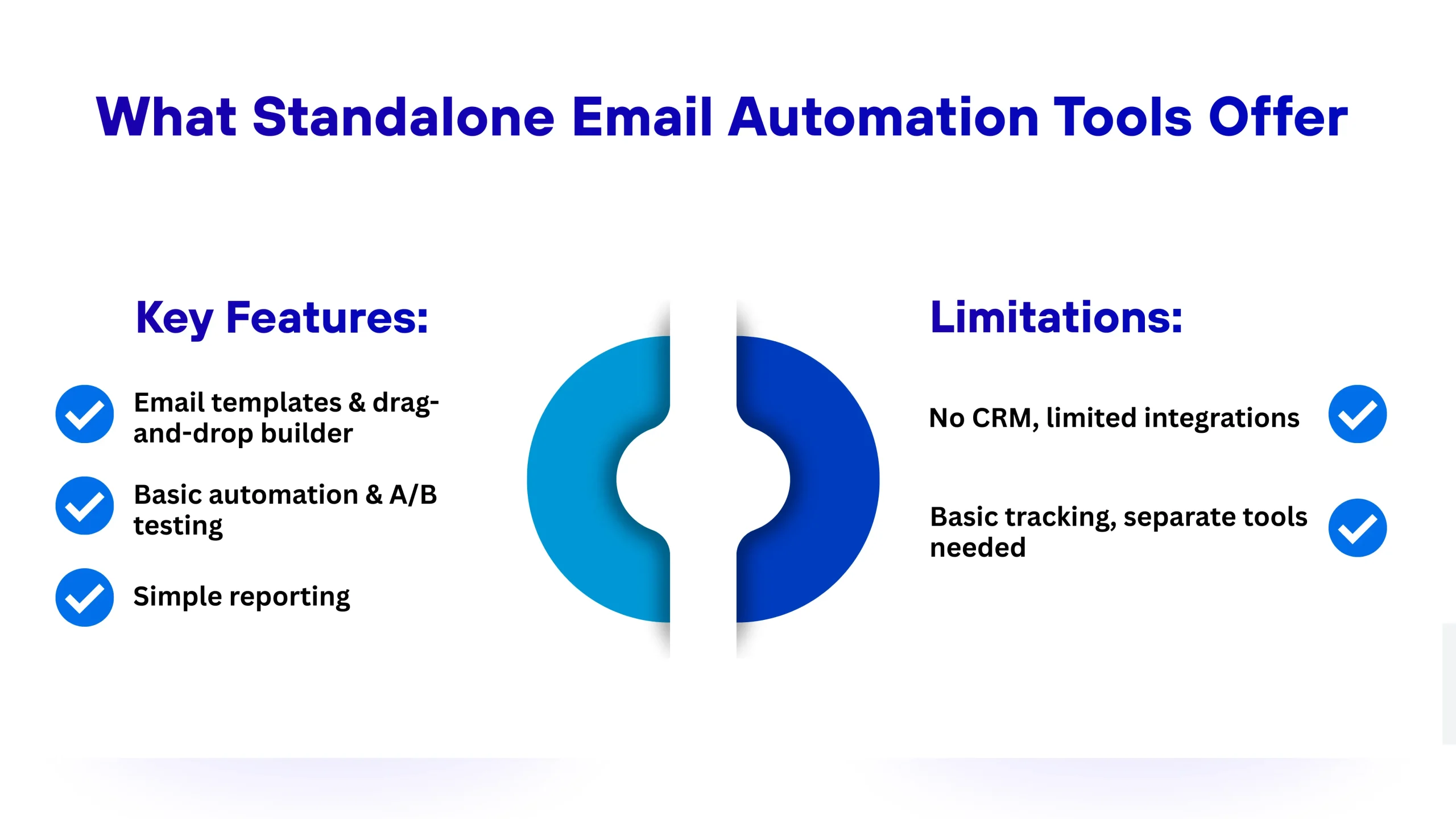
Let’s start with traditional email marketing services. These tools focus specifically on email campaigns and do that job pretty well.
Key Features of Specialized Email Tools:
For an Email marketing agency for small businesses or startups just getting started, these features might be enough. The pricing is usually affordable, sometimes as low as $10 to $20 per month for small contact lists. The learning curve is minimal, and you can launch your first campaign within hours.
Where They Fall Short
The problem arises when your business grows, and you need more than just emails. Standalone tools often struggle with:
Many businesses start with these tools because they’re cheap and simple. But within a year or two, they realize they’ve outgrown the platform and need something more robust.
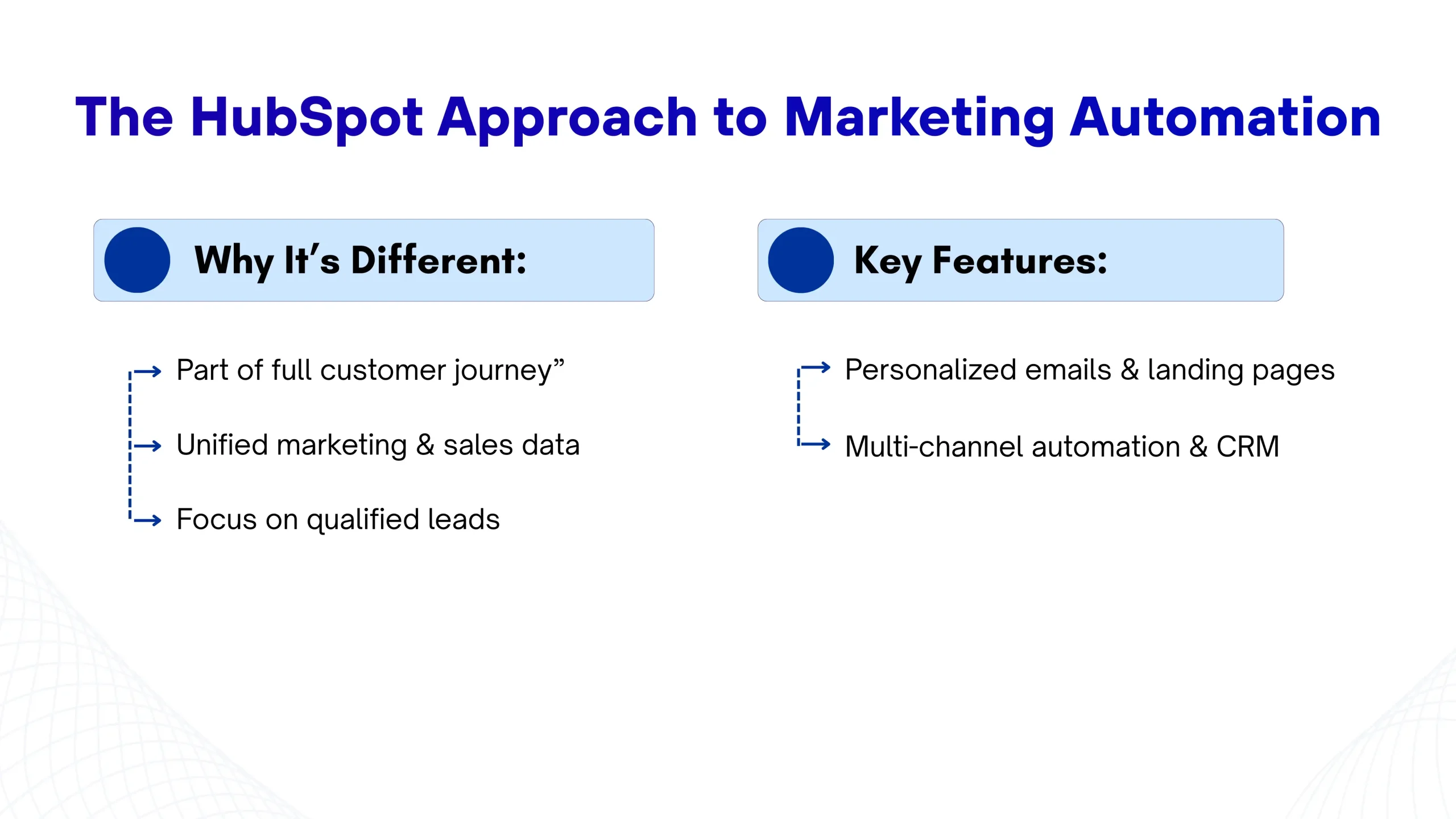
HubSpot Marketing Automation takes a completely different approach. Instead of just handling emails, it provides a comprehensive Inbound Marketing platform where everything connects.
HubSpot views email as one piece of a larger strategy, not the entire strategy. When you send an email through HubSpot, you’re not just sending a message; you’re creating a touchpoint in a documented customer journey.
With HubSpot Services, you get tools for:
The real power comes from how these tools work together. A visitor might find you through a blog post, download a guide, receive a welcome email, visit your pricing page, and trigger a notification to your sales team, all automatically tracked and managed within one system.
Here’s where things get interesting for B2B email automation specifically. HubSpot CRM Automation means your marketing and sales data live in the same place. When someone opens three emails in a row and visits your pricing page twice, your sales rep sees that activity in real time.
This visibility changes everything. Your team stops wasting time on cold leads and focuses on individuals showing genuine buying signals. The CRM automatically updates contact records, logs interactions, and moves deals through your pipeline based on activity.
Can HubSpot be used as an ATS? While HubSpot isn’t primarily an Applicant Tracking System, it does offer recruiting tools as part of its Service Hub. Many companies use HubSpot to manage candidate pipelines, although dedicated ATS platforms might offer more specialized recruiting software.
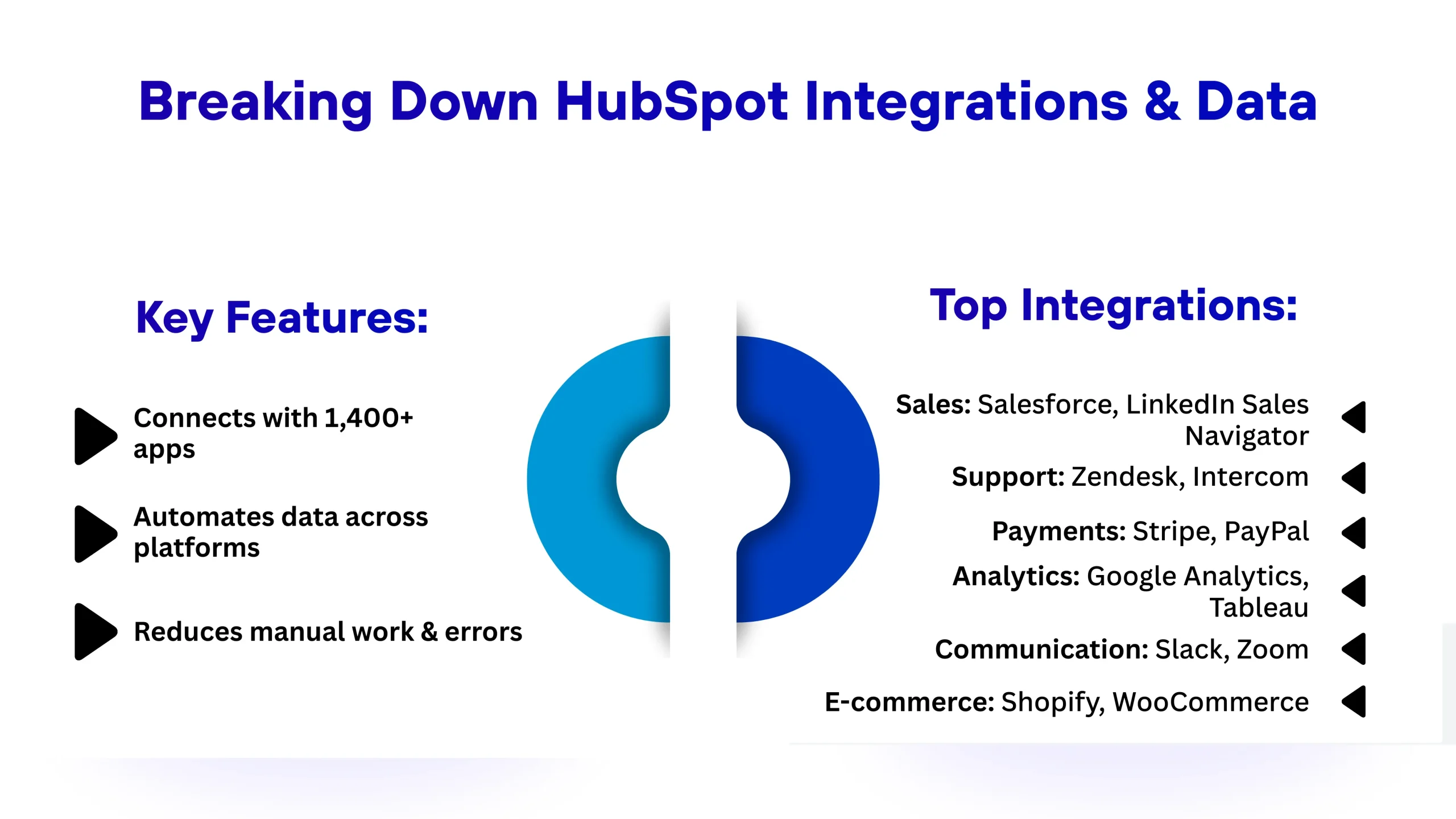
One of the biggest advantages of HubSpot Integrations and Data is the platform’s ability to connect with virtually any tool you’re already using. The HubSpot App Marketplace features over 1,400 integrations covering everything from accounting software to video platforms.
Common Integration Categories:
These HubSpot Integrations and Data connections mean information flows automatically between systems. When someone makes a purchase in your Shopify store, that data is automatically synced to HubSpot. When a support ticket gets resolved in Zendesk, the customer record is updated automatically.
Compare this to standalone email tools, where you have to copy and paste data between platforms or pay for additional middleware tools, such as Zapier, to connect things.
Most email marketing services are designed for quick setup. You can typically:
The simplicity is appealing, especially for small teams without technical resources. You don’t need a certified HubSpot developer or extensive training. Just follow the tutorials and start sending.
HubSpot Onboarding is more involved but sets you up for long-term success. Most businesses benefit from working with a HubSpot Consultant during implementation to ensure they’re building a solid foundation.
A typical HubSpot Onboarding process includes:
Yes, it’s a bigger investment upfront. But this foundation prevents the messy data problems and disconnected workflows that plague businesses using multiple point solutions.
A HubSpot Consultant becomes valuable when you want to:
While you can learn HubSpot on your own, a consultant compresses months of learning into weeks and helps you avoid expensive mistakes.
For businesses with unique needs, HubSpot Development offers customization beyond what’s available out of the box. A certified HubSpot developer can:
HubSpot Development isn’t necessary for most businesses starting out, but it becomes valuable as your needs grow more sophisticated. The platform’s flexibility means you won’t outgrow it even as your business scales.
Most standalone email tools don’t offer this level of customization. You’re limited to what’s available in their interface, with little room for unique modifications.
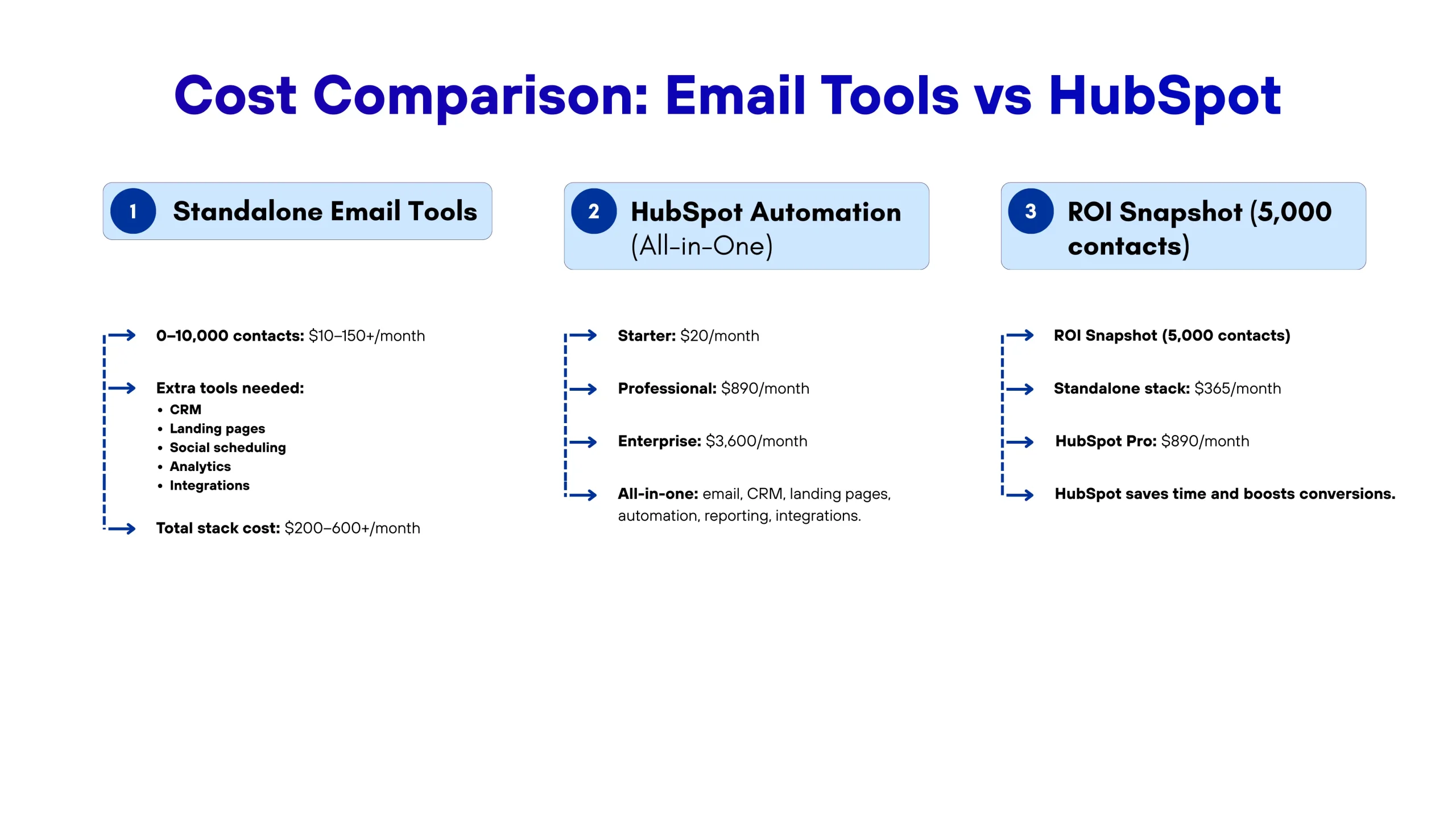
Basic email tools typically charge based on contact list size:
This seems affordable until you factor in all the additional costs. Most businesses also pay for:
Suddenly, your “cheap” email tool is part of a $200-600/month tech stack that doesn’t communicate effectively.
HubSpot’s pricing is higher upfront but includes everything:
The Professional tier is where most businesses find value because it includes robust Marketing Automation Services that replace multiple tools.
Consider the following scenario: A B2B company with 5,000 contacts compares options.
Option A: Standalone Tools
Option B: HubSpot Professional
HubSpot costs $525 more per month but provides:
If HubSpot helps you close just 2-3 additional deals per month (a very achievable goal with improved automation and sales visibility), the ROI is clear.
So, how do you decide between HubSpot and standalone Email Marketing Automation Solutions?
The decision often comes down to your growth stage and goals. If you’re building a business that you plan to scale significantly, starting with HubSpot prevents painful migrations later.
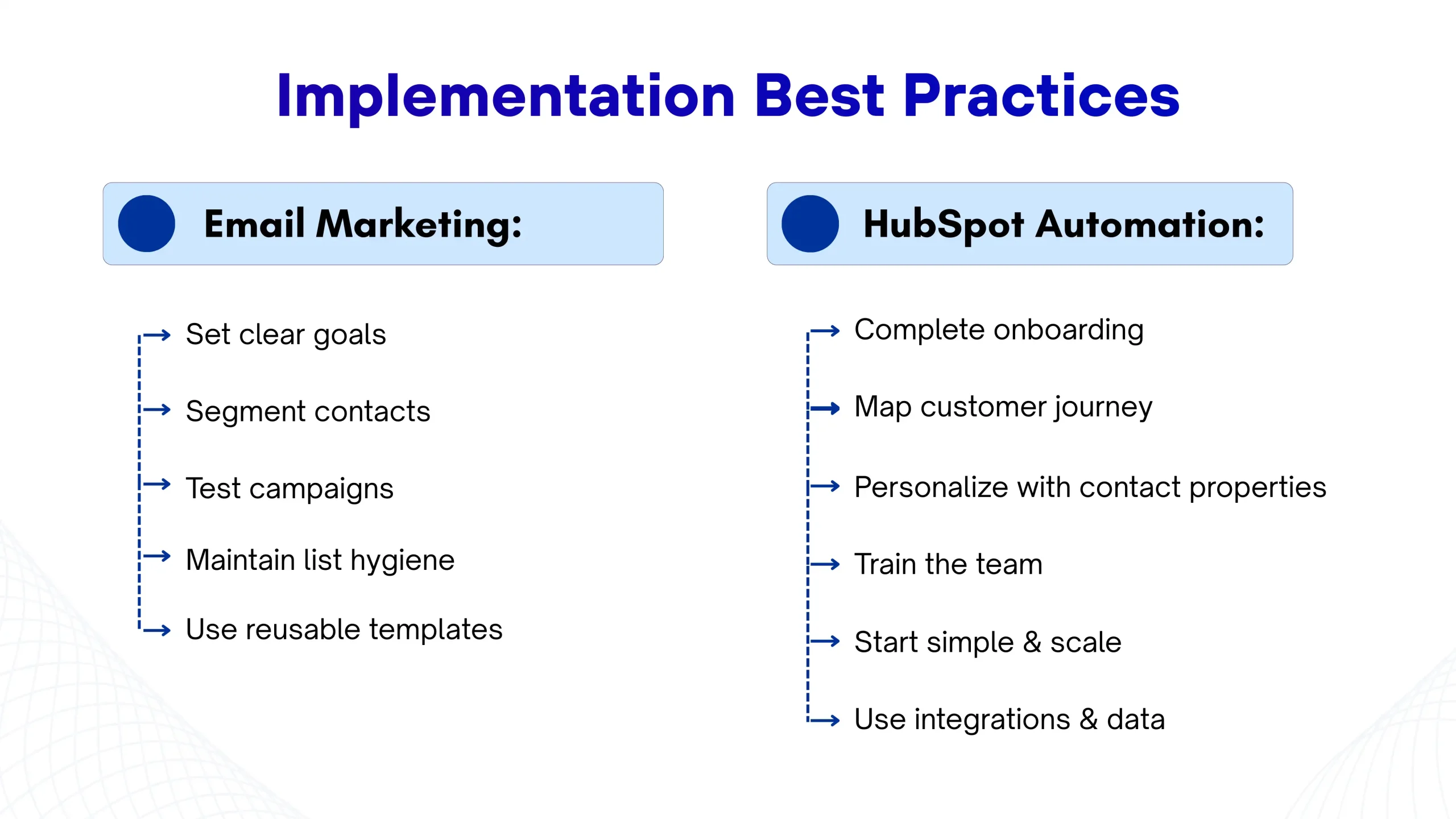
Regardless of which direction you choose, success depends on proper implementation.
The businesses that succeed with either option are those that treat automation as a strategic initiative, not just a software purchase.
The automation tools in the market continue to evolve rapidly. AI-powered personalization, predictive analytics, and omnichannel orchestration are becoming standard features, not premium add-ons.
HubSpot has invested heavily in AI features, such as content assistant, predictive lead scoring, and chatbot capabilities. Standalone email tools are adding similar features but often lack the data depth to make AI truly effective.
For B2B sales automation specifically, the trend is toward tighter integration between marketing automation and CRM. The days of separate systems are ending. Businesses want unified platforms that break down silos between departments.
HubSpot Services continues to expand, recently adding features for:
This trajectory suggests that comprehensive platforms, such as HubSpot, will continue to gain market share from point solutions.
Small businesses typically use Mailchimp, Constant Contact, or ActiveCampaign. Mid-sized B2B companies prefer HubSpot, Marketo, or Pardot for integrated Marketing Automation Services that connect email with CRM and sales processes.
HubSpot offers basic recruiting tools, but it isn’t primarily an Applicant Tracking System. You can manage candidate pipelines within HubSpot, but dedicated ATS platforms, such as Greenhouse, offer more specialized features for high-volume recruiting.
Email marketing services handle only email campaigns. Full Marketing Automation Solutions include email plus landing pages, CRM, lead scoring, and multi-channel Campaign automation that orchestrates complete customer journeys.
Yes, for most B2B companies. B2B sales automation through HubSpot helps sales teams see which marketing touches influenced each lead. Companies typically see ROI within 6-12 months through improved lead quality.
No. HubSpot is designed for marketers to use independently. A certified HubSpot developer is only needed for custom functionality or complex integrations.
Vedanshi
2026-10-23
7 min read
Your business uses HubSpot to manage customer relationships, but disconnected systems create data issues.
Read More
Vedanshi
2026-10-22
7 min read
Ask ChatGPT, Gemini, or Perplexity to recommend a supplier or a software tool, and you get a short list of names, not ten blue links.
Read More
Vedanshi
2026-10-21
7 min read
Building a website takes more than picking colors, dropping in images, and writing copy.
Read More