 sales@webguruz.in
 +1 (213) 715-5368
Vedanshi
2026-10-23
7 min read
Custom HubSpot Integrations: Benefits, Examples, and Best Practices
Your business uses HubSpot to manage customer relationships, but disconnected systems create data issues.
Read More
Published On:2026-01-02
Revenue Operations, or RevOps, has become the backbone of how successful businesses operate today. If you’re running a company or managing sales, marketing, or customer service teams, you’ve probably heard about HubSpot RevOps AI and how it’s changing the game. As we look toward 2026, two things are becoming crystal clear: Data Hub and AI automation are going to reshape how businesses handle their revenue operations.
Let us walk you through what’s coming and why it matters for your business.
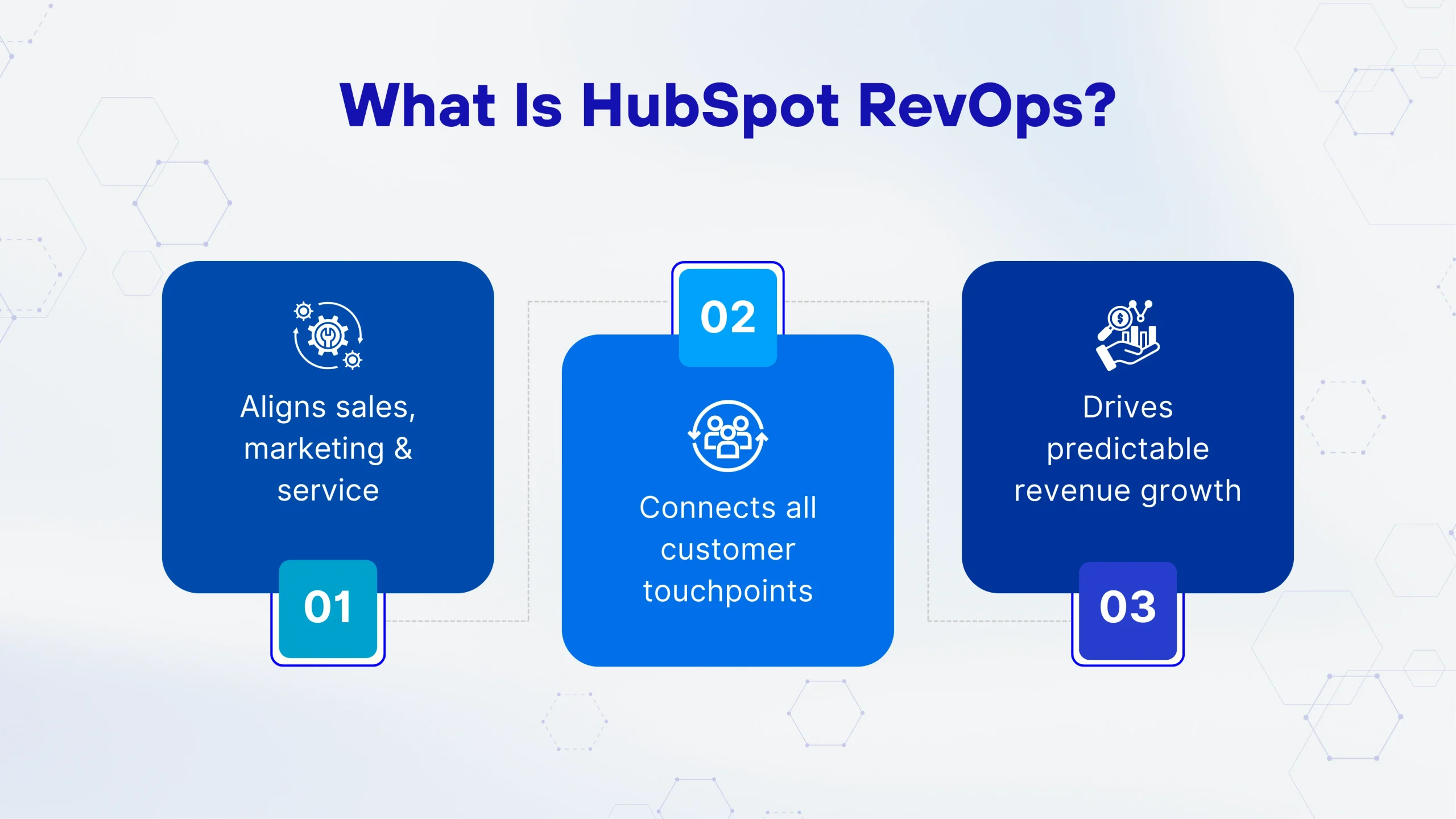
Before we jump into the future, let’s make sure we’re on the same page about what HubSpot RevOps actually means.
Think of RevOps as the control center for your entire revenue-generating machine. Instead of having your sales, marketing, and customer service teams working in separate silos with different tools and goals, HubSpot RevOps brings everything together under one roof. It’s about making sure all your teams are aligned, working from the same data, and moving toward the same objectives.
A solid HubSpot RevOps strategy connects all the dots between your customer’s first interaction with your brand and their ongoing relationship with your company. When done right, it means fewer dropped balls, happier customers, and more predictable revenue growth.
Here’s the thing: we’re not just talking about small improvements. The changes coming in 2026 represent a fundamental shift in how businesses operate.
Here’s the thing: we’re not just talking about small improvements. The changes coming in 2026 represent a fundamental shift in how businesses operate, making professional RevOps consulting services more essential than ever.
Companies are collecting more information than ever before, but most struggle to actually use it effectively. Customer behavior data, sales interactions, marketing engagement metrics, and support tickets are all piling up. Without the right systems, this data becomes overwhelming rather than helpful.
Your team shouldn’t spend hours each week on repetitive tasks like data entry, lead assignment, or report generation. These activities eat up time that could be spent on strategy, relationship building, and actually closing deals.
This is where HubSpot AI automation and RevOps workflow automation come into play. They’re not just nice-to-have features anymore; they’re becoming essential for staying competitive.
Let’s talk about HubSpot Data Hub, because this is where things get really interesting.
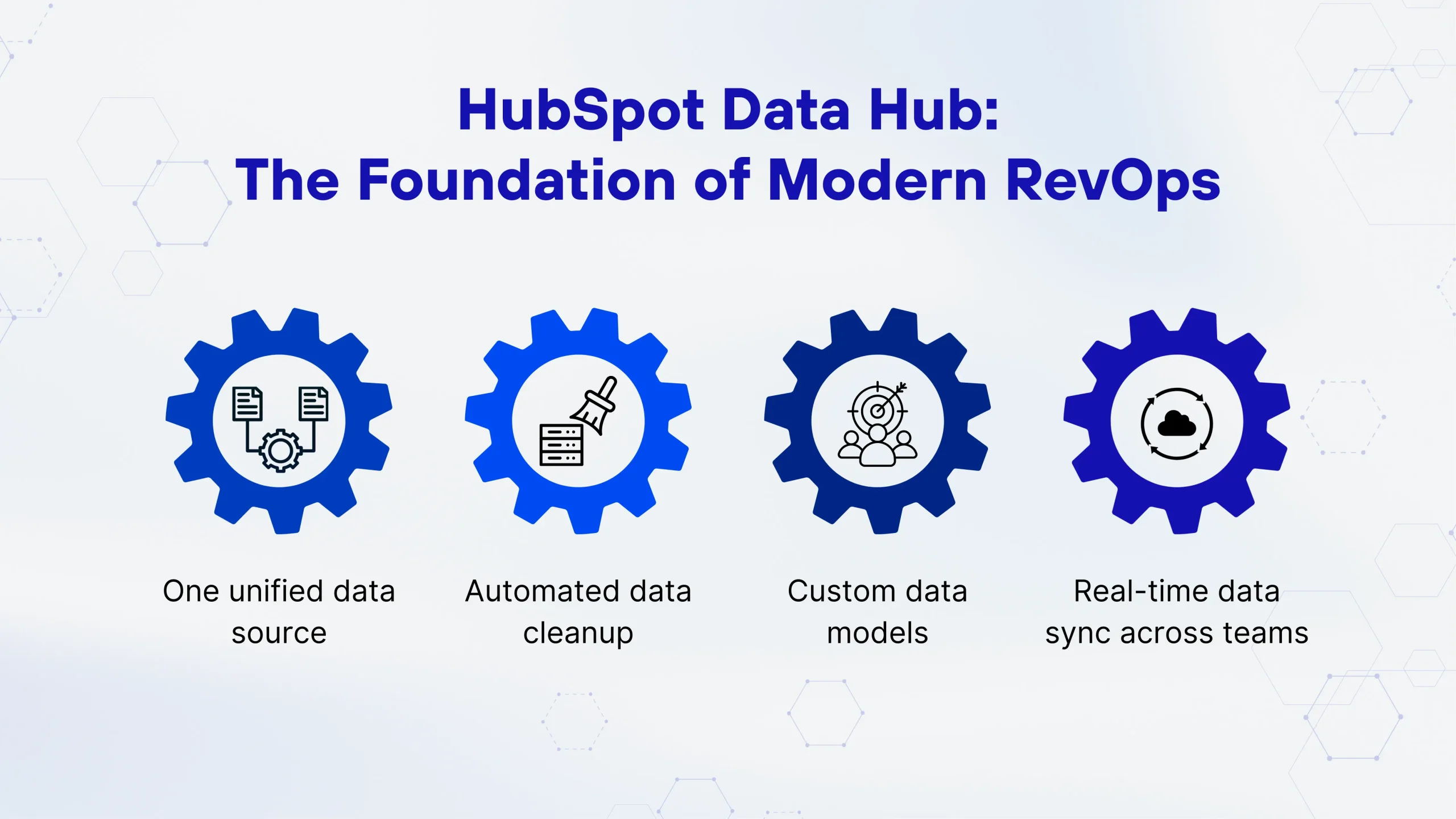
Data Hub acts as the central nervous system for your entire HubSpot ecosystem. It brings together information from all your HubSpot Hubs, such as Marketing, Sales, Service, CMS, and Operations, plus data from external systems you’re already using.
Most businesses have their data scattered across multiple platforms. Your customer information might be in one system, your sales data in another, and your marketing metrics somewhere else entirely. Data Hub solves this problem by creating a single source of truth.
Here’s what you can do with it:
Data Hub pulls information from all your tools and creates unified customer records. No more switching between tabs or wondering which system has the latest information.
Duplicate records, outdated information, and inconsistent formatting have always been headaches for RevOps teams. Data Hub uses intelligent automation to identify and fix these issues without manual intervention.
Every business is unique, and Data Hub lets you structure your data in ways that make sense for your specific operations. You’re not locked into someone else’s idea of how your business should work.
When a customer updates their information or makes a purchase, that data flows instantly to all the teams that need it. Your sales rep knows about the marketing email a prospect just opened. Your support team can see the purchase history when a customer calls in.
Now, let’s talk about the AI piece, because this is where things get really powerful.
HubSpot AI automation in 2026 isn’t about replacing your team; it’s about giving them superpowers. Think of it as having an incredibly smart assistant who never sleeps, never makes mistakes, and can process thousands of data points in seconds.
Instead of guessing which leads are most likely to convert, AI analyzes patterns from your historical data and tells you exactly where to focus your energy. It considers dozens of factors, such as website behavior, email engagement, demographic information, and more, to predict which prospects are ready to buy.
Traditional automation follows simple if-then rules. AI-powered RevOps automation understands context. It can detect when a customer seems frustrated based on their language in support tickets or when a deal is at risk based on changes in engagement patterns.
Your AI can analyze each contact’s behavior and preferences, then automatically adjust your messaging, content recommendations, and outreach timing to match what works best for that specific person. This used to require a dedicated person for each customer. Now it happens automatically for everyone.
AI looks at your pipeline, historical conversion rates, seasonal trends, and current market conditions to give you accurate revenue predictions. This helps you make better decisions about hiring, spending, and strategy.
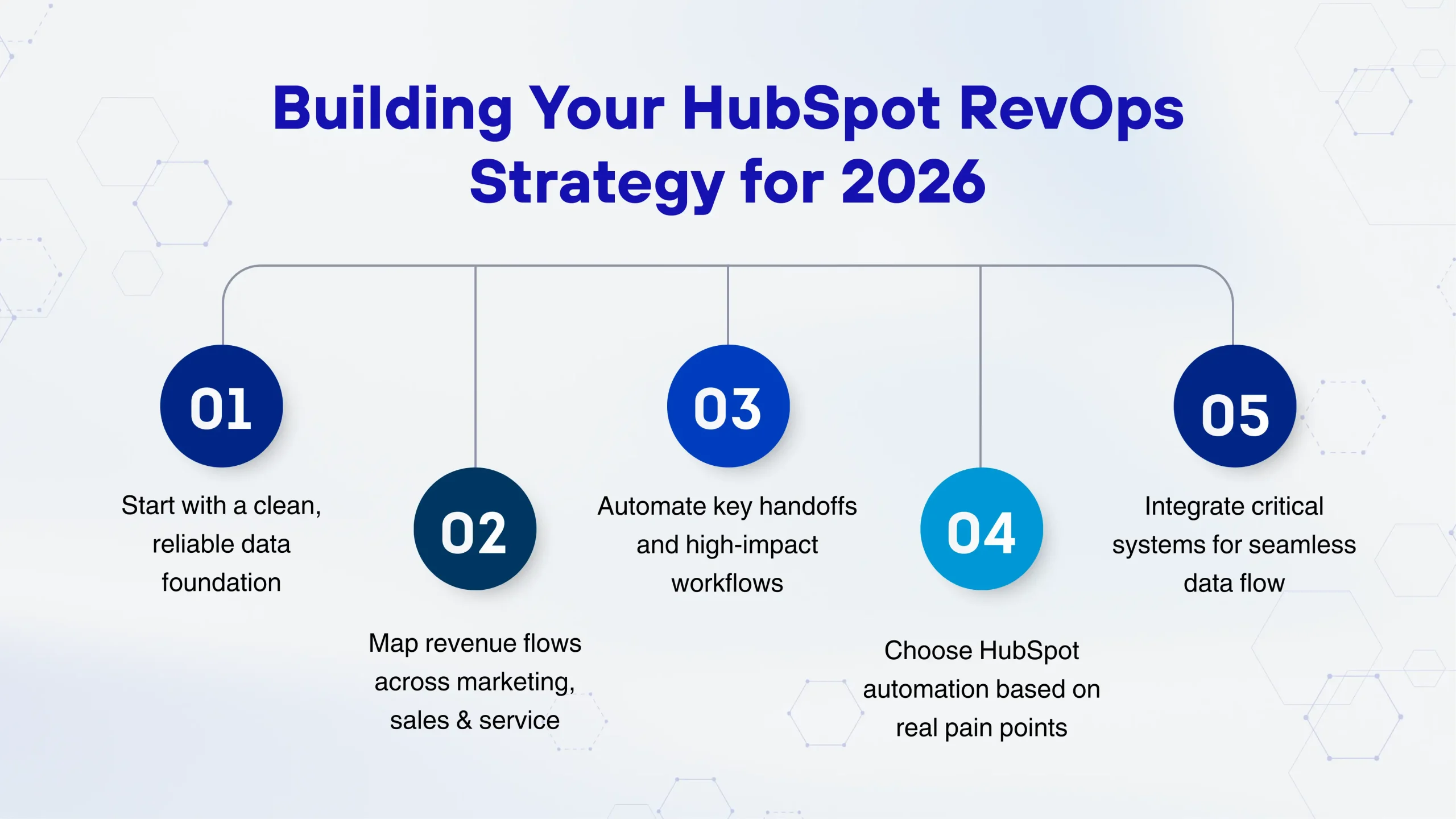
Okay, so we’ve covered the tools. But how do you actually build a strategy that takes advantage of these capabilities?
You can’t build a house on a cracked foundation, and you can’t build effective RevOps automation on messy data. Many businesses considering HubSpot CRM Migration or HubSpot Onboarding need to start here.
Working with HubSpot Migration Experts or HubSpot Technical Consulting professionals can save you months of headaches. They help you clean up your existing data, map out how information should flow through your systems, and set up your HubSpot Hubs correctly from day one.
Take a hard look at how revenue actually flows through your business. Where do leads come from? How do they move from marketing to sales? What happens after they become customers? Where are the handoffs between teams?
Every handoff is a potential failure point. RevOps workflow automation should smooth out these transitions. For example, when a lead hits a certain score, it should automatically route to the right sales rep with all the context they need. When a deal closes, customer success should automatically receive a notification with the customer’s goals and concerns.
Not all automation is created equal. HubSpot Automation Solutions range from simple email sequences to complex, multi-step workflows that span multiple teams and systems.
For HubSpot marketing automation, you might start with lead nurturing sequences that adapt based on prospect behavior. For HubSpot CRM Automation, you could automate data entry, task creation, and deal stage movements. The key is starting with your biggest pain points and expanding from there.
Your business probably doesn’t live entirely inside HubSpot. You might use specialized tools for accounting, inventory management, customer support, or industry-specific needs. Custom HubSpot Integrations connect these systems so data flows seamlessly between them.
Working with experienced HubSpot CRM Developers or a team specialized in HubSpot Development ensures these integrations are reliable and maintainable. The last thing you want is a critical integration breaking during a busy sales period.
Let’s get a bit more technical for a moment, because understanding what’s possible helps you think bigger about your RevOps strategy.
HubSpot’s standard objects (contacts, companies, deals, tickets) work great for many businesses. But what if you need to track custom entities specific to your industry? Maybe you’re a property management company tracking buildings and units or a staffing agency managing job placements.
HubSpot CMS Development and advanced HubSpot Development allow you to create custom objects that fit your exact needs. These custom objects integrate fully with Data Hub and can trigger the same automated workflows as standard objects.
Some integrations require custom development work. Maybe you need to sync data with a legacy system that doesn’t have a pre-built connector, or you need to transform data in specific ways before it enters HubSpot.
HubSpot Technical Consulting experts can build these connections using APIs, webhooks, and middleware platforms. This ensures your HubSpot RevOps ecosystem includes all the data sources that matter to your business.
Standard reports are helpful, but custom dashboards that show exactly the metrics you care about are game-changing. HubSpot Hubs each come with built-in reporting, but combining data across hubs and external sources requires a more sophisticated setup.
This is where working with professionals who understand both the business side and the technical capabilities pays off. They can build dashboards that answer your specific questions and update in real time.
Let’s look at some practical examples of how businesses will use these tools.
Implementing advanced RevOps automation isn’t always smooth sailing. Here are some challenges you might face and how to handle them.
If your existing data is messy, automation will just propagate those mistakes faster. This is why HubSpot Onboarding and proper data migration are so critical. Take the time upfront to clean your data, establish clear data entry standards, and train your team on maintaining data quality.
The fanciest automation in the world doesn’t help if your team doesn’t use it. Change management is crucial. Involve your team early in the planning process, provide thorough training, and make sure they understand how these tools make their jobs easier, not harder.
Yes, there is such a thing as too much automation. If every single interaction is automated, you lose the human touch that builds real relationships. The goal is to automate the repetitive stuff so your team can focus on high-value interactions that require empathy, creativity, and strategic thinking.
Connecting multiple systems can get complicated quickly. This is where Custom HubSpot Integrations expertise becomes valuable. Work with professionals who have done it before and can anticipate potential issues before they become problems.
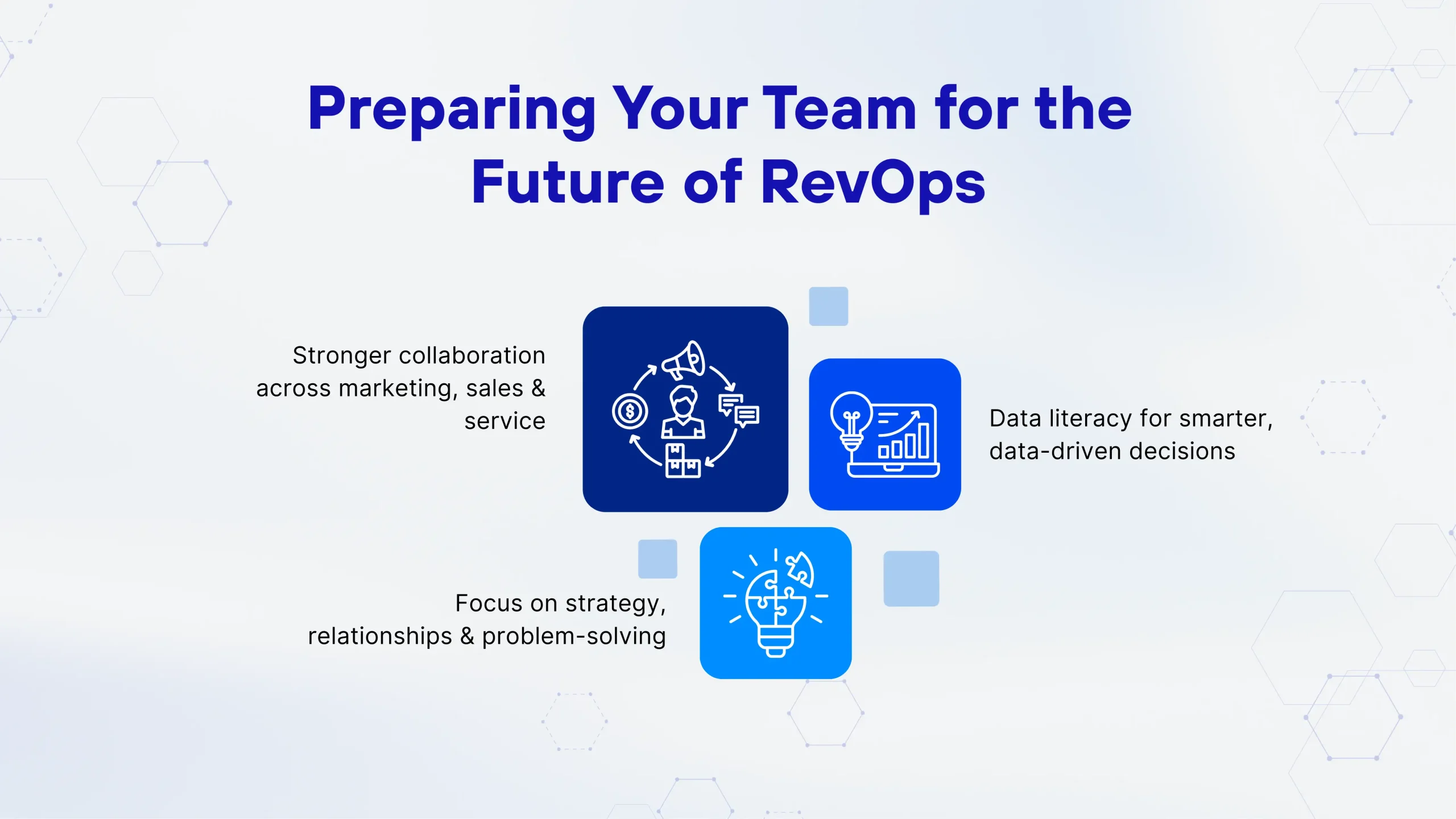
Technology is only part of the equation. Your team needs to evolve alongside your systems.
When marketing, sales, and service all work in the same system with the same data, they need to communicate more effectively. Regular alignment meetings and shared goals become crucial.
Your team needs to understand how to read reports, interpret metrics, and make data-driven decisions. Invest in training that helps them get comfortable with analytics.
When automation handles routine tasks, your team’s value shifts to strategy, relationship building, and problem-solving. These are uniquely human skills that AI can’t replace.
While we’re focusing on 2026, it’s worth thinking about where this is all heading. The clear trend is that systems will get smarter, integrations will get easier, and automation will become more sophisticated.
Businesses that start building their HubSpot RevOps foundation now will be in the best position to take advantage of whatever comes next. Those who wait risk falling behind competitors who are already optimizing their operations with AI and advanced automation.
The good news is that you don’t have to figure this all out alone. Whether you need help with HubSpot CRM Migration, setting up RevOps workflow automation, or building Custom HubSpot Integrations, there are experts who specialize in exactly these challenges.
A: It depends on your current systems and complexity, but most businesses see initial results within 2-3 months and have a fully optimized system running within 6-12 months. Starting with HubSpot Onboarding from experienced professionals can significantly speed up this timeline.
A: No, many businesses take a phased approach to HubSpot CRM Migration. You might start with one team or department, get everything working smoothly, and then expand. This reduces risk and allows your team to adapt gradually.
A: Small businesses actually benefit tremendously because automation allows them to compete with larger companies without massive teams. HubSpot Automation Solutions scale to fit businesses of all sizes, and you can start small and expand as you grow.
A: Basic workflows can be set up by non-technical users, but advanced automation, Custom HubSpot Integrations, and complex HubSpot Development work benefit from technical expertise. Many businesses work with HubSpot CRM Developers or HubSpot Technical Consulting partners for the complex stuff while handling day-to-day adjustments themselves.
A: Most businesses see ROI through increased sales efficiency, reduced manual work, fewer missed opportunities, and better customer retention. Typical payback periods range from 6 to 18 months, with benefits compounding over time as your data becomes more valuable and your automation more sophisticated.
Vedanshi
2026-10-23
7 min read
Your business uses HubSpot to manage customer relationships, but disconnected systems create data issues.
Read More
Vedanshi
2026-10-22
7 min read
Ask ChatGPT, Gemini, or Perplexity to recommend a supplier or a software tool, and you get a short list of names, not ten blue links.
Read More
Vedanshi
2026-10-21
7 min read
Building a website takes more than picking colors, dropping in images, and writing copy.
Read More