 sales@webguruz.in
 +1 (213) 715-5368
Vedanshi
2026-10-23
7 min read
Custom HubSpot Integrations: Benefits, Examples, and Best Practices
Your business uses HubSpot to manage customer relationships, but disconnected systems create data issues.
Read More
Published On:2026-06-29
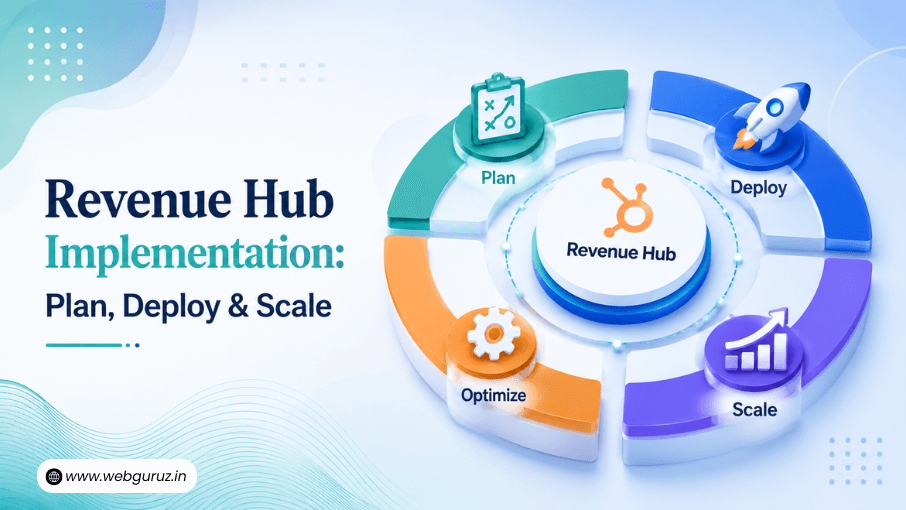
Implementing new technology can transform the way your business operates, but only if it’s done strategically. A successful HubSpot Revenue Hub implementation isn’t just about enabling features; it’s about creating a connected revenue engine that helps sales, finance, and operations teams work together more efficiently.
Many businesses invest in software expecting instant results, only to discover that poor planning, disconnected data, or unclear processes limit its potential. Taking the time to prepare your systems and workflows before launch can make the difference between a smooth rollout and months of avoidable rework.
If you’re still exploring the platform itself, you may want to read our guide, “HubSpot Revenue Hub? A Complete Guide” which covers its capabilities, pricing, and core benefits. In this article, we’ll focus on the practical steps involved in implementing it successfully.
According to Salesforce research, 81% of customers expect faster interactions as technology advances. Meeting those expectations requires streamlined internal processes, connected customer data, and automation that reduces manual effort.
Let’s explore how to prepare your business for a successful Revenue Hub deployment.
Technology alone won’t solve operational challenges. Without proper planning, businesses often end up recreating inefficient processes inside a new platform.
Before beginning your HubSpot Revenue Hub implementation, define clear objectives. For example:
Answering these questions early helps shape the implementation strategy and ensures every workflow supports a measurable business outcome.
Many organizations choose HubSpot Revenue Hub consulting services during this stage to review existing processes, identify bottlenecks, and design scalable workflows before configuration begins.
Many revenue teams spend a significant portion of their week on administrative tasks instead of customer-facing work. A well-planned HubSpot Revenue Hub implementation helps automate repetitive processes, giving teams more time to focus on activities that drive growth.


Clean data is the foundation of every successful CRM and revenue operations project.
Before starting your HubSpot Revenue Hub setup, take time to review your existing records and eliminate inconsistencies. Migrating duplicate contacts, outdated deals, or incomplete customer information can create reporting issues and reduce user confidence in the platform.
A good preparation checklist includes:
This preparation makes future reporting more accurate and helps teams adopt the platform with confidence.

One of Revenue Hub’s biggest strengths is its ability to support the complete quote-to-cash process from a single platform.
Before enabling automations, map every step of your current customer journey. A typical workflow might include:
Documenting these steps helps identify unnecessary handoffs and opportunities for automation.
For a deeper look at workflow automation after deployment, readers can explore “How to Automate the Quote-to-Cash Process,” where each stage is explained in greater detail.
After planning comes configuration.
Most businesses begin by setting up HubSpot quote management, ensuring proposals follow consistent templates and approval processes. Next, they configure HubSpot billing and payments so invoices and payment status remain connected to customer records instead of being scattered across multiple tools.
Subscription-based organizations should also configure HubSpot subscription management early in the project. Keeping renewals, recurring billing, and contract updates centralized makes it easier to manage customer relationships while reducing administrative work.
As part of the broader ecosystem of HubSpot Hubs, Revenue Hub integrates naturally with sales and customer data, allowing teams to collaborate more effectively without switching between disconnected platforms.
A successful implementation doesn’t stop with sales and finance. To create a truly connected customer experience, businesses should also consider how Revenue Hub works alongside Marketing Hub.
When marketing and revenue teams share the same customer data, it becomes easier to track the full journey, from a visitor’s first website interaction to a signed contract and recurring payments. Campaign performance can be linked to actual revenue outcomes, giving leadership better insight into which marketing efforts generate the highest return.
For example, a prospect who downloads a resource or fills out a form can move seamlessly into the sales pipeline, receive a personalized quote, complete payment, and begin onboarding without information being lost between systems. This level of alignment reduces manual handoffs, improves data accuracy, and helps teams deliver a more consistent customer experience.
As businesses grow, connecting marketing activities with revenue operations creates a stronger foundation for forecasting, reporting, and long-term scalability.

Most businesses don’t operate with a single piece of software. Customer information may live in a CRM, invoices in an accounting platform, and contracts in a separate document management system. A successful implementation should bring these systems together rather than create new silos.
This is where HubSpot Revenue Hub integration services become valuable. By connecting Revenue Hub with the tools your business already uses, teams can reduce duplicate data entry, minimize errors, and ensure information flows smoothly across departments.
Common integrations include:
The goal isn’t simply to connect applications; it’s to create a unified process that supports better decision-making.
Even the best-configured platform will struggle to deliver results if employees don’t know how to use it.
After the technical setup is complete, invest time in HubSpot Revenue Hub onboarding for everyone who interacts with the system. Sales representatives, finance teams, operations staff, and managers should all understand how their daily work fits into the broader revenue workflow.
Training should cover:
Many businesses appoint an internal champion or work with a HubSpot Revenue Hub expert to answer questions and encourage adoption during the first few months after launch.

Launching Revenue Hub is an important milestone, but it’s only the beginning. As your business grows, customer needs change, and new products or services are introduced, your revenue processes should evolve as well.
Regular reviews help ensure that workflows remain efficient and continue to support your business goals. This is where a strong HubSpot RevOps strategy becomes valuable. By aligning sales, finance, and operations around shared data and processes, businesses can identify bottlenecks early and make continuous improvements.
After implementation, consider reviewing the following on a regular basis:
Rather than treating implementation as a one-time project, successful organizations view it as an ongoing process of optimization. Small improvements made over time can lead to faster sales cycles, more accurate reporting, and a better experience for both employees and customers.
A thoughtful rollout can save significant time and effort later. Here are some mistakes businesses should avoid:
Duplicate contacts and outdated records can undermine reporting and reduce confidence in the platform.
Automating every possible scenario from day one often creates unnecessary complexity. Start with the core processes and expand gradually.
Revenue operations involve more than sales. Finance, operations, and leadership should all contribute to the implementation strategy. Businesses that also use Sales Hub should ensure their sales processes and customer data are aligned with Revenue Hub to create a seamless experience across the entire revenue lifecycle.
Without proper onboarding, teams may continue relying on spreadsheets or legacy processes instead of using the new platform effectively.
Implementation shouldn’t end at launch. Define success metrics and review them regularly to identify opportunities for improvement.
Once your implementation is complete, the next step is evaluating performance.
Here are some useful KPIs:
| Metric | Why It Matters |
|---|---|
| Quote turnaround time | Measures how quickly proposals are generated and approved. |
| Sales cycle length | Indicates whether automation is helping close deals faster. |
| Invoice processing time | Tracks billing efficiency and payment readiness. |
| Subscription renewal rate | Helps monitor customer retention and recurring revenue. |
| Revenue forecast accuracy | Shows how reliable reporting has become after implementation. |
| User adoption | Confirms whether teams are actively using the platform. |
Reviewing these metrics regularly allows businesses to refine workflows and continue improving operational performance over time.
A successful HubSpot Revenue Hub implementation is about more than configuring software; it’s about building a scalable foundation for revenue growth. With clean data, well-designed workflows, effective integrations, and proper user training, businesses can streamline operations and reduce manual work across the customer lifecycle.
Whether you’re implementing Revenue Hub for the first time or modernizing existing processes, taking a structured approach helps ensure long-term success. Combined with the right strategy and ongoing optimization, the platform can support faster sales cycles, improved forecasting, and a more connected experience for every team involved in revenue generation.
The timeline usually depends on the size of your business, the complexity of your workflows, and whether data migration or integrations are required. Smaller implementations may take a few weeks, while enterprise projects can take longer.
Not always, but businesses with complex sales processes or multiple integrations often benefit from working with specialists who provide Revenue Hub implementation services and strategic guidance.
Yes. Revenue Hub supports integrations with a variety of business applications, allowing teams to connect customer, billing, and operational data for a more unified workflow.
No. Organizations of different sizes can benefit from Revenue Hub, especially those looking to automate quoting, billing, subscriptions, and revenue reporting as they grow.
After launch, monitor key performance indicators, gather user feedback, provide ongoing training, and continuously refine workflows. Regular optimization ensures your investment continues to deliver value as your business evolves.

Vedanshi
2026-10-23
7 min read
Your business uses HubSpot to manage customer relationships, but disconnected systems create data issues.
Read More
Vedanshi
2026-10-22
7 min read
Ask ChatGPT, Gemini, or Perplexity to recommend a supplier or a software tool, and you get a short list of names, not ten blue links.
Read More
Vedanshi
2026-10-21
7 min read
Building a website takes more than picking colors, dropping in images, and writing copy.
Read More