 sales@webguruz.in
 +1 (213) 715-5368
Vedanshi
2026-10-23
7 min read
Custom HubSpot Integrations: Benefits, Examples, and Best Practices
Your business uses HubSpot to manage customer relationships, but disconnected systems create data issues.
Read More
Published On:2026-06-24
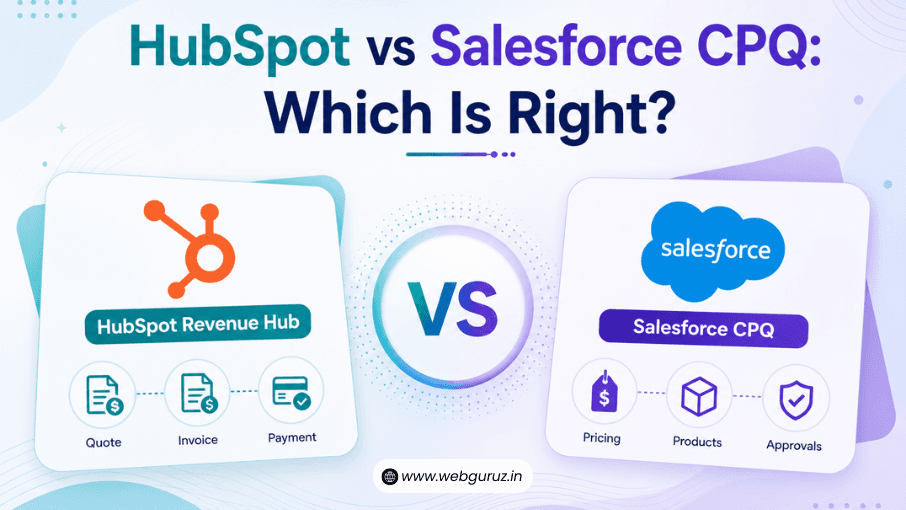
Choosing the right software to manage your sales and revenue processes isn’t always straightforward. With so many platforms offering quoting, pricing, automation, and CRM capabilities, it’s easy to get overwhelmed by the options.
One comparison that’s becoming increasingly common is HubSpot Revenue Hub vs Salesforce CPQ. While both platforms help businesses streamline the quote-to-cash process, they take different approaches and are designed with different types of organizations in mind.
If you’re trying to decide which solution fits your business, the key is to look beyond feature lists. Ease of use, implementation time, scalability, and day-to-day usability all play an important role in long-term success.
The demand for smarter revenue operations is only growing. According to McKinsey’s State of AI report, 78% of organizations now use AI in at least one business function, highlighting the value of connected data and automation across sales and finance teams.
In this guide, we’ll compare HubSpot Revenue Hub vs Salesforce CPQ to help you understand where each platform shines and which one is better suited to your business goals.
At first glance, HubSpot Revenue Hub and Salesforce CPQ may seem similar because they both support the sales process. However, they are built with different priorities in mind.

HubSpot Revenue Hub is designed to simplify the entire quote-to-cash journey. It combines quoting, billing, payments, subscriptions, and revenue management into one connected experience, allowing businesses to manage commercial operations without relying on multiple disconnected tools.
Because it integrates seamlessly with HubSpot Sales Hub and other HubSpot Hubs, teams can move from lead generation to payment collection while working from the same customer record.
For growing businesses, this means less manual work, better collaboration, and improved visibility across the revenue lifecycle.
Salesforce CPQ (Configure, Price, Quote) focuses primarily on helping businesses create complex and highly customized quotes.
It is particularly valuable for organizations with extensive product catalogs, complicated pricing rules, or multiple approval layers. Users can configure products, apply pricing logic, generate quotes, and manage approvals within the Salesforce ecosystem.
Many enterprise organizations rely on Salesforce CPQ because it offers a high degree of flexibility and customization, especially for businesses with sophisticated sales processes.
Although both platforms support quoting and sales operations, their capabilities differ in several important ways
| Feature | HubSpot Revenue Hub | Salesforce CPQ |
|---|---|---|
| Primary Focus | Unified quote-to-cash management | Configure, price, and quote for complex sales |
| Quote Creation | Built-in quoting with CRM integration | Advanced configurable quoting |
| Contracts & Billing | Integrated into revenue workflows | Often managed through broader Salesforce solutions |
| Payment Management | Connected payment and billing capabilities | May require additional integrations depending on setup |
| Subscription Support | Supports recurring revenue management | Supports subscription pricing and renewals |
| CRM Integration | Native integration with HubSpot ecosystem | Native integration with Salesforce ecosystem |
| Automation | Easy-to-build workflows and revenue automation | Powerful automation with greater configuration options |
| Ideal Customer | Growing businesses looking for simplicity and scalability | Enterprises with highly customized sales processes |
The biggest difference comes down to philosophy.
HubSpot Revenue Hub focuses on making revenue operations easier to manage through an intuitive, connected platform. Salesforce CPQ emphasizes deep customization and sophisticated pricing capabilities, making it well suited for organizations with highly complex sales models.
Software only delivers value if people actually enjoy using it.
One of HubSpot’s biggest strengths is its clean interface and user-friendly design. New users can often learn the platform quickly, and many tasks (such as creating quotes or building workflows) require little technical expertise.
This ease of use can reduce training time and help teams become productive faster.
Salesforce CPQ offers significantly more customization, but that flexibility often comes with additional complexity. Businesses with advanced pricing models may appreciate its capabilities, but users typically need more training to take full advantage of the platform.
For companies with dedicated Salesforce administrators or technical consultants, this may not be an issue. Smaller teams, however, may find the learning curve steeper than expected.
Comparing costs isn’t always straightforward because pricing depends on licensing, implementation, customizations, and ongoing support.
Instead of focusing solely on subscription fees, businesses should consider the total investment required to deploy and maintain each platform.
| Factor | HubSpot Revenue Hub | Salesforce CPQ |
|---|---|---|
| Initial Setup | Generally quicker and easier | Often requires more planning and configuration |
| Customization Needs | Moderate and user-friendly | Extensive customization options |
| Learning Curve | Relatively short | Typically steeper |
| Implementation Costs | Often lower for standard deployments | May increase significantly for complex projects |
| Long-Term Maintenance | Easier for many growing businesses | Can require ongoing specialist support |
Rather than asking which platform is cheaper, it’s better to ask which one delivers the greatest value for your organization’s needs.
A fast-growing company with straightforward pricing may benefit from HubSpot’s simplicity, while a global enterprise with highly customized product configurations may justify the additional investment in Salesforce CPQ.
When comparing HubSpot Revenue Hub vs Salesforce CPQ, features are only part of the equation. How quickly you can implement the platform (and how much effort it takes to maintain) can have a big impact on your return on investment.
For many growing businesses, HubSpot Revenue Hub is easier to get up and running. Its intuitive interface, built-in tools, and straightforward workflows mean teams can often start using it with minimal training. If you’re already using HubSpot products, the transition is even smoother because everything works within the same ecosystem.
Salesforce CPQ, on the other hand, is built for organizations with more advanced pricing models and sales processes. It offers extensive customization, but that flexibility usually comes with added complexity. Businesses often need dedicated administrators or implementation partners to configure rules, approvals, and integrations.
Neither approach is inherently better; it depends on your business requirements. If simplicity and speed are priorities, HubSpot has an advantage. If your organization manages highly customized pricing structures across large product catalogs, Salesforce CPQ may offer greater control.
The right platform often depends on where your business is today and where you expect it to be in the future.

Smaller teams usually benefit from solutions that are easy to adopt and don’t require extensive technical expertise. HubSpot Revenue Hub offers a clean user experience and integrates naturally with CRM and marketing activities, making it an attractive option for businesses with limited resources.
As organizations grow, they need better collaboration between sales, finance, and operations. HubSpot Revenue Hub provides scalable quote-to-cash functionality while remaining relatively simple to manage, making it a strong fit for many mid-market businesses.
Companies with complex product configurations, multiple approval layers, and highly specialized pricing rules may find Salesforce CPQ better suited to their needs. Its advanced customization capabilities can support sophisticated enterprise sales environments, although implementation often requires additional planning and expertise.
Every platform has strengths and trade-offs. Understanding them can help you make a more informed decision.
| HubSpot Revenue Hub | Salesforce CPQ |
|---|---|
| Easy to learn and use | Highly customizable for complex pricing models |
| Unified quote-to-cash experience | Powerful product configuration capabilities |
| Seamless integration with the HubSpot ecosystem | Deep integration with the Salesforce ecosystem |
| Faster implementation for many businesses | Suitable for large enterprise environments |
| May not offer the same level of pricing customization as enterprise CPQ tools | Steeper learning curve and implementation complexity |
| Some advanced enterprise requirements may need additional planning | Can require dedicated administrators or consultants |
The best choice often comes down to balancing simplicity with customization.
If your goal is to create a connected revenue operation without adding unnecessary complexity, HubSpot Revenue Hub is an excellent choice. It combines quoting, billing, subscriptions, payments, and revenue visibility in a platform that’s easy for teams to adopt and manage.
If your business has extremely complex pricing structures, configurable product catalogs, or enterprise-level sales requirements, Salesforce CPQ may provide the flexibility you need—provided you’re prepared for the additional implementation and maintenance effort.
In many cases, the decision isn’t about choosing the platform with the longest feature list. It’s about selecting the one that aligns with your team’s processes, technical resources, and long-term growth plans.
The debate around HubSpot Revenue Hub vs Salesforce CPQ doesn’t have a one-size-fits-all answer.
HubSpot Revenue Hub is designed for businesses that want to simplify quote-to-cash operations with an intuitive platform that brings sales, billing, and revenue management together. Salesforce CPQ, meanwhile, excels in organizations that require highly customized product configurations and sophisticated pricing logic.
Before making a decision, take time to evaluate your sales workflows, reporting needs, and implementation resources. Choosing a platform that fits your business today (and can support your growth tomorrow) will deliver far more value than simply choosing the platform with the most features.
HubSpot Revenue Hub focuses on simplifying the entire quote-to-cash process by connecting quoting, billing, payments, and revenue operations in one platform. Salesforce CPQ specializes in configuring products, applying complex pricing rules, and generating customized quotes within the Salesforce ecosystem.
For most businesses, HubSpot Revenue Hub offers a shorter learning curve and a more intuitive user experience. Salesforce CPQ provides greater customization but often requires additional training and technical expertise.
Yes. Many enterprise organizations can benefit from HubSpot Revenue Hub, particularly if they value ease of use and streamlined revenue operations. However, businesses with highly specialized pricing models may prefer Salesforce CPQ’s advanced configuration capabilities.
Yes. Many organizations review their technology stack as their needs evolve and may choose to migrate if they want a simpler, more unified quote-to-cash experience. A careful migration plan helps ensure a smooth transition.
While every business is different, many small and mid-sized organizations find HubSpot Revenue Hub easier to implement, manage, and scale because of its user-friendly design and integrated approach to revenue operations.
Vedanshi
2026-10-23
7 min read
Your business uses HubSpot to manage customer relationships, but disconnected systems create data issues.
Read More
Vedanshi
2026-10-22
7 min read
Ask ChatGPT, Gemini, or Perplexity to recommend a supplier or a software tool, and you get a short list of names, not ten blue links.
Read More
Vedanshi
2026-10-21
7 min read
Building a website takes more than picking colors, dropping in images, and writing copy.
Read More