 sales@webguruz.in
 +1 (213) 715-5368
Vedanshi
2026-10-23
7 min read
Custom HubSpot Integrations: Benefits, Examples, and Best Practices
Your business uses HubSpot to manage customer relationships, but disconnected systems create data issues.
Read More
Published On:2026-06-24
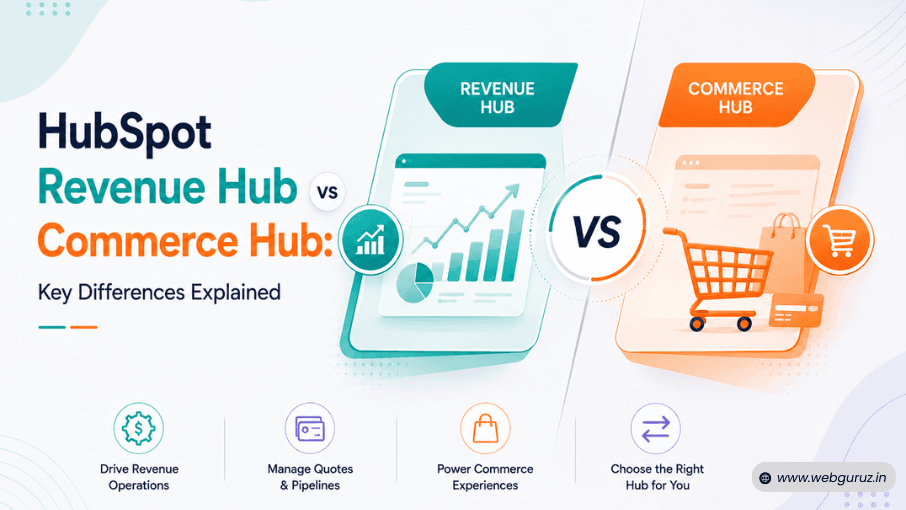
Businesses using HubSpot have long relied on its commerce capabilities to streamline payments, invoices, and customer transactions. However, with the introduction of HubSpot Revenue Hub, many users are asking an important question: How does Revenue Hub differ from Commerce Hub, and should businesses make the switch?
The answer lies in HubSpot’s broader vision of unifying the entire quote-to-cash journey. Instead of focusing primarily on payment collection, Revenue Hub brings together quoting, contracts, billing, subscriptions, payments, and revenue insights into a connected experience. This shift reflects a growing industry trend toward integrated operations and AI-ready business platforms.
According to McKinsey’s State of AI report, 78% of organizations now use AI in at least one business function, emphasizing the need for centralized, high-quality data that can power intelligent automation and decision-making. A fragmented tech stack often limits those capabilities, which is why HubSpot is expanding its revenue-focused offerings.
If you’re comparing Revenue Hub vs Commerce Hub, understanding how the two solutions differ will help you choose the right fit for your business needs.
Before the introduction of Revenue Hub, HubSpot Commerce Hub was the platform’s dedicated solution for simplifying payment collection and supporting commercial transactions.
It enabled businesses to:
For many organizations, Commerce Hub eliminated the need for separate payment platforms and made it easier for sales teams to complete transactions without leaving HubSpot.
Perhaps its greatest strength was its close integration with HubSpot Sales Hub, allowing representatives to move prospects from opportunity to payment within a familiar environment.
However, as businesses scaled, many discovered that managing revenue involved much more than processing payments. Contracts, approvals, subscriptions, forecasting, and finance workflows often remained scattered across different systems, creating inefficiencies and limiting visibility.

The evolution from Commerce Hub to Revenue Hub reflects HubSpot’s broader strategy of supporting the complete customer and revenue lifecycle rather than isolated commercial activities.
Traditionally, organizations managed different stages of the revenue process using multiple platforms:
While each solution addressed a specific need, the lack of integration often created duplicate work, inconsistent data, and disconnected customer experiences.
Revenue Hub expands on the capabilities previously associated with Commerce Hub by bringing these processes together into a more unified quote-to-cash framework.
This shift also aligns with changing customer expectations. Salesforce research shows that 81% of customers expect companies to provide faster interactions as technology advances. Meeting those expectations requires connected systems where sales, finance, and customer success teams have access to the same information instead of operating in silos.
Rather than viewing Revenue Hub as a completely separate product, it is more accurate to see it as an evolution that broadens HubSpot’s commercial capabilities and integrates them more deeply into the wider ecosystem of HubSpot Hubs.
The platform is also designed to work seamlessly with solutions like HubSpot Marketing Hub, HubSpot Sales Hub, and HubSpot Service Hub, allowing organizations to manage the customer journey, from lead generation to payment and beyond, within a single connected environment.
While both offerings support commercial operations, their scope and strategic focus differ significantly. The table below highlights the key distinctions between Revenue Hub vs Commerce Hub.
Commerce Hub: Enable payments, invoices, and basic commerce functionality. Revenue Hub: Manage the complete quote-to-cash lifecycle from quotes to revenue tracking.
Commerce Hub: Supports quote creation and payment collection. Revenue Hub: Expands quoting with deeper integration into contracts and revenue workflows.
Commerce Hub: Limited contract-related functionality. Revenue Hub: Centralizes contracts as part of the customer and revenue journey.
Commerce Hub: Focuses on invoices and payment requests. Revenue Hub: Integrates billing into a broader revenue operations framework.
Commerce Hub: Handles recurring payments and subscriptions. Revenue Hub: Provides enhanced visibility into subscription and recurring revenue processes.
Commerce Hub: Core functionality for accepting payments. Revenue Hub: Includes payment collection as one component of an end-to-end revenue workflow.
Commerce Hub: Transaction-focused reporting. Revenue Hub: Connects quotes, contracts, billing, payments, and revenue insights in one place.
Commerce Hub: Supports commerce-related automation. Revenue Hub: Leverages unified revenue data to power richer AI-driven insights and workflows.
Commerce Hub: Businesses primarily focused on payment collection. Revenue Hub: Organizations seeking a comprehensive revenue operations platform.
The comparison makes one thing clear: Commerce Hub and Revenue Hub share common foundations, but Revenue Hub extends well beyond payments to support a more holistic approach to revenue management.
For businesses already invested in the HubSpot ecosystem, the transition represents an opportunity to reduce operational silos and create stronger alignment between sales, finance, and customer success teams.
One of the biggest advantages of HubSpot Revenue Hub is that it does not operate in isolation. Instead, it works alongside other HubSpot products to create a connected platform where marketing, sales, customer service, and revenue operations share the same data and workflows.
For example, HubSpot Marketing Hub can generate and nurture leads before handing them over to HubSpot Sales Hub for opportunity management. Once a deal progresses, Revenue Hub supports the commercial side of the process by managing quotes, contracts, billing, subscriptions, and payments. After the sale, HubSpot Service Hub enables customer support teams to access relevant account and revenue information, ensuring a seamless post-purchase experience.
This integrated approach reduces the need for multiple disconnected tools and helps teams collaborate more effectively. Instead of manually transferring information between systems, businesses can manage the entire customer lifecycle (from the first interaction to revenue recognition) within a single ecosystem.
For organizations already invested in HubSpot, Revenue Hub strengthens the platform by connecting customer relationships with commercial operations, making it easier to scale processes, improve visibility, and support future AI-driven initiatives.
While Commerce Hub introduced powerful payment and billing capabilities, HubSpot Revenue Hub expands the vision by creating a unified platform for managing the entire quote-to-cash lifecycle. Rather than focusing on individual transactions, it helps businesses connect commercial processes with customer relationship management and AI-powered insights

Some of the most notable enhancements include:
Revenue Hub brings together quotes, contracts, invoicing, subscriptions, payments, and revenue tracking within a single environment. This eliminates the need to switch between multiple systems and provides greater visibility into every stage of the revenue journey.
Sales, finance, and customer success teams can work from the same source of truth, reducing communication gaps and ensuring everyone has access to the latest customer and revenue information.
As HubSpot continues to invest in AI, centralized revenue data becomes increasingly valuable. With quoting, billing, and payment information available in one place, businesses can build smarter automations and generate more meaningful insights.
Instead of viewing payments in isolation, organizations can connect commercial activities to broader business metrics, making it easier to understand revenue trends, forecast performance, and identify growth opportunities.
Revenue Hub complements HubSpot Sales Hub, HubSpot Marketing Hub, and HubSpot Service Hub, allowing teams to manage customer acquisition, sales, support, and revenue operations within one connected ecosystem.

Not every business will need the expanded capabilities of Revenue Hub immediately, but for many organizations, the additional functionality can provide significant operational benefits.
Revenue Hub is a strong fit if you:
On the other hand, businesses with relatively simple payment collection needs and limited commercial complexity may find that their existing commerce functionality continues to meet their requirements.
The discussion around Revenue Hub vs. Commerce Hub is not about choosing between two competing products; it is about understanding how HubSpot’s commercial capabilities have evolved to meet changing business needs.
While Commerce Hub helped organizations simplify payments and transactions, HubSpot Revenue Hub builds on that foundation by supporting a more comprehensive quote-to-cash process. By bringing together quotes, contracts, invoicing, subscriptions, payments, and revenue insights, it enables businesses to reduce operational silos and create a more connected customer experience.
For organizations already using HubSpot Sales Hub, HubSpot Marketing Hub, or HubSpot Service Hub, Revenue Hub can serve as the missing link that aligns customer interactions with revenue operations. As businesses continue to adopt AI and automation, having unified commercial data in one platform will become increasingly valuable for smarter decision-making and sustainable growth.
Revenue Hub represents an evolution of HubSpot’s commercial capabilities rather than a simple replacement. It expands beyond payments to include broader quote-to-cash functionality such as contracts, billing, subscriptions, and revenue management.
The primary difference is scope. Commerce Hub focuses on payments and commerce-related features, while Revenue Hub provides a more comprehensive solution for managing the entire revenue lifecycle from quoting to payment tracking.
Yes. Revenue Hub is designed to integrate seamlessly with HubSpot Sales Hub, HubSpot Marketing Hub, HubSpot Service Hub, and other parts of the HubSpot ecosystem to provide a connected customer and revenue experience.
It depends on your business needs. Companies with complex revenue operations, recurring billing models, or cross-functional workflows may benefit significantly from Revenue Hub’s expanded capabilities.
Yes. By centralizing commercial and customer data, Revenue Hub provides a stronger foundation for AI-driven insights, automation, reporting, and decision-making across the quote-to-cash process.

Vedanshi
2026-10-23
7 min read
Your business uses HubSpot to manage customer relationships, but disconnected systems create data issues.
Read More
Vedanshi
2026-10-22
7 min read
Ask ChatGPT, Gemini, or Perplexity to recommend a supplier or a software tool, and you get a short list of names, not ten blue links.
Read More
Vedanshi
2026-10-21
7 min read
Building a website takes more than picking colors, dropping in images, and writing copy.
Read More