 sales@webguruz.in
 +1 (213) 715-5368
Vedanshi
2026-10-23
7 min read
Custom HubSpot Integrations: Benefits, Examples, and Best Practices
Your business uses HubSpot to manage customer relationships, but disconnected systems create data issues.
Read More
Published On:2026-05-29
HubSpot is one of the most capable CRM platforms on the market. But the businesses that get the most out of it are rarely the ones using HubSpot alone. They are the ones that have connected it intelligently to the tools their teams already live in, their inbox, their ad accounts, their e-commerce store, and their support desk.
That is exactly what the right HubSpot integrations make possible. They eliminate manual data entry, close the gap between departments, and turn HubSpot from a contact database into the central nervous system of an entire business operation.
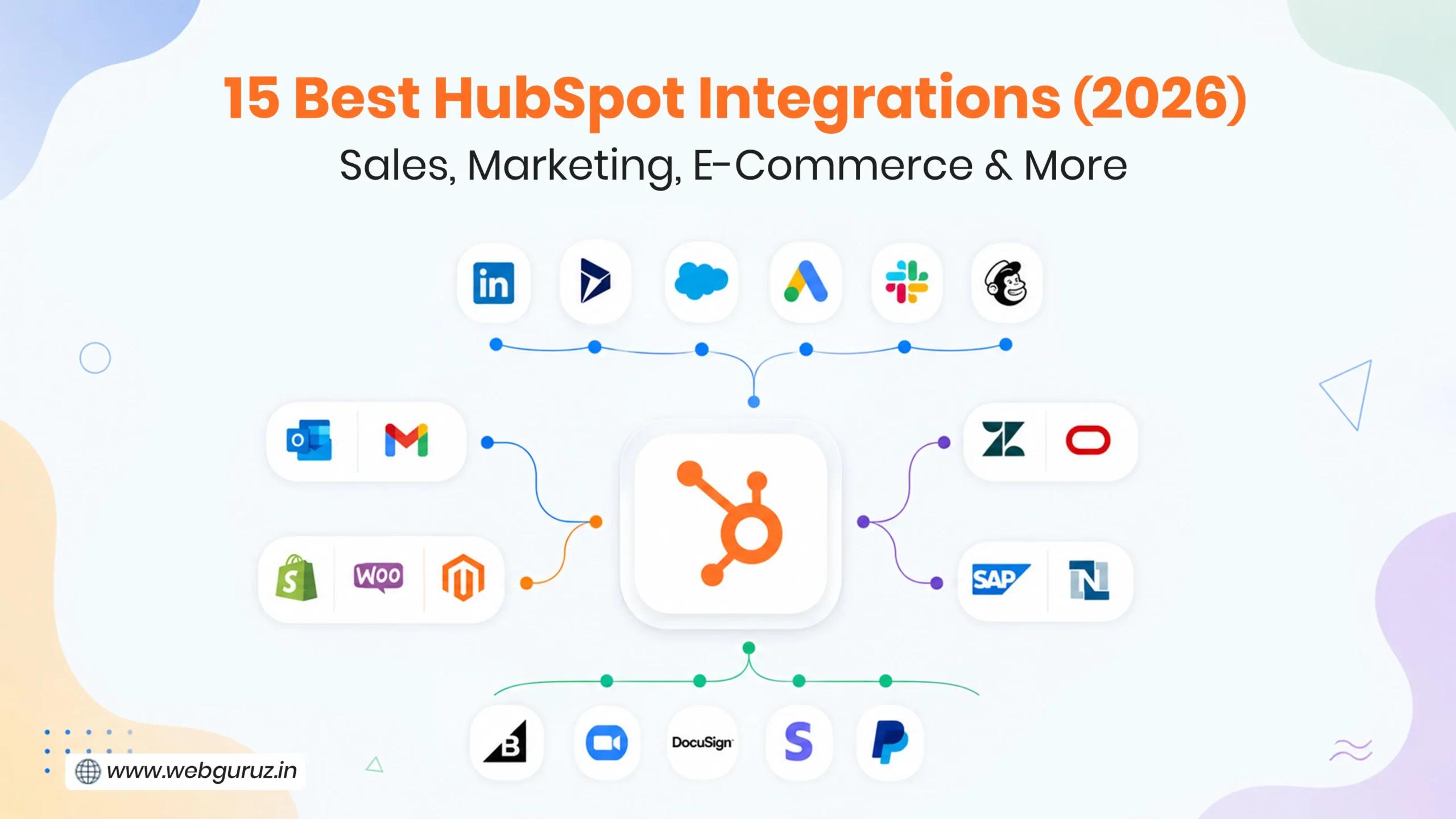
This guide covers the 15 best HubSpot integrations across sales, marketing, communication, e-commerce, and automation, what each one does, who it is for, and what to watch out for. It also highlights how businesses are using HubSpot Integrations and Data to create more connected, scalable, and efficient operational workflows.

A HubSpot integration is a connection between HubSpot and another software tool that allows the two systems to share data, trigger actions, or surface information in each other’s interface. Depending on the tool, some can be installed in minutes through the HubSpot App Marketplace, while others require custom API development for more complex data flows.
When set up well, HubSpot integrations mean your sales team sees support tickets before a renewal call. Your marketing team sees which ad led to a closed deal. Your finance team sees payment status without logging into three systems. That is the real value, not features, but visibility and time.

HubSpot’s App Marketplace hosts over 1,500 native connectors, and the number keeps growing. But more options do not always mean better decisions. The 15 integrations below have been chosen based on real-world usage, cross-industry relevance, and the measurable impact they have on sales, marketing, and operations teams. Whether you are just getting started with HubSpot or looking to get more out of a stack you already have, these are the connections worth understanding first.
Among all CRM-to-CRM connections, the one between HubSpot and Salesforce is the most requested and most customized in the entire ecosystem. It is built for organizations where marketing runs on HubSpot and sales runs on Salesforce, or for teams actively migrating from one to the other.
The native connector handles bi-directional sync for contacts, companies, deals, and activities. It works well for standard Salesforce instances. Where it breaks down is when either side has custom objects, non-standard lifecycle stages, or deal pipelines that do not map cleanly to HubSpot’s default structure.
For companies with clean data and straightforward pipeline stages, the native integration is more than enough. For those with heavily customized Salesforce environments, a custom API build is usually the more reliable path.
Best for: Organizations running HubSpot for marketing and Salesforce for sales, or transitioning between the two.
B2B teams doing account-based outreach get significant leverage from connecting HubSpot and LinkedIn. It pulls LinkedIn profile data, InMail activity, and social selling signals directly into HubSpot contact records so sales reps can research and engage prospects without ever leaving the CRM.
On the marketing side, the LinkedIn Ads integration syncs lead gen form submissions directly into HubSpot, ties pipeline revenue back to ad spend, and enables matched audiences built from HubSpot contact lists.
These are technically two separate integrations (Sales Navigator and LinkedIn Ads), but together they cover the full B2B funnel from awareness to pipeline.
Best for: B2B sales teams doing outbound prospecting and marketing teams running LinkedIn ad campaigns.
Customer success and sales teams benefit enormously from connecting HubSpot and Zendesk, it brings your support desk data directly into your CRM so that teams can see open tickets, ticket history, and customer satisfaction scores on HubSpot contact and company records.
The most common use case is renewal and expansion conversations. A sales rep about to call a customer for an upsell should know if that customer has three unresolved support tickets. Without this integration, they often do not. With it, that context is visible before the call is made.
The native connector covers the basics. Enterprises with custom ticket categories, complex escalation logic, or high ticket volumes typically need a more configured setup.
Best for: Customer success and sales teams that need full customer context before renewal or expansion conversations.
One of the most frustrating gaps in digital marketing is the disconnect between ad clicks and actual revenue, and connecting HubSpot and Google Ads closes it directly. With this integration active, every Google Ads click is tied to a HubSpot contact, and conversion events are sent back to Google to inform smart bidding algorithms.
This means your ad campaigns are no longer optimizing for form fills. They are optimizing for the contacts that actually became customers. The practical result is better lead quality from the same or lower ad spend.
You can also build Google Ads audiences directly from HubSpot lists, retargeting customers, suppressing existing contacts, or targeting lookalikes based on your best deals.
Best for: Any business actively running Google Ads that wants to connect ad spend to CRM revenue.
Lead generation forms become significantly more powerful when you connect HubSpot and Typeform. The integration pushes form submissions (including hidden fields and conditional logic answers) directly into HubSpot as contacts or updated contact properties.
Standard HubSpot forms work well for simple use cases. Typeform is the better choice when the form experience itself needs to be conversational, branded, or multi-step, and when the answers need to trigger specific HubSpot workflows based on what respondents said.
It is particularly useful for lead gen quizzes, onboarding surveys, and ABM personalization workflows where the richness of the data matters as much as the volume.
Best for: Marketing teams running lead qualification surveys, event registrations, or multi-step onboarding forms.
The newest category of productivity gains in the CRM world comes from connecting HubSpot and ChatGPT. Through HubSpot’s native AI tools and third-party connectors, teams are using ChatGPT to draft email sequences from contact data, summarize CRM notes, generate follow-up copy, and populate content fields at scale.
The use cases are still maturing, but the most practical ones are already delivering measurable time savings: auto-generating personalized outreach from deal properties, summarizing long contact timelines for new reps, and building first drafts of nurture content triggered by lifecycle stage changes.
Best for: Sales and marketing teams looking to reduce manual writing time and scale personalization across large contact databases.
Most sales and marketing teams already live in Slack, and connecting it with HubSpot brings CRM activity into the tool they check most. Deal stage changes, new form submissions, assigned tasks, and contact activity can all be pushed as notifications into dedicated Slack channels.
The practical value is speed. Instead of a sales manager logging into HubSpot to check pipeline movement, the pipeline comes to them. It also works in reverse, Slack commands can be used to look up HubSpot contact records, create tasks, and log notes without switching applications.
Best for: Any HubSpot team that uses Slack as their primary communication tool and wants CRM visibility without constant tab-switching.
Email is where most sales activity actually happens. Connecting HubSpot and Gmail brings the CRM directly into the inbox, emails are logged automatically to contact records, opens and clicks are tracked, and sales sequences can be enrolled without leaving the email client.
The HubSpot and Gmail integration works through a Chrome extension that surfaces contact data, deal history, and meeting scheduling links inside the Gmail interface. For Microsoft users, the HubSpot and Outlook integration delivers the same functionality for Microsoft 365, including desktop Outlook.
Both integrations also support two-way calendar sync, so meetings booked in either direction appear on HubSpot contact timelines automatically.
Best for: Sales reps who live in their inbox and need CRM data and logging without switching between tools.
Demo calls and webinars generate valuable data, and linking HubSpot and Zoom ensures none of it gets lost. Meeting recordings, attendance data, and webinar registration information are logged directly to HubSpot contact records automatically after each session ends.
The integration also supports meeting scheduling. HubSpot meeting links can trigger automatic Zoom link generation, removing the manual step of creating a Zoom meeting after a call is booked.
For marketing teams running webinars, attendee data flows straight into HubSpot for follow-up automation, making it straightforward to segment by attendance, engagement level, or registration source.
Best for: Sales teams running product demos and marketing teams using webinars as a lead generation or nurturing channel.
For businesses operating in markets where WhatsApp is the primary communication channel (South Asia, Southeast Asia, the Middle East, and Latin America), connecting HubSpot and WhatsApp is not optional; it is essential.
Through HubSpot’s native WhatsApp integration on supported tiers, or via third-party connectors, businesses can send and receive WhatsApp messages that are logged to HubSpot contact records, trigger workflows, and feed into reporting. Appointment reminders, abandoned cart messages, support follow-ups, and sales outreach can all be automated from within HubSpot.
Best for: Businesses in markets where WhatsApp is the dominant messaging channel, or any team doing high-volume conversational sales or support.
E-commerce brands unlock a new level of marketing capability when they connect HubSpot and Shopify. Customer records, order history, abandoned cart data, and product information sync between the two platforms, and marketing teams can trigger automated flows based on purchase behavior, post-purchase sequences, win-back campaigns for lapsed customers, and abandoned cart recovery.
The native connector works well for standard direct-to-consumer Shopify stores. B2B Shopify setups with custom pricing, multi-store configurations, or complex checkout logic typically require a more tailored integration to handle the additional data model complexity.
Best for: E-commerce brands running on Shopify that want to use HubSpot for post-purchase marketing and customer lifecycle automation.
For businesses already built on WordPress, connecting HubSpot and WooCommerce is the natural path to adding CRM capability without migrating their store. The integration syncs customers, orders, and product data for use in marketing automation, contact creation from new orders, lifecycle stage updates based on purchase history, and abandoned cart workflows.
Like Shopify, the native connector handles standard stores well. Higher complexity setups benefit from custom field mapping and more controlled sync logic, particularly where B2B pricing or multi-currency orders are involved.
Best for: Businesses running WooCommerce on WordPress who want to add marketing automation and CRM capability to their store.
Beyond e-commerce, the content and lead generation side of a WordPress site becomes significantly more powerful when you connect HubSpot and WordPress. HubSpot’s WordPress plugin embeds tracking code, syncs form submissions to HubSpot contacts, activates live chat, and enables pop-ups and CTAs, all managed from within HubSpot rather than WordPress.
For content-driven businesses, this means every blog reader, form submitter, and chat conversation is captured as a HubSpot contact with full session and source data attached. It turns a WordPress site from a publishing platform into a lead generation engine.
Best for: Businesses running their website on WordPress who want HubSpot to capture and manage all visitor and lead data.
Subscription and SaaS businesses get particular value from connecting HubSpot and Stripe, as it brings payment and subscription data into the CRM and makes it possible to build revenue reporting, renewal workflows, and customer health scores directly inside HubSpot. Stripe customers sync as HubSpot contacts, subscriptions appear on deal records, and payment events can trigger automated workflows.
For teams trying to understand the full customer journey, this closes the loop between marketing, sales, and revenue, a contact’s path from first touch to paying customer to renewal is visible in one place.
Best for: SaaS companies and subscription businesses that want to connect billing data to CRM workflows and revenue reporting.
For straightforward automations between well-supported apps, it is an excellent starting point. For anything mission-critical or high-volume, it is usually a bridge to a more robust solution rather than the final answer. In these cases, working with a certified HubSpot developer can help businesses create more scalable and reliable integration workflows tailored to their operational requirements.
Best for: Teams that need quick connections between HubSpot and tools not covered by the native marketplace, particularly for low-to-medium volume workflows.
| S. No | Integration | Category | Best For | Integration Type |
|---|---|---|---|---|
| 1 | HubSpot and Salesforce | Sales & CRM | Teams running HubSpot for marketing and Salesforce for sales | Native + Custom |
| 2 | HubSpot and LinkedIn | Sales & CRM | B2B prospecting and LinkedIn ad campaigns | Native |
| 3 | HubSpot and Zendesk | Sales & CRM | Customer success teams needing support context before renewals | Native + Custom |
| 4 | HubSpot and Google Ads | Marketing & Advertising | Connecting ad spend directly to CRM revenue | Native |
| 5 | HubSpot and Typeform | Marketing & Advertising | Conversational lead gen forms and onboarding surveys | Native |
| 6 | HubSpot and ChatGPT | Marketing & Advertising | AI-assisted outreach, content generation and CRM summarisation | Native + Third-party |
| 7 | HubSpot and Slack | Communication & Productivity | CRM notifications and pipeline visibility inside Slack | Native |
| 8 | HubSpot and Gmail | Communication & Productivity | Email logging, open tracking and sequences from the inbox | Native |
| 9 | HubSpot and Outlook | Communication & Productivity | Same as Gmail for Microsoft 365 users | Native |
| 10 | HubSpot and Zoom | Communication & Productivity | Logging demo calls and webinar attendance to contact records | Native |
| 11 | HubSpot and WhatsApp | Communication & Productivity | Conversational sales and support in WhatsApp-dominant markets | Native + Third-party |
| 12 | HubSpot and Shopify | E-Commerce & Payments | Post-purchase marketing and customer lifecycle automation | Native + Custom |
| 13 | HubSpot and WooCommerce | E-Commerce & Payments | Adding CRM and automation to a WordPress-based store | Native + Custom |
| 14 | HubSpot and WordPress | E-Commerce & Payments | Turning a WordPress site into a HubSpot-powered lead engine | Native |
| 15 | HubSpot and Stripe | E-Commerce & Payments | Connecting billing and subscription data to CRM workflows | Native |
| 16 | HubSpot and Zapier | Automation | Connecting HubSpot to tools without a native marketplace connector | Middleware |

Native and middleware integrations cover a large portion of real-world use cases. But there are consistent scenarios where they fall short, custom objects that native connectors do not recognize, real-time sync requirements that scheduled polling cannot meet, high record volumes that push against API rate limits, on-premise or legacy systems with no public API, and complex field transformations that go beyond one-to-one mapping.
For teams dealing with two or more of these scenarios, investing in custom HubSpot integrations upfront is usually the more cost-effective long-term choice. Building it right once is cheaper than maintaining a brittle middleware setup that breaks under load.
Businesses that get the most out of their stack understand that the value of HubSpot integrations is not in the number you install; it is in choosing the ones that eliminate the biggest gaps between your tools and your data. The right connections mean fewer manual processes, better reporting, and a CRM that reflects how your business actually operates rather than just how your sales team logs calls.
Strong HubSpot services are not just about implementation; they are about creating a connected ecosystem where marketing, sales, support, and operations can work from the same reliable data source. Whether you rely on native apps or more advanced custom integrations, the goal remains the same: building systems that scale cleanly as your business grows.
Start with the integrations closest to your revenue, the ones that affect how leads are captured, how deals are tracked, and how customers are retained. Build deliberately from there.
For most use cases, the best HubSpot integrations available in the native marketplace are free to install. The connected tool’s own subscription cost applies separately. Some advanced sync features require Operations Hub Professional or higher.
Yes. The native connection between HubSpot and Salesforce supports bi-directional sync for standard objects. Custom objects and complex pipeline mapping typically require additional configuration beyond what the native connector provides.
For Gmail users, a Chrome extension handles the connection. The HubSpot and Outlook integration is available as a Microsoft 365 add-in. Both are available free from the HubSpot app marketplace.
Yes, through HubSpot’s native WhatsApp integration on supported tiers or via third-party connectors available in the marketplace.
Not for most native marketplace integrations, setup is typically guided and takes under an hour. Custom API integrations for complex data flows, custom objects, or proprietary systems do require development expertise.
Vedanshi
2026-10-23
7 min read
Your business uses HubSpot to manage customer relationships, but disconnected systems create data issues.
Read More
Vedanshi
2026-10-22
7 min read
Ask ChatGPT, Gemini, or Perplexity to recommend a supplier or a software tool, and you get a short list of names, not ten blue links.
Read More
Vedanshi
2026-10-21
7 min read
Building a website takes more than picking colors, dropping in images, and writing copy.
Read More