SEO Writing Technical Writing

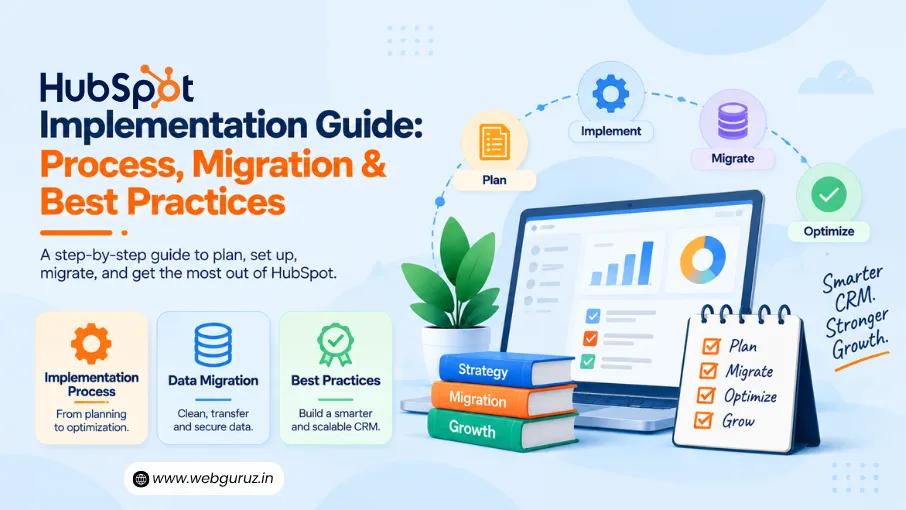
HubSpot Implementation Guide: Process, Onboarding, Migration, CRM Automation & Best Practices

Author
By Vedanshi

Published On:2026-09-18

0
View:3
singleblog

Most failed HubSpot rollouts don’t fail because of the software. They fail because nobody mapped the process, cleaned the data, or planned how teams would actually use it before flipping the switch. The result is a CRM full of duplicate contacts, pipelines that don’t match the real sales process, and automations nobody trusts enough to rely on.

A HubSpot Implementation is what separates those two outcomes. It’s the difference between a platform teams work around and one that works for them, covering the process design, onboarding, data migration, CRM automation, and reporting that turn HubSpot from a tool you bought into a system your business actually runs on. This guide breaks down each piece, along with the best practices that keep it working long after launch.

What It Actually Involves

HubSpot Implementation is the process of configuring and adapting HubSpot around a company’s business processes, customer journey, data structure, and growth objectives. It goes beyond creating an account, importing contacts, or switching on features.

A proper implementation typically brings together:

  • CRM architecture and data structure
  • Contact, company, deal, and lifecycle configuration
  • Data migration and cleanup
  • Sales and marketing pipelines
  • Automation and workflows
  • Third-party integrations
  • Reporting and dashboards
  • User permissions and governance
  • Team training and adoption

It’s worth drawing a line here between implementation and onboarding, since the two get used interchangeably. HubSpot Onboarding, on the other hand, is the shorter, lighter process of helping a team get familiar with HubSpot and start using its core features; it’s often enough for a small business with straightforward needs. Implementation is the deeper work of designing the system around how the organization actually operates and configuring the platform to support that. It becomes necessary once things get more complex: multiple sales pipelines, varied customer journeys, existing CRM data that needs migrating, or workflows that need to connect marketing, sales, and service.

The goal, in either case, is the same, a usable, scalable environment that’s aligned with business objectives rather than one teams have to work around.

Why Planning Matters Before You Configure HubSpot

One of the most common implementation mistakes is starting with the platform instead of the business.

Teams begin creating properties, pipelines, workflows, and dashboards before deciding what the CRM actually needs to accomplish. The result can be a system that technically works but doesn’t reflect how the business operates.

Before configuration begins, businesses should establish:

Business goals → Processes → Data structure → CRM architecture → Automation → Reporting

This planning stage should identify:

  • Who owns the implementation: someone needs to make final calls on structure, naming conventions, and process design, or the CRM ends up shaped by whoever configured it last.
  • Which teams will use HubSpot: marketing, sales, service, and leadership often need different views of the same data, and planning for that early avoids rebuilding permissions and dashboards later.
  • What information needs to be stored: not every field or property from a legacy system is worth bringing forward; this is where data structure gets decided.
  • Which processes should be automated: automation works best when it replaces a process the team already understands, not one being invented on the fly.
  • How success will be measured: without agreed metrics upfront, reporting tends to get bolted on after the fact instead of built into the CRM architecture from the start.

This is where experienced HubSpot experts can add value. Instead of simply configuring features, they can help translate business requirements into a CRM structure that teams can actually use.

Start With the Existing Data

Data deserves particular attention before implementation or migration begins. Moving inaccurate or duplicated records into a new CRM does not solve a data-quality problem. It simply moves the problem into a new system.

Gartner research found that poor data quality costs organizations an average of $12.9 million every year, a figure cited widely across data-management literature.

HubSpot’s current tools support auditing existing data, mapping fields and objects, transferring information, cleaning data, and even reverting a transfer when needed. That makes data preparation an important part of implementation rather than a task to leave until the end.

A strong implementation should therefore establish what data is worth moving, how it should be structured, what needs to be cleaned, and how it will be maintained after migration. And that foundation becomes even more important when the next stages involve CRM automation, reporting, integrations, and AI.

The HubSpot Implementation Process

A successful HubSpot implementation should follow a defined process rather than a series of disconnected configuration tasks. The exact steps will vary depending on the company’s size, existing systems, and goals, but the implementation generally moves from planning and setup to migration, automation, testing, and adoption.

1. Define Goals and Requirements

Start by identifying what HubSpot needs to accomplish.

A company might want to replace an outdated CRM, bring marketing and sales data together, improve lead management, automate repetitive processes, or create better visibility into the customer journey.

Document the current process before changing it. Map how leads enter the business, how they are qualified, how deals move through the pipeline, and what happens after a customer converts. This gives the implementation team a clear picture of what HubSpot needs to support.

2. Design the CRM Structure

The next step is deciding how information should be organized inside HubSpot.

This can include:

  • Contact and company properties
  • Lifecycle stages
  • Deal pipelines
  • Lead statuses
  • Custom objects where required
  • User roles and permissions
  • Teams and ownership rules

The structure should reflect the business’s actual processes. Creating unnecessary properties or complicated pipelines can make the CRM harder for teams to maintain.

A well-designed foundation also makes future HubSpot Services easier to expand because new automation, reporting, and integrations can be built on a consistent data model.

3. Plan the Migration

If a business is moving from another CRM or marketing platform, migration requires more than exporting and importing records.

Before transferring data, teams should map existing fields to their HubSpot equivalents, identify duplicate or outdated records, determine which historical information needs to be retained, and decide how existing relationships between contacts, companies, and deals should be handled.

For larger or more complicated migrations, working with a HubSpot Migration Partner can reduce the risk of data loss and structural problems.

Migration should also include testing. A small sample of records can be transferred first to verify field mapping, associations, formatting, and data accuracy before the full migration takes place.

4. Configure Automation

Once the CRM structure and data are in place, automation can be built around the processes identified during planning.

For example, HubSpot can automate lead assignment, follow-ups, lifecycle-stage updates, internal notifications, lead nurturing, and other repetitive activities.

This is where HubSpot CRM Automation becomes particularly valuable. However, automation should follow a clear business rule. Automating a poorly designed process only allows that process to happen faster.

5. Test Before Going Live

Before the system is rolled out to the entire organization, test the critical parts of the implementation.

Check whether:

  • Data has migrated correctly
  • Workflows trigger as expected
  • Lead assignments reach the right teams
  • Pipeline stages behave correctly
  • Integrations transfer information properly
  • Reports display accurate data
  • User permissions work as intended

Testing real-world scenarios is especially important. A workflow may look correct in isolation but behave differently when several conditions, integrations, or lifecycle stages interact.

6. Train Teams and Monitor Adoption

Implementation doesn’t end when the system goes live. Industry data shows CRM implementations fail at meaningfully high rates when adoption and process aren’t planned for. Figures compiled across multiple studies place the top root causes at poor user adoption (43%), bad data quality (34%), and insufficient training (22%), with the highest-risk period being months 3 to 6 after go-live, when initial training fades and old habits reassert themselves.

Teams need to understand how HubSpot fits into their daily work and why the new processes exist. Training should therefore focus on practical activities rather than simply explaining where different features are located.

HubSpot Integrations and Connected Systems

Most businesses don’t use HubSpot in isolation. Their CRM may need to exchange data with accounting platforms, customer support tools, sales applications, websites, payment systems, or other business software.

During implementation, these integrations should be planned alongside the CRM structure rather than added as an afterthought. Teams should define what data needs to move between systems, which platform should be the source of truth, how often information should sync, and what should happen when a sync fails.

Poorly planned integrations can create duplicate records, conflicting data, or broken workflows. A well-designed integration strategy, on the other hand, allows HubSpot to become a central part of the company’s technology stack without creating additional manual work.

HubSpot Migration and Automation Best Practices

Migration and automation are two areas where a HubSpot implementation can either create long-term value or introduce unnecessary complexity. The key is to treat both as parts of the overall CRM strategy rather than isolated technical tasks.

1. Making HubSpot Migration More Reliable

A migration should begin with an audit of the existing CRM and not with an immediate data export.

Identify which records are active, which fields are actually being used, where duplicates exist, and which historical information needs to be retained. Then map the existing structure to HubSpot before transferring anything.

For companies moving from another CRM, a HubSpot Migration Partner can help manage complex data relationships, custom fields, pipelines, and integrations while reducing disruption to ongoing operations.

The same principle applies to a HubSpot CMS Migration. Moving website content into HubSpot should involve more than transferring pages. URLs, metadata, redirects, forms, templates, tracking, and other important website elements need to be considered so the migration doesn’t create avoidable SEO or user-experience issues.

2. Build Automation Around Real Processes

Automation works best when it supports a process that is already clearly defined.

Consider a simple lead-management workflow:

New lead → qualification → assignment → follow-up → sales opportunity

Each stage can trigger an appropriate action, such as updating a property, notifying a salesperson, enrolling the contact into a nurture sequence, or creating a task.

But not every action needs to be automated. Some decisions require human judgment, particularly when a lead is high-value or a process has exceptions.

A good implementation therefore balances automation with human oversight.

3. Keep Workflows Simple and Maintainable

As companies become more comfortable with HubSpot, they may create dozens or even hundreds of workflows. Without proper governance, this can make the portal difficult to understand and maintain.

Before creating a new workflow, ask:

  • Does this process need automation?
  • Is there already a workflow performing a similar task?
  • What triggers the workflow?
  • What happens if the data is incomplete?
  • Who owns the process?
  • What happens when the business process changes?

Documenting these decisions can prevent automation from becoming a collection of disconnected rules.

This is also where HubSpot Consultants can provide ongoing value. Their role isn’t simply to build workflows; it can include reviewing the overall setup, identifying unnecessary complexity, and helping teams keep the CRM aligned with changing business requirements.

The strongest HubSpot implementations are therefore not the ones with the most automation. They are the ones where every workflow, data structure, and integration has a clear purpose.

How to Measure Implementation Success

A HubSpot implementation should be measured by business outcomes, not simply by whether the platform has been configured.

Depending on the company’s goals, useful measures can include:

  • CRM adoption and user activity
  • Data accuracy and completeness
  • Lead response time
  • Lead-to-customer conversion rates
  • Sales pipeline visibility
  • Time saved through automation
  • Workflow performance
  • Reporting accuracy
  • Marketing and sales alignment

These metrics should be established before implementation so the business has a clear baseline for comparison. Regular reviews can then show whether HubSpot is actually improving the processes it was implemented to support.

Conclusion

A successful HubSpot implementation is not about switching on as many features as possible. It is about creating a CRM that reflects how your business actually operates.

From planning the CRM structure and preparing data to migration, automation, testing, and team adoption, every stage affects how effectively your teams can use the platform. Well-designed HubSpot Services can reduce manual work, improve data quality, strengthen reporting, and give teams a more reliable view of the customer journey.

As businesses grow, HubSpot should grow with them. Regular audits, workflow reviews, data management, and thoughtful optimization can help prevent the CRM from becoming unnecessarily complicated.

The goal is simple: build a HubSpot environment that works for your business today while remaining flexible enough for what comes next.

FAQs

1. How long does a HubSpot implementation take?

The timeline depends on the complexity of the business, the amount of data being migrated, the number of integrations, and the level of customization required. A basic setup can be relatively quick, while a complex implementation may take considerably longer.

2. What is the difference between HubSpot onboarding and implementation?

HubSpot onboarding helps users get started with the platform and understand its core capabilities. Implementation goes further by designing and configuring HubSpot around specific business processes, data requirements, automation, integrations, and reporting.

3. Should I migrate all my existing CRM data to HubSpot?

Not necessarily. Migration is a good opportunity to review existing data and remove duplicates, outdated records, and unnecessary fields before transferring information. The goal should be to migrate useful, accurate data rather than simply moving everything.

4. Can HubSpot implementation include CRM automation?

Yes. HubSpot can be configured to automate processes such as lead assignment, follow-ups, lifecycle-stage updates, notifications, and lead nurturing. The automation should be based on clearly defined business processes.

5. When should a business work with HubSpot experts?

Working with HubSpot experts can be particularly useful when the implementation involves complex migrations, multiple pipelines, custom CRM requirements, integrations, advanced automation, or a large number of users.

Author
WRITTEN BY:
Vedanshi
75

Vedanshi Sharma is a passionate content writer and editor who believes every brand has a story worth telling, and she's here to tell it right. She works closely with marketing teams to craft content that goes beyond the surface, blending technical depth with a narrative pull that keeps readers hooked.

View all Articles by Vedanshi
  • Forte:SEO Writing, Technical Writing
  • Likes: 0
  • Wannabe: Archeologist
  • Social:
  • Biggest Blunder Committed: None as yet.
Build a HubSpot Setup That Works for Your BusinessTalk to Our HubSpot Experts
img1
  • Vedanshi

  • 2026-09-18

  • 7 min read

HubSpot Implementation Guide: Process, Onboarding, Migration, CRM Automation & Best Practices

Most failed HubSpot rollouts don’t fail because of the software. They fail because nobody mapped the process, cleaned the data, or planned how teams would actually use it before flipping the switch.

Read More
img2
  • Vedanshi

  • 2026-09-11

  • 7 min read

HubSpot CRM Pricing 2027: Plans, Features, Costs & Which One Is Right for Your Business

HubSpot CRM Pricing 2027 varies by the HubSpot Hubs or Customer Platform package, plan, seats, marketing contacts, billing term, and additional services such as onboarding and migration.

Read More
img3
  • Vedanshi

  • 2026-09-09

  • 7 min read

A Complete Checklist for Hiring the Right HubSpot Developer in 2027

Hiring a HubSpot developer used to be a fairly straightforward process. You looked for someone who understood HubSpot, knew how to work with APIs and CRM data, had experience with custom development, and ideally held relevant certifications.

Read More