SEO Writing Technical Writing

How to Use HubSpot AI Agents to Automate Sales, Marketing, and Customer Support

Author
By Vedanshi

Published On:2026-10-09

0
View:0
singleblog

A sales team spends hours researching prospects. Marketing repeats the same tasks across campaigns. Support agents answer the same questions every day. It’s important work, but it takes time away from tasks that need a human touch.

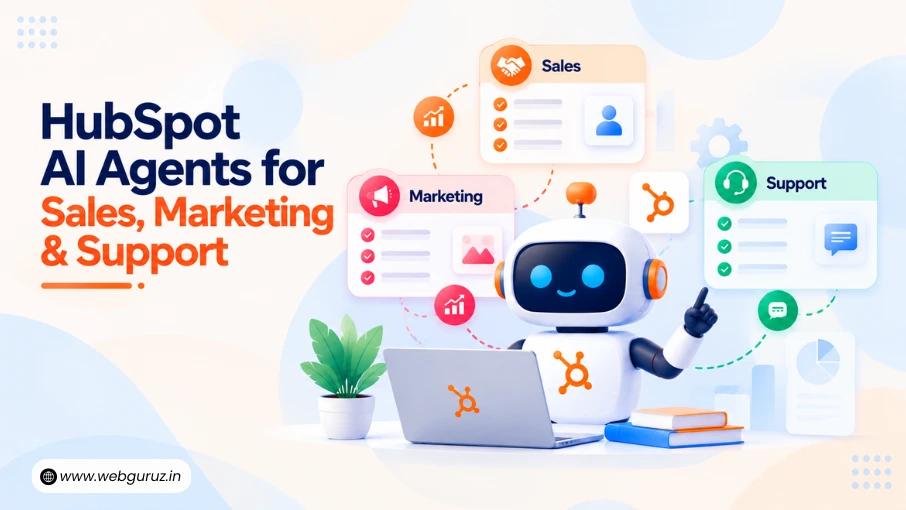
This is where HubSpot AI can help. Its AI agents handle specific tasks across sales, marketing, and customer support, using your business information and instructions. The aim isn’t to replace your team, but to cut repetitive work so people can focus on customers, decisions, and growth.

Businesses can use HubSpot’s ready-made agents for prospecting, customer conversations, and data research, or build custom agents for their own workflows. The right choice depends on your goals, CRM data, and how much control your team needs.

This guide explains how to use HubSpot AI agents, where they fit into daily operations, and what to prepare before putting them to work.

What Are HubSpot AI Agents?

HubSpot AI Agents

Think of an AI agent as a capable assistant that takes care of specific jobs for you. A basic chatbot answers questions. An agent goes further: it can research a prospect, draft an outreach email, or sort out a customer’s query, following the instructions and rules you give it.

HubSpot offers these through Breeze, its AI platform. You can use Breeze Assistant, choose from ready-made agents, or build your own, and the Agent Hub keeps everything in one place so you can see what each agent is doing.

That said, not every task needs an agent. If you just want a reminder sent or a record updated, a simple workflow will do the job. Agents earn their place when a task involves reading information, making sense of it, and acting on it.

How HubSpot AI Agents Can Help Different Teams

A good place to start is with the repetitive, time-consuming tasks that pull people away from the work that matters most.

The scale of the problem is bigger than most businesses realise. According to Salesforce’s 2026 State of Sales report, sales reps spend only 40% of their time selling. The other 60% goes on admin, data entry, internal meetings, and searching for content, which is exactly the kind of work AI agents are built to handle.

1. Sales: More Time for Selling

Sales reps lose hours researching companies, finding contacts, and writing outreach emails. HubSpot’s Prospecting Agent handles much of this, spotting buying signals, identifying the right contacts, and drafting personalised messages for review.

Define your ideal customers clearly and review messages before they go out. Vague instructions lead to generic emails, and generic emails get ignored.

2. Marketing: Less Time Staring at a Blank Page

Breeze AI can draft emails, suggest content ideas, and adapt messages for different audiences, helping teams get past the first draft faster. Every piece still needs a human check for accuracy and brand voice, and the campaign strategy should stay in human hands.

3. Customer Support: Fewer Repeat Questions

“Where’s my order?” “How do I reset my password?” HubSpot’s Customer Agent answers common questions like these using approved help content, and passes conversations to a person when needed.

Keep its content up to date, set clear rules for handovers, and test it before going live. Frustrated customers, billing disputes, and sensitive issues should always go to a real person.

Which HubSpot Tools Should You Start With?

The right tool depends on the job you want done. Here’s a quick guide to where each one fits:

Business need Relevant HubSpot capability How it can help
Prospect research Prospecting Agent Research target accounts and prepare outreach
Customer questions Customer Agent Answer supported queries and escalate complex cases
Customer data research Data Agent Find useful information from CRM records and connected sources
Content and campaign work Breeze AI features Assist with drafting, research, and campaign tasks
Business-specific processes Custom AI agents Support workflows built around defined instructions and actions

Keep in mind that HubSpot’s agents and features vary by subscription and change with product updates, so check the latest documentation before choosing. Exploring the wider range of HubSpot Tools can also show how AI works alongside your CRM, marketing, sales, and service features.

How to Prepare Your CRM Before Using AI Agents

An AI agent is only as good as the information it works with. If your CRM is full of duplicate contacts, outdated records, or half-finished customer histories, the agent will make mistakes, and your team will spend time fixing them.

A little preparation goes a long way.

1. Clean Up Your Data

Look at the records the agent will rely on and fix what’s broken: duplicates, missing details, and fields that contradict each other. A HubSpot CRM Audit can uncover issues in your data, settings, and processes that might trip up automation, so you start testing on solid ground.

2. Decide What the Agent Can Access

Give the agent only what it needs. One that drafts emails doesn’t need the same permissions as one that updates records or talks to customers. Start small, and expand access once testing shows it’s working as expected.

3. Get Your Team on Board

Your team should know what the agent does, when to check its work, and what to do when it gets stuck. Structured HubSpot onboarding helps people learn the platform, follow consistent processes, and use new features with confidence.

How to Implement HubSpot AI Agents Step by Step

HubSpot AI Agents

The best rollouts start with a clear goal, not with switching on every feature at once.

Step 1: Pick One Repetitive Task

Choose something your team does regularly with a clear outcome, like researching prospects, answering common support questions, or preparing routine content. Leave complex, cross-department processes or sensitive decisions for later.

Step 2: Match It to the Right Agent

A support agent and a prospecting agent do very different jobs, so pick the one built for your task. If the process needs custom actions or connections to other systems, a custom agent or integration may be the better fit.

Step 3: Give Clear Instructions

Tell the agent what the task is, what information to use, what the output should look like, and what it must never do. A sales agent, for example, can research companies and draft outreach, but it shouldn’t make promises about pricing.

Step 4: Test Before Going Live

Try it with real examples, including odd questions and incomplete records, and check how it responds and hands things off. Keep a person reviewing its work until you’re confident in the results.

Step 5: Measure and Improve

Is it actually saving time? Track errors, customer feedback, escalations, and usage costs. The answers will tell you whether to expand, adjust your instructions, or try a different approach.

Following a structured process like this is what makes a HubSpot Implementation succeed: automation that supports your goals instead of creating more work for your team.

Where HubSpot CRM Automation Fits In

AI agents and traditional workflows aren’t competitors. They’re teammates with different strengths.

HubSpot CRM Automation is perfect for predictable, rule-based tasks: assigning a new lead to the right rep, updating a contact property, or creating a follow-up task when someone fills in a form. Same trigger, same action, every time.

AI agents step in when a task needs a bit more thinking, like researching a company or drafting a reply based on approved information.

Here’s how the two can work together:

  1. A prospect fills in a form on your website.
  2. A workflow creates their contact record and assigns the lead.
  3. An AI agent researches the company and pulls together useful background.
  4. A sales rep reviews the information and reaches out.
  5. The CRM logs the next steps, so the whole team stays in the loop.

The workflow handles the routine, the agent handles the research, and your rep handles the relationship. Building on your existing HubSpot Automation Solutions, this way cuts manual effort while keeping the important decisions in human hands.

Common Mistakes to Avoid When Using AI Agents

AI agents can save your team a lot of time, but a few common missteps can quickly undo the benefits.

  • Doing too much, too soon: It’s tempting to automate everything at once. Start with one task, get it right, then expand.
  • Overlooking messy data: If your CRM records are inaccurate, the agent’s answers and actions will be too.
  • Giving vague instructions: An agent can’t read your mind. Spell out the goal, the information it should use, and where its limits are.
  • Taking people out of the loop too early: Keep a human involved in anything sensitive or high-stakes, at least until the results prove reliable.
  • Forgetting about costs and access: Check subscription limits, credit usage, and permissions before scaling up, so there are no surprises later.
  • Assuming it’s working: Automation isn’t automatically success. Check whether the agent is genuinely improving the process.

If your business needs custom workflows, integrations, or changes to its CRM structure, a certified HubSpot developer can assess what’s needed and build a solution that fits.

Final Thoughts

HubSpot AI agents won’t run your business for you, and that’s not what they’re for. Their real value is in taking the repetitive work off your team’s plate: the prospect research, the first drafts, the questions your support team has answered a hundred times. That frees people up for the conversations and decisions that actually move the business forward.

Getting there takes more than switching on a feature. The businesses that see results are the ones that clean up their CRM data, give their agents clear instructions, and keep a close eye on how things are working. Just as important, they make sure their team knows how to work alongside AI. Thoughtful HubSpot Onboarding can make that transition smoother, so new tools become part of everyday work rather than something people avoid.

Start small, learn what works, and build from there. Done well, HubSpot AI becomes less of a new tool to manage and more of a reliable teammate.

Frequently Asked Questions

1. What are HubSpot AI agents used for?

They help carry out specific tasks, such as researching prospects, preparing outreach, answering customer questions, and supporting CRM-related work.

2. Can HubSpot AI agents automate sales and marketing?

Yes. Different agents and AI features can support sales prospecting, outreach preparation, content creation, and campaign activities. The exact capabilities depend on the tool and subscription.

3. Do I need clean CRM data before using AI agents?

Yes. Accurate, consistent records help agents use relevant information and reduce the risk of incorrect outputs.

4. Can AI agents replace customer support teams?

They can handle some routine questions and supported tasks, but human employees are still important for complex problems, complaints, and situations requiring judgment.

5. How should a business get started with HubSpot AI agents?

Choose one repetitive task, select a suitable agent, prepare the required data and instructions, test the results, and expand only when the process works reliably.

Author
WRITTEN BY:
Vedanshi
81

Vedanshi Sharma is a passionate content writer and editor who believes every brand has a story worth telling, and she's here to tell it right. She works closely with marketing teams to craft content that goes beyond the surface, blending technical depth with a narrative pull that keeps readers hooked.

View all Articles by Vedanshi
  • Forte:SEO Writing, Technical Writing
  • Likes: 0
  • Wannabe: Archeologist
  • Social:
  • Biggest Blunder Committed: None as yet.
READY TO PUT HUBSPOT AI AGENTS TO WORK?Book a free HubSpot consultation today.
img1
  • Vedanshi

  • 2026-10-09

  • 7 min read

How to Use HubSpot AI Agents to Automate Sales, Marketing, and Customer Support

A sales team spends hours researching prospects. Marketing repeats the same tasks across campaigns.

Read More
img2
  • Vedanshi

  • 2026-10-07

  • 7 min read

HubSpot UNBOUND 2026: Key Announcements, AI Trends, and What They Mean for Businesses

HubSpot UNBOUND 2026 sent a clear message to businesses: growth is becoming more connected.

Read More
img3
  • Vedanshi

  • 2026-10-07

  • 7 min read

SEO Services in 2027: What 126 Million AI Search Prompts Reveal About SEO & Digital Marketing

For years, ranking on Google’s first page was one of the clearest goals in search marketing. But search is no longer limited to a list of blue links.

Read More