 sales@webguruz.in
 +1 (213) 715-5368
Vedanshi
2026-10-23
7 min read
Custom HubSpot Integrations: Benefits, Examples, and Best Practices
Your business uses HubSpot to manage customer relationships, but disconnected systems create data issues.
Read More
Published On:2025-12-23
Finding an exact location on Google Maps is not always an easy-peasy task. There are chances of missing addresses and business names and incorrectly appearing rural or newly developed areas in the search results. Even in urban areas, residential complexes, open areas (like parks, etc.), or large buildings can make navigation difficult and confusing. In such cases, marking locations manually becomes the most reliable solution. This is where a dropped pin plays a crucial role.
In this guide, we’ll walk you through what a dropped pin means, how it works across various devices, and its effective usage in real-world situations. The main focus of this blog is on understanding the intent, accuracy, and best practices. This will help you use Google Maps more confidently and precisely in 2026 and beyond.
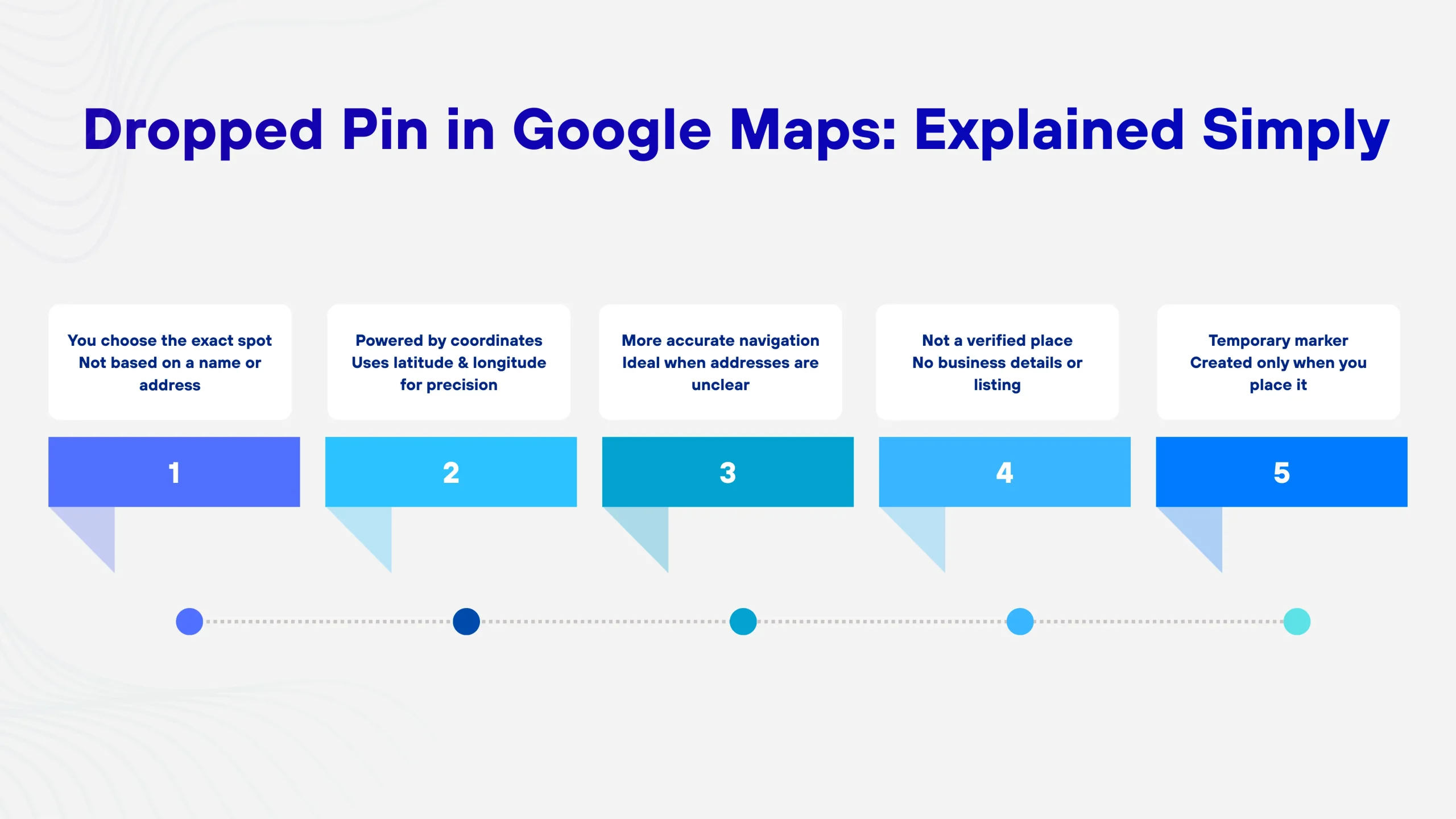
A dropped pin is a temporary location marker that you place on the map manually. Rather than searching for a named place or an address, you select a point on the map interface directly. By this, Google Maps generates a red pin at that exact location.
This marker represents precise latitude and longitude coordinates rather than a business listing or registered address. That’s also why dropped pins are always more accurate for navigation, even in regions where general results are pulled up or wrong address information might be provided.
A dropped pin indicates that the user is choosing precision over convenience. Despite relying on Google’s location database, you are selecting the exact spot by yourself.
Many users confuse dropped pins with saved places or searched locations. While they may look similar on the map, they function very differently behind the scenes:
Knowing how this distinction exists allows the user to understand why Google Maps will sometimes show the map marker named “Dropped pin” with no business or physical address associated. In this case, Google Maps is indicating that there is a physical location associated with the pin that has been added to the map, but it is not a verified Google Maps location.
For many practical purposes, dropping pins on a map is more than simply using an alternative method to find an address. It’s usually the best and most accurate option. Knowing when to drop a pin will save you lots of time and help eliminate the confusion or mistakes made while navigating to a location.
Dropped pin remains reliable even after the place data is outdated, unavailable, or incomplete because it relies on map coordinates instead of listings.
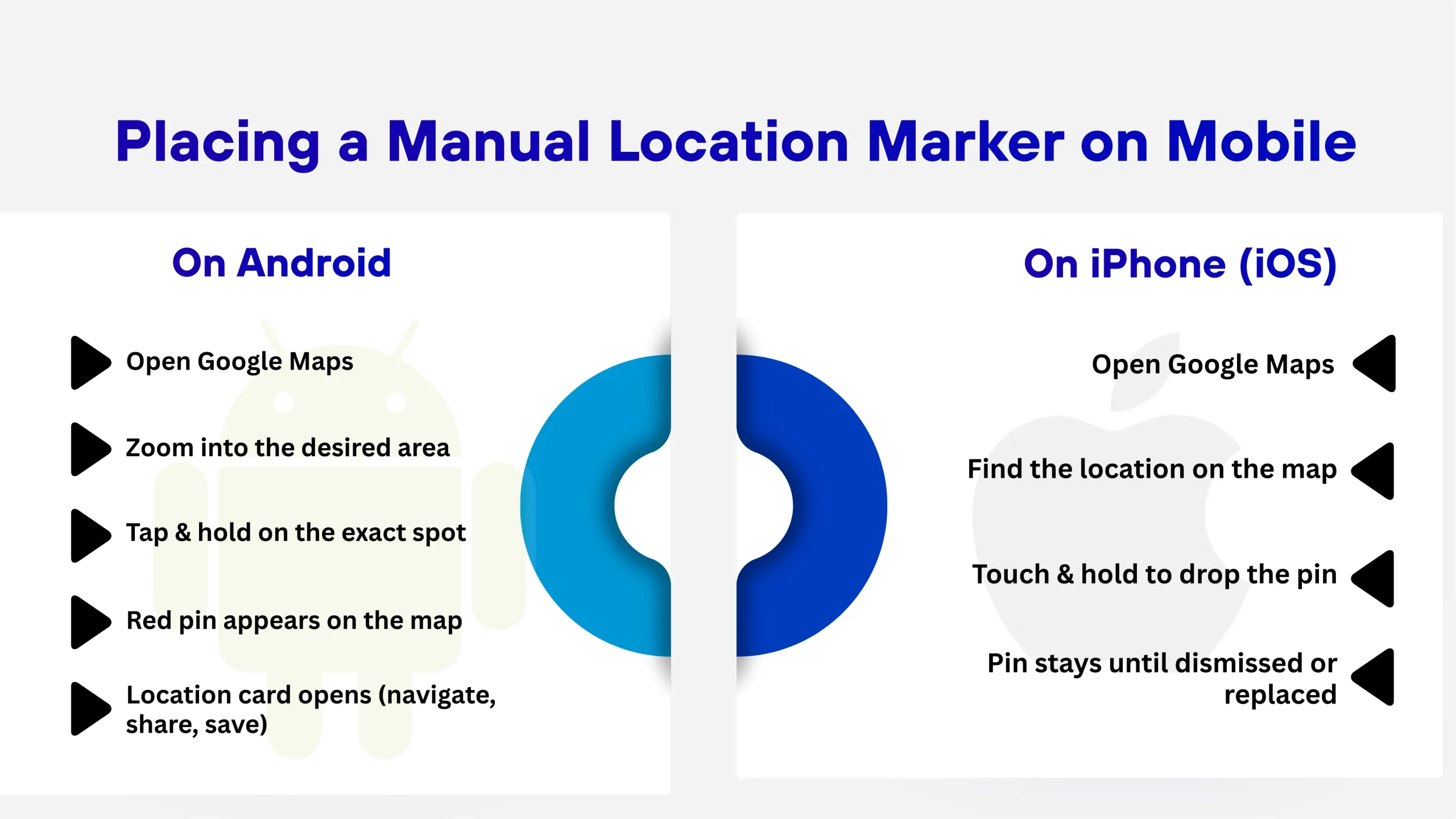
Maps on Google are somewhat varied based on the type of device being used, but the concept is the same, the action taken is the same, and the resulting map can record accurate point markers by interacting directly with the map itself.
Once the pin is placed, a location card appears at the bottom of the screen. This card gives you access to navigation, sharing, saving, and additional location details.
On iOS, the steps are the same (but slightly different):
The drop pin stays visible until you either dismiss it or place another marker. This allows you to easily double-check or modify the drop pin before sharing the information.
When using Google Maps via your Desktop computer/laptop, there’s better overall visual clarity than on other platforms, which is especially helpful as you plan your trip routes, deliveries, and any travels through an area where you don’t know much about it.
Using the Desktop Version of Google Maps:
By clicking on the Gray Marker, you will see a Detail Panel of that location displaying Your Coordinates, Landmarks near your location, and Actions such as Getting Directions or Sharing.
Dropping a pin is just the first step; from there, Google Maps provides users with a range of ways in which dropped pins can be used for navigating and planning their day-to-day travel.
When you save a dropped pin on Google Maps, you do so using the following predefined categories that Google Maps provides:
When you save a dropped pin on Google Maps, this creates a permanent record of where you dropped the pin, a single record that you can refer back to at any point in time, and you will not have to drop that dropped pin again to access that location.
Location sharing is among the most frequently used applications of dropped pins. Users can use dropped pins for the following purposes:
When a destination is not clearly defined by a street name, landmark(s), or address(es), it may be advantageous to provide someone with a dropped pin instead of relying on an ambiguous identification method.
After dropping the pin, you can receive immediate directions:
This makes it easier to navigate accurately when GPS is less effective, such as when trying to find places that cannot be pinpointed by a particular address.
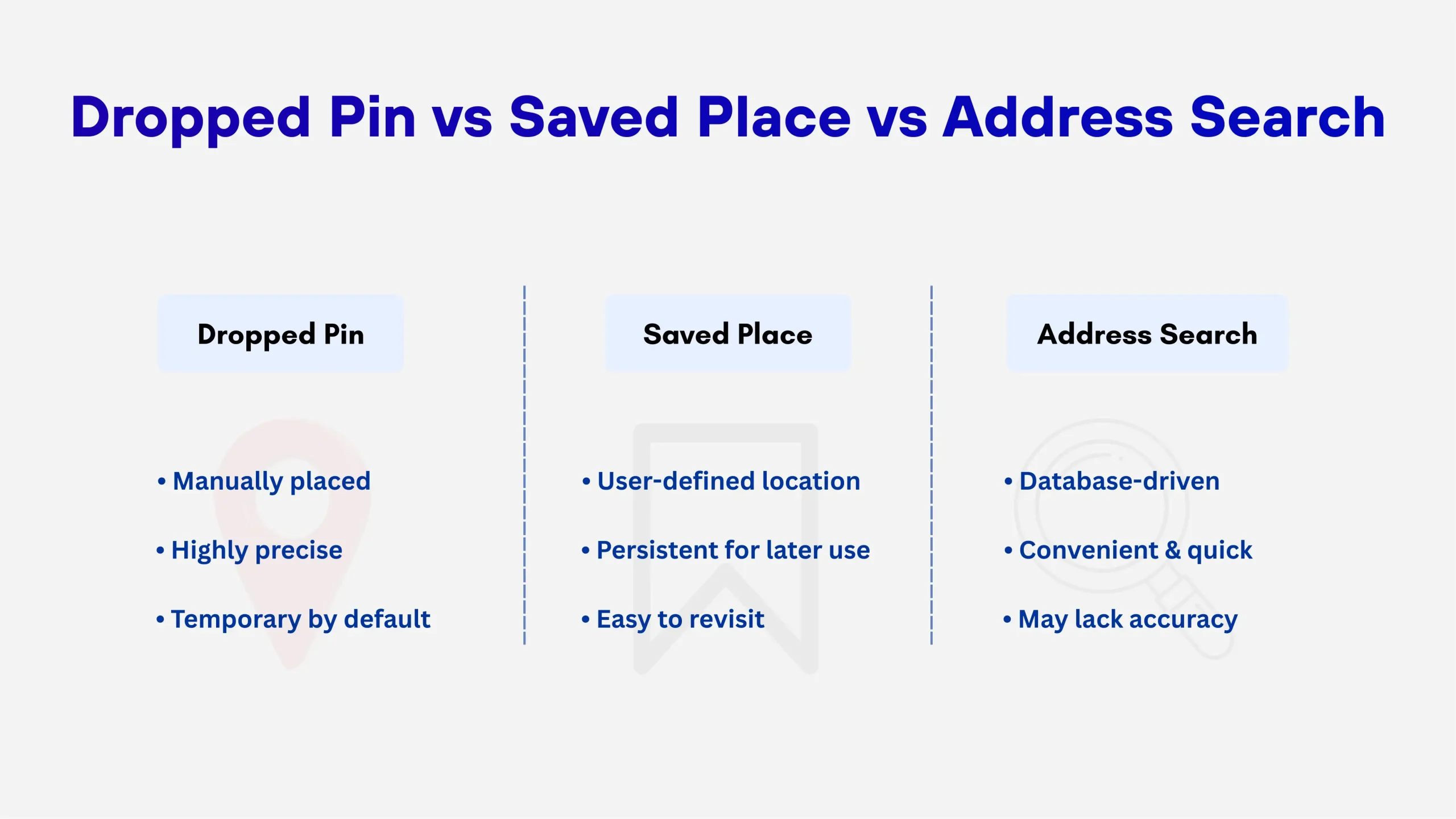
You will be able to make more informed decisions regarding which tool to use, based on your own individual needs, by knowing how each tool works.
In comparison to traditional address searches, dropped pins provide much better precision and flexibility and will tend to work much better in areas that are either complex or have not been mapped.
When Google Maps does not have a name or validated address for a chosen location, the app will label it “Dropped pin.” The “Dropped pin” label is not an error or limitation of Google Maps; rather, it serves as a transparency feature of the application.
This usually happens when:
The coordinates behind the dropped pin still provide accurate navigation and sharing capabilities, even without a name.
Although dropped pins provide a level of accuracy, their actual position may vary because of various factors:
The more closely you zoom in and the more accurately you place the pin on the map, the better your results will be, particularly in dense urban areas or locations that have multiple structures.
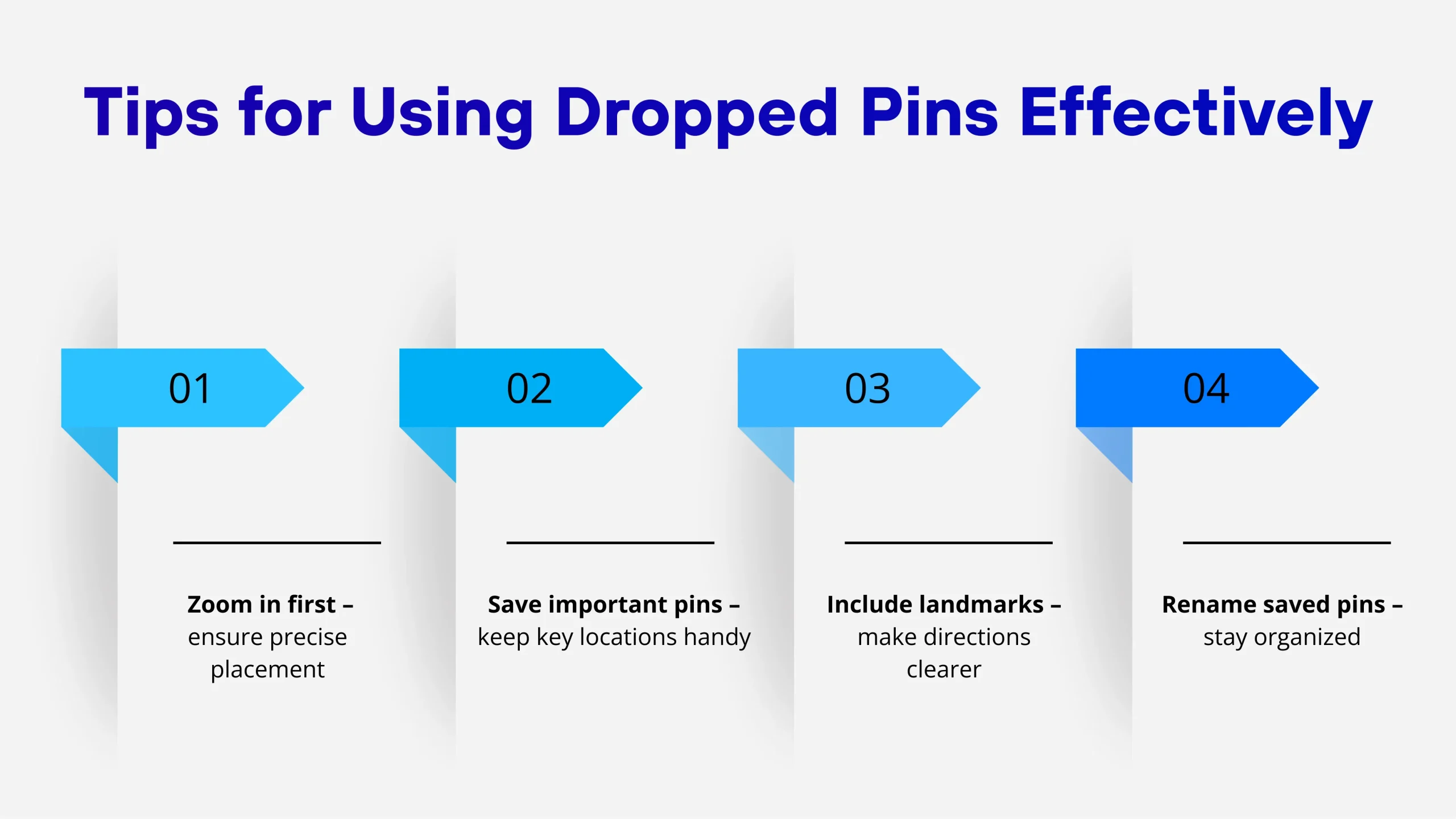
Best practices for maximizing the value of drop pin locations:
By utilizing these effective habits, you will have a much easier time navigating, collaborating, and sharing locations with others.
Precise location information is becoming more and more important for search engines regarding both relevance and user experience. When users search for services local to them or when users need to navigate to a location, being able to clarify where the users wish to go is the most crucial part of the experience. Many features, such as dropped pins, remove the uncertainty users feel by leading them precisely to the location indicated on the map. It’s particularly valuable in areas where traditional street addresses are either not provided or are invalid or imprecise.
Accurate information for searchers provides a smoother experience. When users find the right content and are able to engage with it with minimal to no obstacles or issues, they will develop confidence and less confusion. Moreover, user engagement metrics (trust & confusion) are both aligned with an ongoing SEO strategy that emphasizes user intention and usability (beyond just optimizing based on surface data).
For organizations that prioritize being easily found in their community, clearly identified locations are one of their key assets. The easier it is for customers to accurately navigate their journey from online to off, the greater the opportunity for Local SEO providers to achieve their mission of driving “foot traffic” and creating an enriched experience for all customers. This need is particularly relevant to new locations, businesses with service areas, and other entities that are still working towards achieving sufficient online growth.
Experts who provide Advanced Search Engine Optimization services understand that ranking high on the search engine result pages (SERPs) is just one facet of success. The user’s experience once they have clicked a link is also of utmost importance. A Digital Marketing Agency that utilizes accurate location data combined with search engine optimization efforts can be the best way for an organisation to grow its online presence and improve its offline engagement. This illustrates how WebGuruz approaches its clients by providing experience-driven optimization based on thoughtful engagement.
Google Maps benefits from using AI to automate business listings and also provides smart recommendations. However, one of the most powerful manual features of the application is the dropped pins. When searching for directions, dropped pins give the user more power, control, accuracy, and flexibility than any other navigation feature.
Dropped pins used in conjunction with address-based directions will give you a better level of communication, less chance for error, and greater clarity in your ability to find someone. In 2026, having this level of accuracy is not only nice; it’s necessary for effective functionality.
No. A dropped pin on Google Maps is private by default and only visible to you. Other users cannot see it unless you actively share the location via a link, message, or app. Once shared, anyone with the link can view the pinned location, but they still won’t be able to edit or track your activity.
Yes. Removing a dropped pin is quick and easy. You can tap anywhere else on the map, press the back or close button, or swipe down the location card to dismiss it. If the pin has been saved to one of your lists, you’ll need to remove it manually from that list to fully delete it.
Often, yes. Dropped pins allow you to mark an exact geographic point, which is especially useful in rural areas, new developments, large campuses, parks, or places with incorrect or missing addresses. Addresses can sometimes route users to the wrong entrance, while a dropped pin pinpoints the precise location you want to share or revisit.
Partially. If you’ve downloaded the map area in advance, you can view previously saved or dropped pins while offline. However, placing a new dropped pin or searching for locations requires an internet connection. Navigation features may also be limited offline, depending on the data you’ve downloaded.

Vedanshi
2026-10-23
7 min read
Your business uses HubSpot to manage customer relationships, but disconnected systems create data issues.
Read More
Vedanshi
2026-10-22
7 min read
Ask ChatGPT, Gemini, or Perplexity to recommend a supplier or a software tool, and you get a short list of names, not ten blue links.
Read More
Vedanshi
2026-10-21
7 min read
Building a website takes more than picking colors, dropping in images, and writing copy.
Read More