 sales@webguruz.in
 +1 (213) 715-5368

Vedanshi
2026-11-19
7 min read
How to Track AI Referral Traffic in GA4: A Step-by-Step Guide to AI SEO Solutions
AI tools like ChatGPT, Gemini, and Perplexity now send visitors to business websites.
Read More
Published On:2026-11-19
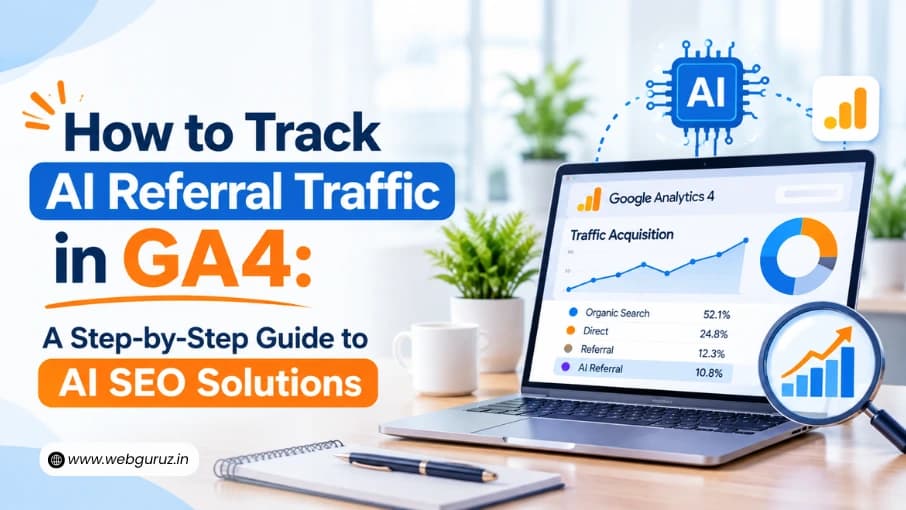
AI tools like ChatGPT, Gemini, and Perplexity now send visitors to business websites. Every business investing in AI search wants to know one thing: are these tools actually bringing us customers?
These visitors are worth counting. Similarweb data shows people who click through from ChatGPT convert at around 7%, more often than visitors from regular Google search.
The trouble is that most businesses can’t see this traffic clearly. This guide shows you how to find it in six simple steps, so you can see what your AI SEO solutions are really bringing in.
GA4, short for Google Analytics 4, is Google’s free tool for tracking visits to your website. It shows how many people visit, which pages they look at, where they came from, and whether they take actions such as filling in a form or buying something. Most business websites already have it installed.
GA4 sorts visitors into groups called channels. Common ones include Organic Search (people who found you on Google), Referral (people who clicked a link on another website), and Direct (visits with no clear source). Knowing these three names will make the rest of this guide easy to follow.
In May 2026, Google added a new channel to GA4 called AI Assistant. It automatically groups visits from AI chatbots such as ChatGPT and Gemini, with no setup needed.
That helps, but it doesn’t catch everything:

Only the top row is labeled as AI in a standard GA4 report. The steps below show how to bring the rest back together.

In GA4, go to Reports > Acquisition > Traffic acquisition. Look down the list for a row called AI Assistant. If you see it, GA4 is already grouping some AI visits for you.
Make a note of the first date it shows numbers. That is when this tracking began for your website.
In the same report, click the small plus sign (+) next to the first column heading and choose Session source/medium. Then type “chatgpt” in the search box.
You will often see ChatGPT appear in three rows instead of one. Search Engine Journal explained why this happens: GA4 files the same kind of visit under AI Assistant, Referral, and a rarely checked group called Unassigned. Add these rows together for a truer number, then try the same search for “perplexity” and “gemini.”
People now find businesses across many different platforms, so seeing all of these visits in one place is the first step in any Search Everywhere SEO solutions plan.
You can fix this split by creating your own channel group. It sounds technical, but it only takes a few minutes:
Now use this group in your reports instead of the default one. As a bonus, it also works on older data, so you can see AI visits from before May 2026.
GA4 needs a list of AI websites to look for. Copy this line exactly as it is:
It tells GA4 to count visits from ChatGPT, Perplexity, Gemini, Copilot, Claude, DeepSeek, Grok, and Meta AI. Check the list every few months, as new AI tools appear often.
The meta.ai entry covers Meta’s web assistant. Many people use Meta AI tools inside WhatsApp, Instagram, and Facebook instead, and those visits often can’t be traced. Step 6 explains how to estimate them.
Visits only matter if they lead somewhere. First, make sure GA4 is tracking your important actions, such as form fills, purchases, calls, or bookings. GA4 calls these key events, and you can turn them on under Admin > Data display > Events.
Then look at your AI group alongside your landing pages and key events. This shows which pages AI tools send people to and which of those visits become leads or sales. Compare the results with your Google search visitors, too. If your site gets modest traffic, look at three or six months at a time so the numbers are large enough to mean something.
That page list also reveals which content AI tools already trust. Good Generative Engine Optimization Services use it to decide which pages to improve and what to write next.
Some AI visits will always slip through. One clue is people landing directly on deep pages, such as a specific guide or product page, with no source. Few people type those addresses by hand, so a rise there may come from AI apps. Treat it as a rough guide, not an exact number.
You can also simply ask. Add “AI tool (like ChatGPT)” as an option in a “How did you hear about us?” field on your forms.
Check your AI numbers once a month, in the same format each time, so changes are easy to spot. Many businesses also connect GA4 to a dashboard or their CRM, so they can follow AI leads all the way to revenue. Well-planned AI integration solutions set up those connections, so the report updates on its own.
| Where the visit comes from | Where GA4 puts it by default | How to count it |
|---|---|---|
| ChatGPT (website) | Split across AI Assistant, Referral and Unassigned | Your AI group from Steps 3 and 4 |
| Gemini, Copilot, DeepSeek, Grok | Mostly AI Assistant | Your AI group, as a backup |
| Perplexity | Referral | Your AI group |
| Claude | Changes over time | Your AI group |
| Meta AI (website) | Referral | Your AI group |
| AI apps on phones | Direct | Watch deep-page visits and ask leads |
| Google AI Overviews and AI Mode | Organic Search | Can’t be separated in GA4 |
GA4’s new AI Assistant channel is a helpful start, but it only shows part of the picture. With one custom AI group, a simple list of AI tools and a monthly check-in, you can see how many visitors AI really sends you and which of them become customers. That gives you real evidence for every decision about AEO Services and content.
No. It works automatically in every GA4 property that uses the default channel group. A custom channel group is still worth adding, because it catches sources and history the native channel misses.
Partly because some of it is hidden in Direct and Organic Search. AI traffic is also still a small share of visits for most websites, even though those visitors often convert well.
Not separately. Google counts those clicks as Organic Search and keeps them out of the AI Assistant channel. Google Search Console can still show you overall trends in your search traffic.
If someone on your team is comfortable with GA4 settings, the steps above take a few hours at most. If not, professional SEO services can set it up, connect it to your reports, and keep the AI list up to date.
No. GA4 is free, and the AI Assistant channel, custom channel groups and key events are all included in the standard version. The only cost is the time it takes to set up and review each month.
Vedanshi
2026-11-19
7 min read
AI tools like ChatGPT, Gemini, and Perplexity now send visitors to business websites.
Read More
Vedanshi
2026-11-16
7 min read
On November 10, Google released its November 2026 core update and said the rollout may take up to two weeks.
Read More
Vedanshi
2026-11-12
7 min read
HubSpot made some of its biggest automation changes in years during 2026.
Read More