 sales@webguruz.in
 +1 (213) 715-5368

Vedanshi
2026-11-24
7 min read
HubSpot Onboarding Services: A 90-Day Checklist for Your First Quarter on HubSpot
Signing the HubSpot contract feels like the finish line. It is actually the start.
Read More
Published On:2026-11-24
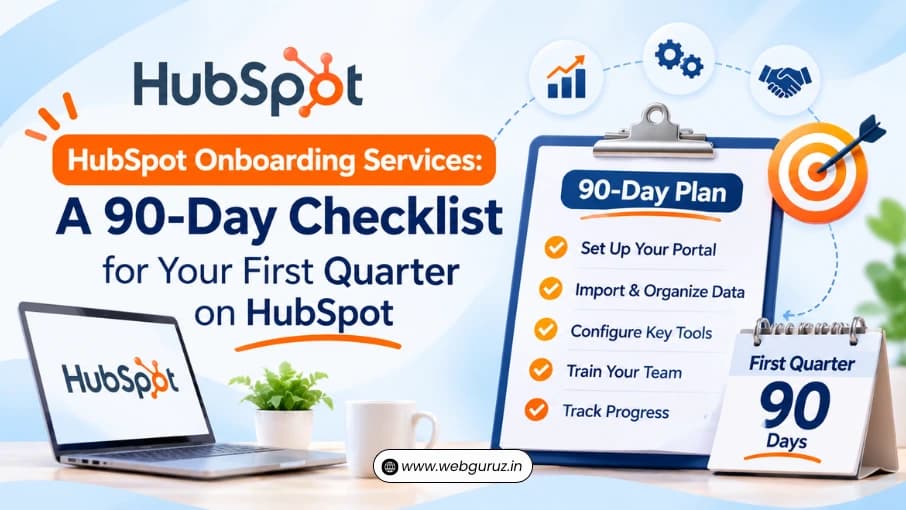
Signing the HubSpot contract feels like the finish line. It is actually the start. The first 90 days decide whether your team lives in HubSpot or quietly goes back to spreadsheets, and that is where good HubSpot Onboarding Services earn their fee.
The risk is real. Johnny Grow‘s CRM research found that 55% of CRM deployments miss their planned objectives. The software rarely causes that. Rushed setup, messy data, and untrained teams do.
This guide breaks your first quarter into three 30-day phases, with a clear checklist for each. Use it to plan your own rollout, or to check whether your onboarding partner is covering what matters.
Most onboarding problems start before anyone logs in. Settle these three points in a single meeting, and every later step gets faster.
If these talks stall, bring in an outside view. Experienced HubSpot Consulting Services can run a short discovery workshop, map your current process, and turn it into a written plan before setup begins. That plan becomes the checklist your onboarding team works from.

Read it left to right. Each phase depends on the one before it, so finish the foundation before you build automation on top of it.
The first month is about structure, not speed. Anything built now gets copied into every workflow and report later, so a mistake here costs the most to fix.
The last item deserves extra care if you are moving from Salesforce, Zoho or another CRM. Contacts are the easy part. Deal history, notes, owners and links between companies and contacts are where data gets lost. An Expert HubSpot CRM Migration team maps every field in advance and tests a sample before moving the full database.
With clean data in place, month two links your teams together. The goal is simple: no lead should fall through the gap between marketing and sales.
Keep the first workflows small. Teams that launch 40 automations in week five often cannot tell which one sent which email. Good HubSpot marketing automation services start with a few tested flows, check the results, then add more each month.
This is also the right moment to look at your website. HubSpot works best when your site, forms, and CRM share the same data. Landing pages can show different content to different visitors, and every page view lands on the contact’s record.
Many companies skip this step and keep two disconnected systems. Forms send leads to one place, analytics sit in another, and nobody knows which pages actually create pipeline. Sorting this out in month two saves a painful cleanup later.
If you choose to move, plan it as its own project, not a side task. A focused HubSpot Website Development team can rebuild key pages, keep your URLs and redirects safe for SEO, and connect every form to the CRM you just built.
The last month turns a working setup into a daily habit. A perfect CRM that nobody opens is still a failed project.
By the end of this phase, your team should run its weekly meetings from HubSpot reports. If people still export data to spreadsheets, find out why and fix that first.
Both paths can work. The right one depends on how much time your team has and how complex your setup is.
| Factor | HubSpot-led onboarding | Partner-led onboarding |
|---|---|---|
| Who does the build | Your team, with guidance on calls | The partner, working with your team |
| Fee | Fixed HubSpot fee per hub (US) | Partner fee; HubSpot’s fee can often be waived |
| Data migration | Basic imports only | Full field mapping and testing |
| Integrations | General advice | Built and tested for your tools |
| Website and CMS | Not included | Can be included in scope |
| Training | Standard sessions | Built around your own portal and roles |
| Best for | Small teams with a simple process and spare time | Growing teams, several hubs or a CRM switch |
A simple rule helps. If your team has several free hours every week for setup and your process is standard, HubSpot’s coaching may be enough. If you are short on time, moving from another CRM, or running more than one hub, a partner usually saves money over the quarter.
No two businesses sell the same way, so a template setup often leaves gaps. Custom HubSpot Onboarding Services shape the pipeline, fields, and automation around how your team already works, instead of forcing your team to fit the software.

These are the problems that show up again and again in new HubSpot accounts. Each one is easy to avoid if you spot it early.
The last mistake is common when a company decides mid-onboarding to move its site onto HubSpot. Templates, modules and page speed all need careful work. Skilled HubSpot CMS Development builds flexible templates your marketers can edit without a developer, so the site keeps pace with your campaigns.
Your first 90 days on HubSpot set the pattern for years. Month one builds clean structure. Month two connects your teams and your website. Month three turns the setup into a daily habit through training, reports, and steady fine-tuning.
Skipping steps rarely saves time. It moves the cost to later, when fixing a messy CRM is slower and more expensive. Follow the checklist, review progress at day 90, and treat onboarding as the start of how your team works, not a one-off IT task.
Most onboarding projects run 30 to 90 days. A single hub with clean data can go live in about a month, while several hubs or a CRM switch usually need the full quarter.
Yes, for Professional and Enterprise plans. HubSpot charges a one-time onboarding fee, though it can often be waived when a certified partner delivers the onboarding instead.
Yes. HubSpot’s own onboarding gives you guidance on calls, and your team does the setup. It suits small teams with a simple process and time to spare.
Agree on two or three measurable goals, define your lifecycle stages, name one internal owner and clean your existing contact data.
No. You can keep your current site and connect it with the HubSpot tracking code. Moving to Content Hub makes sense when you want personalized pages and easier editing for marketers.
Vedanshi
2026-11-24
7 min read
Signing the HubSpot contract feels like the finish line. It is actually the start.
Read More
Vedanshi
2026-11-23
7 min read
Most businesses are planning their 2027 marketing budget right now, and most feel the money won’t stretch far enough.
Read More
Vedanshi
2026-11-19
7 min read
AI tools like ChatGPT, Gemini, and Perplexity now send visitors to business websites.
Read More