Vedanshi
2026-10-09
7 min read
How to Use HubSpot AI Agents to Automate Sales, Marketing, and Customer Support
A sales team spends hours researching prospects. Marketing repeats the same tasks across campaigns.
Read More
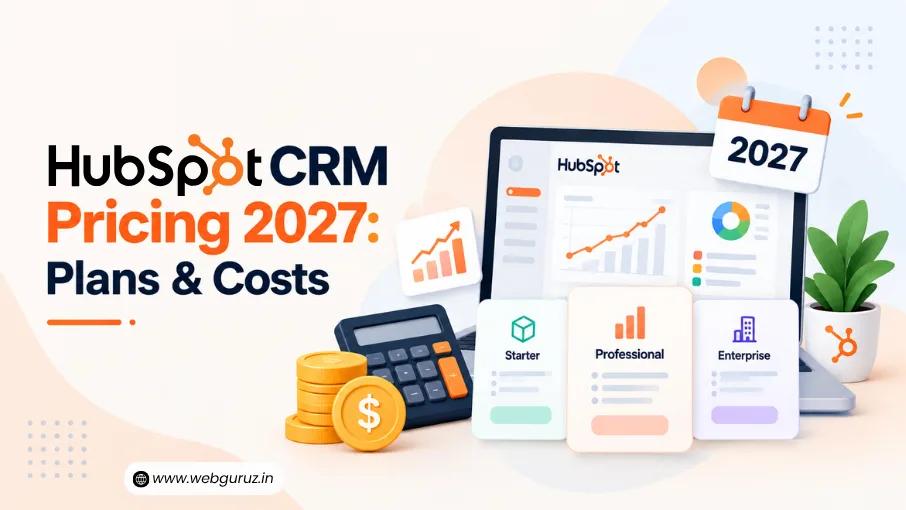
HubSpot CRM Pricing 2027 varies by the HubSpot Hubs or Customer Platform package, plan, seats, marketing contacts, billing term, and additional services such as onboarding and migration.
HubSpot has not yet confirmed its 2027 pricing, so this guide uses the latest published 2026 prices as a planning baseline. Current Starter plans begin at $7 per seat per month when billed annually, while higher-tier plans can cost from around $90 per seat per month to several thousand dollars per month.
Prices may change before 2027, so verify the latest rates with HubSpot before purchasing.
Because HubSpot has not yet published guaranteed 2027 pricing, the figures below use HubSpot’s latest published 2026 pricing as a planning baseline. Monthly and annual pricing can differ, so the billing term is shown where applicable.
| Hub | Starter | Professional | Enterprise |
|---|---|---|---|
| Marketing Hub | $20/seat/mo monthly; from $7/seat/mo annually | $800/mo monthly; $890/mo with annual commitment | $3,600/mo |
| Sales Hub | $20/seat/mo monthly; from $7/seat/mo annually | $100/seat/mo monthly; $90/seat/mo annually | $150/seat/mo |
| Service Hub | $20/seat/mo monthly; from $7/seat/mo annually | $100/seat/mo monthly; $90/seat/mo annually | $150/seat/mo |
| Content Hub | $20/seat/mo monthly; $7/seat/mo annually | $500/mo monthly; $450/mo annually | $1,500/mo |
| Data Hub | $20/seat/mo monthly; $7/seat/mo annually | $800/mo monthly; $720/mo annually | $2,000/mo |
| Revenue Hub | — | $95/seat/mo monthly; $85/seat/mo annually | $140/seat/mo |
HubSpot’s pricing structure varies by product. Some Hubs are priced per seat, while others have a monthly subscription price with a specified number of included seats. Marketing Hub can also become more expensive as the number of marketing contacts increases.
Businesses can purchase individual Hubs or combine multiple products through the Customer Platform, depending on the features and teams they need.
Businesses often start with one product and add more as their needs grow. The HubSpot Hubs cover different parts of the customer journey, so you do not have to pay for every tool from day one.
| Hub | Main Purpose | Best For |
|---|---|---|
| Marketing Hub | Campaigns, automation and lead generation | Marketing teams |
| Sales Hub | Deals, pipelines and sales automation | Sales teams |
| Service Hub | Tickets, support and customer success | Service teams |
| Content Hub | Websites and content | Content teams |
| Data Hub | Data sync and process management | Operations teams |
| Revenue Hub | Quotes, billing and payments | Revenue teams |
| Agent Hub | AI agents and business automation | AI Teams |
Once you have selected the right combination of tools, the next step is making sure they are configured correctly. HubSpot Onboarding can help businesses set up users, workflows, integrations, pipelines, and other key CRM processes so the platform is ready for everyday use.
For sales teams, the biggest difference between plans is not just price. It is the level of automation, reporting, forecasting, and control available.
Based on HubSpot’s latest published pricing, Sales Hub Starter costs $20 per seat per month with monthly billing or starts at $7 per seat per month with annual billing. Professional costs $100 per seat per month with monthly billing or $90 per seat per month with an annual commitment. Enterprise costs $150 per seat per month.
| Feature | Starter | Professional | Enterprise |
|---|---|---|---|
| Price, monthly billing | $20/seat/mo | $100/seat/mo | $150/seat/mo |
| Annual starting price | $7/seat/mo | $90/seat/mo | — |
| Deal pipelines | 2 | 15 | 100 |
| Meeting scheduling | ✓ | ✓ | ✓ |
| Email tracking | ✓ | ✓ | ✓ |
| Sales automation | Basic | Advanced | Advanced |
| Forecasting | — | ✓ | ✓ |
| Playbooks | — | ✓ | ✓ |
| Custom reporting | — | ✓ | Advanced |
| Advanced permissions | — | — | ✓ |
Starter is suitable for smaller teams that need a clear sales process. Professional becomes more useful when automation, forecasting, and reporting become important. Enterprise is aimed at larger sales operations with more complex requirements, permissions, and customization.
Because HubSpot can change feature limits and packaging, businesses should verify the latest plan comparison before purchasing.
Customer support teams have different priorities from sales teams. Ticket management, help desk automation, customer feedback, and communication tools are often more important than sales forecasting.
Based on HubSpot’s latest published pricing, Service Hub Starter costs $20 per seat per month with monthly billing or starts at $7 per seat per month with annual billing. Professional costs $100 per seat per month with monthly billing or $90 per seat per month with an annual commitment. Enterprise costs $150 per seat per month.
| Feature | Starter | Professional | Enterprise |
|---|---|---|---|
| Price, monthly billing | $20/seat/mo | $100/seat/mo | $150/seat/mo |
| Annual starting price | $7/seat/mo | $90/seat/mo | — |
| Ticketing | ✓ | ✓ | ✓ |
| Shared inbox | ✓ | ✓ | ✓ |
| Calling | 500 min | 3,000 min | 12,000 min |
| Phone numbers | 1 | Up to 3 | Up to 5 |
| Customer feedback | — | ✓ | ✓ |
| Customer portal | — | ✓ | ✓ |
| Advanced controls | — | — | ✓ |
| Required onboarding | — | $1,500 one time | $3,500 one time |
Starter can work for a small support team that needs basic ticketing and communication tools. Professional is a better fit when support volume grows and the team needs more automation, reporting, feedback tools, and customer-service functionality.
Feature limits can change over time, so businesses should confirm the current HubSpot plan comparison before making a purchase.
Marketing is one area where your total HubSpot bill can change as your database grows. Based on HubSpot’s latest published pricing, Marketing Hub Starter starts at $20 per month with monthly billing, or from $7 per seat per month with annual billing. Professional is $800 per month with monthly billing or $890 per month with an annual commitment. Enterprise is $3,600 per month.
| Plan | Monthly Price | Annual Pricing | Marketing Contacts | Required Onboarding |
|---|---|---|---|---|
| Starter | $20/seat/mo | From $7/seat/mo | 1,000 | — |
| Professional | $800/mo | $890/mo | 2,000 | $3,000 one time |
| Enterprise | $3,600/mo | $3,600/mo | 10,000 | $7,000 one time |
The difference between monthly and annual pricing is important when estimating your 2027 budget. HubSpot may also offer promotional pricing to eligible customers, but promotional rates should not be treated as standard list prices.
Professional and Enterprise are designed for teams that need stronger automation, reporting, campaign management, and marketing capabilities. However, businesses should pay close attention to contact growth before choosing a plan because additional marketing contacts can increase the monthly cost.
Since HubSpot has not confirmed its 2027 pricing, these figures should be treated as a current pricing baseline rather than guaranteed 2027 rates.
A website and content system becomes more valuable when it works closely with your CRM and marketing activities. Based on HubSpot’s latest published pricing, Content Hub Starter costs $20 per seat per month with monthly billing, or starts at $7 per seat per month with annual billing. Professional costs $500 per month with monthly billing or $450 per month with an annual commitment, while Enterprise costs $1,500 per month.
| Plan | Monthly Price | Annual Price | Included Core Seats |
|---|---|---|---|
| Starter | $20/seat/mo | From $7/seat/mo | Per seat |
| Professional | $500/mo | $450/mo | 3 |
| Enterprise | $1,500/mo | $1,500/mo | 5 |
The HubSpot Content Hub can be a good fit for businesses that want website management, content creation, SEO tools, and customer data connected in one environment.
These are current published prices and should be used only as a planning baseline for 2027 because HubSpot may change its pricing or packaging
Clean customer data is becoming just as important as collecting more data. Businesses that use several apps often need better syncing, data-quality controls, and process automation.
Based on HubSpot’s latest published pricing, Data Hub Starter costs $20 per seat per month with monthly billing, or starts at $7 per seat per month with annual billing. Professional costs $800 per month with monthly billing or $720 per month with an annual commitment, while Enterprise costs $2,000 per month.
| Plan | Monthly Price | Annual Price | Core Seats |
|---|---|---|---|
| Starter | $20/seat/mo | From $7/seat/mo | Per seat |
| Professional | $800/mo | $720/mo | 1 |
| Enterprise | $2,000/mo | $2,000/mo | 1 |
Data Hub is most useful when information comes from multiple systems and your team needs stronger control over how customer data is synced, cleaned, managed, and used.
These figures reflect current published pricing and are not guaranteed 2027 rates.
The newly launched HubSpot Agent Hub brings AI-powered agents into the HubSpot ecosystem. It helps businesses automate tasks across sales, customer service, prospecting, and data management.
Unlike traditional HubSpot Hubs, Agent Hub uses a usage-based pricing model built around HubSpot Credits. Some HubSpot subscriptions include credits, while businesses can purchase additional credits when they need more AI-agent usage.
For example, the Customer Agent uses 50 credits per resolved conversation, while the Prospecting Agent uses 100 credits per recommended lead. At $0.01 per credit, this works out to approximately $0.50 per resolved conversation and $1 per recommended lead.
Because the total cost depends on how much your business uses AI agents and how many credits are included with your subscription, Agent Hub should be considered when calculating your overall HubSpot budget for 2027. HubSpot may change its credit rates, included allowances, and Agent Hub packaging, so businesses should verify the latest pricing before purchasing.
Revenue teams may need more than a sales pipeline. Quotes, approvals, payments, and billing can also be part of the customer journey.
Based on HubSpot’s latest published pricing, Revenue Hub Professional starts at $95 per seat per month with monthly billing, or $85 per seat per month with an annual commitment. Enterprise starts at $140 per seat per month.
| Plan | Monthly Price | Annual Starting Price | Best For |
|---|---|---|---|
| Professional | $95/seat/mo | $85/seat/mo | Quotes, payments, and revenue processes |
| Enterprise | $140/seat/mo | — | Advanced controls and approvals |
Transaction or payment-related fees can also apply, so the Revenue Hub subscription price should not be treated as the full cost of using revenue tools.
HubSpot may also offer promotional pricing for eligible new customers. Promotional rates can change and should be considered separately from standard list pricing.
The HubSpot subscription is only one part of the CRM budget. Your final cost can also include additional seats, marketing contacts, onboarding, migration, integrations, training, payment or transaction fees, and custom development.
A simple way to think about the budget is:

The same principle applies to marketing contacts. A low starting subscription can become a larger expense when the marketing contact database grows.
Switching CRMs can create costs that are easy to miss during the buying process. Data needs to be mapped, cleaned and tested. Workflows, pipelines, forms, integrations and reports may also need to be rebuilt.
For businesses moving from another platform, HubSpot CRM Migration Services can cover planning and technical work around the move.
The exact effort depends on the size of the database and the complexity of the current system. A simple contact migration is very different from moving years of sales activity, custom fields and automated processes.
There is no single budget that works for every company. Your expected cost should be based on the teams using the platform and the features they actually need.
| Business Type | Practical Starting Point |
|---|---|
| Solo business | Free or Starter |
| Small sales team | Sales Starter |
| Growing sales team | Sales Professional |
| Small support team | Service Starter |
| Growing support operation | Service Professional |
| Marketing team | Marketing Starter or Professional |
| Content-focused business | Content Starter or Professional |
| Multiple departments | Customer Platform |
| Large organization | Enterprise |
Businesses moving from an existing CRM should also consider implementation time. A company migrating from Pipedrive, for example, may have different requirements from one moving a complex enterprise CRM.
A structured Pipedrive to HubSpot Migration can help teams review data, pipelines and existing processes before the move.
The answer depends on what your business needs from its CRM. HubSpot can be valuable when several teams need access to the same customer information and when automation can replace repetitive work.
It may be harder to justify the cost if your team only needs basic contact management and a simple sales pipeline. In that case, a free or Starter setup may be enough.
Businesses should also consider the cost of switching platforms later. A cheaper system may look attractive today but become harder to manage as your team, customer base and processes grow.
For companies comparing migration paths, Microsoft Dynamics to HubSpot Migration may be worth considering when the goal is to bring marketing, sales and customer processes into one system.
Software cost should always be compared with the value the system can create. That includes time saved, faster lead follow-up, fewer manual tasks, better reporting and improved customer management.
A practical starting point is the HubSpot ROI Calculator, which can help businesses think beyond the subscription fee.
The calculation becomes even more useful when you include implementation and operational costs. For example, if automation saves several hours each week for a sales or support team, that time has a real business value.

Migration should be treated as part of the overall CRM budget. Businesses coming from Zoho, Salesforce or another system may need data cleanup, field mapping, workflow rebuilding and testing before the new platform is ready.
A Zoho to HubSpot Migration project, for example, may involve more than moving contact records. Custom fields, deals, activities and automation may all need attention.
The same applies to larger CRM environments. A Salesforce to HubSpot Migration needs careful planning because the existing data structure and business processes can be more complex.
Looking only at the software subscription can give you an incomplete picture. A better budget includes every cost required to make the CRM useful.
| Cost | What to Consider |
|---|---|
| Subscription | Hub and plan |
| Seats | Number of users |
| Contacts | Marketing database size |
| Onboarding | Required fees on some plans |
| Migration | Data and system transfer |
| Integrations | Third-party connections |
| Training | User adoption |
| Development | Custom features |
| Support | Ongoing optimization |
If you need a broader view, the HubSpot TCO Calculator can help compare the total cost of ownership rather than focusing only on the monthly subscription.
HubSpot CRM Pricing 2027 should be treated as a business investment, not simply a monthly software bill. The right plan depends on your team size, customer database, automation needs, and long-term goals.
A starter is often enough for a small team. Professional makes sense when automation and reporting become more important. Enterprise is better suited to businesses that need advanced controls, scale, and customization.
If implementation is likely to be complex, HubSpot Onboarding can also be included in the project plan.
Most importantly, do not choose a plan only because it has the lowest price. Compare the features you need, the number of users and contacts, onboarding, migration and the value the system can create. Since HubSpot has not published guaranteed 2027 rates, always verify the latest pricing before purchasing.
HubSpot has not confirmed its 2027 pricing yet. The latest published 2026 prices can be used as a planning baseline, but actual 2027 rates, features, seat requirements, contact limits, and onboarding fees may change.
Yes. HubSpot offers free tools with basic CRM capabilities, although paid plans provide more advanced features and capacity.
Free or Starter is usually a sensible place to begin. You can move to Professional when your team needs more automation, reporting or advanced features.
Yes, depending on the Hub and plan. Some HubSpot products are priced per seat, while others have a monthly subscription with included seats. Marketing Hub pricing can also increase as the number of marketing contacts grows. Businesses should therefore consider both user requirements and database size when estimating their total HubSpot cost.
Think about onboarding, additional seats, marketing contacts, migration, integrations, training and ongoing support. These costs can make a big difference to your total CRM budget.

Vedanshi
2026-10-09
7 min read
A sales team spends hours researching prospects. Marketing repeats the same tasks across campaigns.
Read More
Vedanshi
2026-10-07
7 min read
HubSpot UNBOUND 2026 sent a clear message to businesses: growth is becoming more connected.
Read More
Vedanshi
2026-10-07
7 min read
For years, ranking on Google’s first page was one of the clearest goals in search marketing. But search is no longer limited to a list of blue links.
Read More