 sales@webguruz.in
 +1 (213) 715-5368
Vedanshi
2026-10-23
7 min read
Custom HubSpot Integrations: Benefits, Examples, and Best Practices
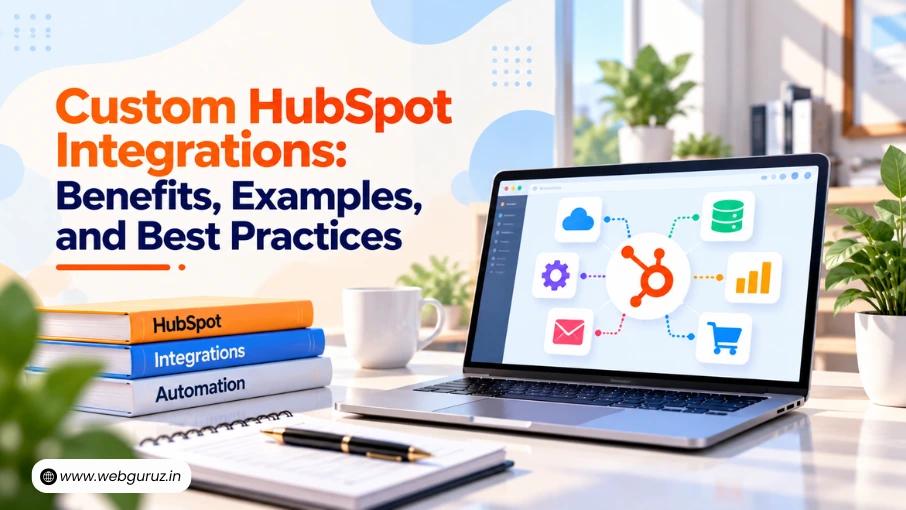
Your business uses HubSpot to manage customer relationships, but disconnected systems create data issues.
Read More
Published On:2026-04-07
Most teams investing in HubSpot services do not have a HubSpot problem. They have an architecture problem dressed up as a setup problem. Setup is configuring the platform, importing contacts, building a pipeline, and turning on a few workflows. Architecture is the strategic design of how every component relates to every other: how your CRM data model is structured, how lifecycle stages connect to pipeline stages, and how the entire system scales as your business grows. Skipping architecture and calling the setup done is the single most expensive mistake a business can make when investing in HubSpot services, and it is the mistake most teams make.

When a business gets access to HubSpot, the natural instinct is to start configuring immediately. The platform feels usable within days, and the team assumes the system is ready. What has actually happened is that the surface layer of a very deep platform has been touched. The decisions that determine whether HubSpot becomes a genuine revenue infrastructure, property architecture, lifecycle stage design, workflow governance, and reporting structure have not been made deliberately. They have been made by default, which is another way of saying incorrectly.
These are structural failures with direct revenue consequences: leads falling through workflow gaps, sales teams working from pipeline data they do not trust, and marketing teams unable to attribute revenue to the campaigns generating it. Professional HubSpot services exist precisely to prevent these outcomes, not by adding features, but by getting the architecture right before anything else is built on top of it.
The CRM data model is the foundation of everything in HubSpot, and it is where most implementations first go wrong. Businesses that invest in professional HubSpot services early rarely encounter this problem, but those that self-implement almost always do. Most teams supplement default properties with custom fields as needs arise, producing a property architecture that is inconsistent, redundant, and unreliable for segmentation or reporting. Anyone who has conducted a HubSpot CRM audit on a mature account recognizes the symptoms: multiple properties storing variations of the same lead source data, custom fields from campaigns two years ago that nobody has populated since, and contact properties duplicated on deal records with no clear data ownership.
The object relationship problem compounds this. Most teams treat the contact as the primary unit of everything, storing deal-specific data on contact properties, storing company-level information on contact records instead of company records, and failing to create company records at all for B2B businesses where the company is the real customer relationship. This flattens the data model in a way that makes B2B reporting nearly impossible. Professional HubSpot CRM development addresses this through deliberate property design before the first field is created, every property is identified upfront, grouped by function, named consistently, and assigned a clear data owner. This is the first thing a certified HubSpot developer addresses in any architecture engagement, and the first thing skipped when teams implement without expert guidance. The right HubSpot services partner will treat this design phase as non-negotiable, because every workflow, report, and segmentation decision the business makes downstream depends entirely on the integrity of the data model built here.

Lifecycle stages and pipeline stages are two of the most frequently confused concepts in HubSpot, and confusing them causes more reporting problems and workflow misfires than almost any other single architecture error. Lifecycle stages track where a contact is in their overall relationship with the business: lead, MQL, SQL, opportunity, and customer. Pipeline stages track where a specific deal is in a specific sales process. These are two distinct systems serving two distinct purposes, and one of the most consistent gaps that professional HubSpot services teams identify during implementation reviews is that most businesses are running them as if they are interchangeable, or worse, not running one of them at all.
The relationship between the two must be implemented through HubSpot CRM workflows that update lifecycle stages when deal stages change. Most teams skip this entirely, leaving the two systems telling contradictory stories about the same contacts, a finding so consistent it appears in virtually every HubSpot CRM audit: a contact showing as a lead in lifecycle stage who has a Closed Won deal in the pipeline. The numbers leadership sees on the dashboard do not match commercial reality, and decisions made on that basis are made on faulty information. This is the kind of architectural error that professional HubSpot services prevent at the design phase, long before it becomes embedded in months of accumulated data.
HubSpot CRM workflows are the automation engine of the platform and the component most teams build incorrectly. The failure patterns are consistent: enrollment criteria too broad, re-enrollment settings misconfigured, overlapping workflows acting on the same contact simultaneously, and conditional branches never tested with real data before going live.
As an account matures, workflow accumulation creates an increasingly fragile ecosystem. Two workflows update the same property in opposite directions. Three workflows send emails to contacts in the same lifecycle stage. A deal workflow and a contact workflow both generate duplicate tasks for the same sales rep. These conflicts are timing-dependent and nearly impossible to diagnose after the fact. Professional HubSpot services address this through a workflow governance framework, a master map of all active workflows, their enrollment criteria, their actions, and their dependencies, reviewed before any new workflow is built. HubSpot CRM workflows managed within this framework are reliable, documented, and maintainable. Those built without it become fragile systems that break in ways nobody anticipated, and HubSpot development expertise is then needed to untangle them.

Onboarding is where architectural decisions are either made correctly or skipped entirely. HubSpot’s standard onboarding covers the basics adequately for simple use cases. For businesses with complex sales processes, existing CRM data, or multiple business units, it does not go deep enough to establish the foundation the business actually needs. This is the gap that professional HubSpot services partners are most frequently brought in to fill, not to redo the work that standard onboarding covered but to do the architectural work that standard onboarding never attempted.
Professional HubSpot onboarding starts with a discovery phase, mapping the business’s commercial process before any configuration begins. It produces an architectural design specifying every element of the setup; executes that design through a phased build with testing checkpoints; and concludes with context-specific team training built around the specific pipeline stages, properties, and workflow logic of this implementation, not generic platform walkthroughs. Teams that receive this training use the system consistently six months later. Teams that receive generic training drift back into spreadsheets within the same period because they learned how to use the platform but never understood why it was built the way it was. That distinction is at the heart of what separates effective HubSpot services from basic platform access support.
A HubSpot CMS migration is one of the most consistently underestimated projects in the HubSpot ecosystem. Most teams think of it as moving pages from one platform to another, when in reality it involves a content audit, URL mapping and redirect configuration, HubL template development, CRM integration for all forms and conversion points, and comprehensive SEO configuration. Miss any of these, and you launch with ranking losses, forms disconnected from the CRM, and a website that looks correct but fails commercially. A certified HubSpot developer with HubL expertise is the specific resource that prevents this, and for any business with a HubSpot CMS migration on the roadmap, engaging professional HubSpot services before scoping the project is what keeps it from going over time and budget.

HubSpot AI features have expanded significantly, including predictive lead scoring, AI content generation, conversation intelligence, and AI-powered reporting insights. Most teams are either ignoring these features or adopting them without a strategy, treating them as occasional conveniences rather than operational tools.
Predictive lead scoring, connected to HubSpot CRM workflows that route high-scoring leads to senior reps and adjust nurture sequences by score threshold, produces measurable pipeline quality improvements. HubSpot AI content tools, used with proper editorial oversight and brand voice calibration, accelerate content production without sacrificing quality. Conversation intelligence, analyzed proactively for behavioral patterns rather than reviewed reactively for individual calls, becomes a continuous sales coaching system. The difference between HubSpot AI as noise and HubSpot AI as leverage is the strategic framework around its adoption, workflow connections, editorial processes, and coaching protocols, which is precisely what professional HubSpot services engagements establish.
A HubSpot CRM audit is the right starting point for any business with an account that has been self-implemented for more than six months, inherited from a previous team without documentation, or simply not trusted by the sales team using it. The audit covers the full architecture: data model, lifecycle and pipeline design, workflow inventory, integration configuration, reporting structure, and team permissions.
The output is a prioritized remediation roadmap that sequences fixes by commercial impact, distinguishing between issues causing immediate revenue loss and those representing longer-term technical debt. Expert RevOps Services applied through a structured audit process is what makes the difference between a HubSpot account that has been running for two years and one that has been working correctly for two years. Those are not the same thing, and most teams discover the gap much later than they should. Engaging professional HubSpot services for an audit is consistently the fastest path to understanding what the system is actually doing versus what the team believes it is doing.
The gap between a HubSpot account that exists and one that drives revenue is almost always an architecture gap. Set up gets you into HubSpot. Architecture is what makes it worth staying. If your team is working around the CRM instead of inside it, the platform is not the problem; the implementation is. A HubSpot CRM audit will confirm that in hours. Professional HubSpot services, backed by genuine HubSpot CRM development expertise and an expert RevOps services methodology, are what turn the audit findings into a system that actually performs.
Setup is just configuring the tool, pipelines, contacts, and workflows. Architecture is the strategy behind it, how everything connects, scales, and supports your revenue process.
Because teams jump straight into setup without designing the system first. This leads to messy data, broken workflows, and reports no one trusts.
A CRM audit reviews your entire setup, data structure, workflows, pipelines, and reporting to find what’s broken or inefficient. It’s the fastest way to fix hidden issues.
Common issues include overlapping automations, incorrect triggers, and poor logic. Without governance, workflows conflict with each other and create chaos instead of efficiency.
If your team doesn’t trust the data, workflows aren’t working as expected, or you’ve been using HubSpot for a while without clear results, it’s time to bring in experts.
Vedanshi
2026-10-23
7 min read
Your business uses HubSpot to manage customer relationships, but disconnected systems create data issues.
Read More
Vedanshi
2026-10-22
7 min read
Ask ChatGPT, Gemini, or Perplexity to recommend a supplier or a software tool, and you get a short list of names, not ten blue links.
Read More
Vedanshi
2026-10-21
7 min read
Building a website takes more than picking colors, dropping in images, and writing copy.
Read More