 sales@webguruz.in
 +1 (213) 715-5368
Vedanshi
2026-10-23
7 min read
Custom HubSpot Integrations: Benefits, Examples, and Best Practices
Your business uses HubSpot to manage customer relationships, but disconnected systems create data issues.
Read More
Published On:2026-10-23
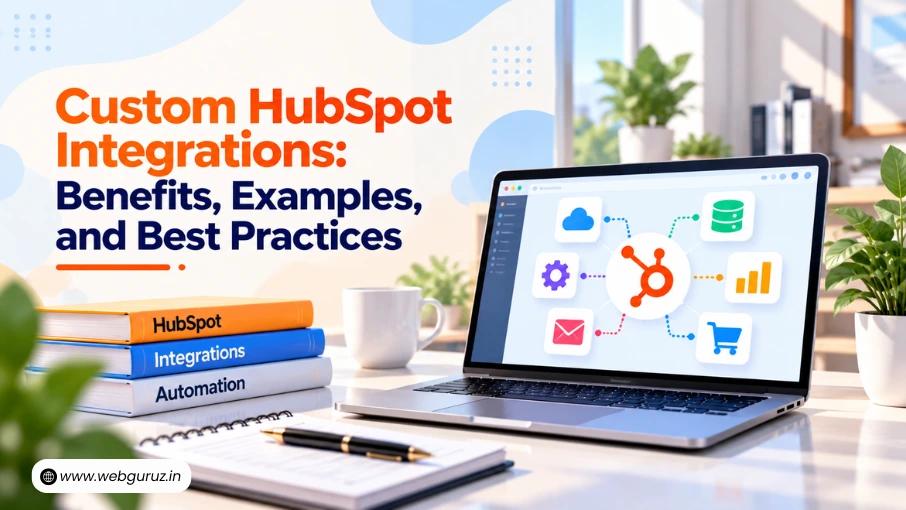
Your business uses HubSpot to manage customer relationships, but your team still switches between accounting software, inventory systems, support platforms, and internal databases to complete daily tasks. Customer information becomes scattered, updates require manual effort, and teams struggle to keep records consistent.
Custom HubSpot Integrations help connect HubSpot with the systems your business already uses. They allow information to move between platforms, support specific business processes, and reduce repetitive work.
However, not every business needs a custom integration. HubSpot’s built-in connections may already meet your requirements. The key is understanding when a standard connection falls short and how a custom solution can address the gap.
This guide explains when custom integrations make sense, how they work, and what businesses should consider before building one.
A custom integration connects HubSpot with another application or internal system when an existing connector cannot meet your business requirements.
These integrations can use APIs, webhooks, and custom application logic to exchange information between platforms. For example, when a deal closes in HubSpot, an integration could send the relevant details to an accounting system to support the billing process.
HubSpot APIs allow applications to access and update CRM records, while webhooks can notify connected applications when specific events occur. Businesses can also use suitable HubSpot AI Tools to support tasks such as analyzing customer information and assisting with workflows, depending on the available features and integrations. Together, these technologies can help businesses connect data, automate routine tasks, and improve how their systems work together.

A custom solution becomes useful when your existing tools cannot share the right information or support the process your team needs.
Common situations include:
Before building anything, check HubSpot’s existing integrations and data sync options. A standard connection may already support the objects, fields, and sync direction your business needs.
The right integration depends on how your business operates.
| Connected system | Example use case | Business benefit |
|---|---|---|
| Accounting software | Send closed-deal information for billing. | Less manual data entry |
| Inventory or ERP system | Share order and product information. | Better coordination between teams |
| Internal database | Sync business-specific records with HubSpot. | More consistent customer information |
| Website or CMS | Send form submissions and relevant customer details to HubSpot. | Better lead management |
For businesses with custom website requirements, HubSpot CMS Development may also be relevant when website forms, customer data, or other website functions need to connect with CRM processes.
These examples depend on each platform’s APIs, permissions, data structure, and available functionality.

A reliable integration starts with clear requirements. Development should begin after the business process and data flow have been defined.
Decide what the integration needs to achieve. Do you need to sync customer records, send order details, or update deal information when something changes in another system?
Define the expected result and how you will measure success.
Identify the records and fields that must move between systems. Decide which platform owns each field, which direction the data should travel, and how duplicate or conflicting records will be handled.
This planning helps prevent incorrect updates and inconsistent customer information.
The technical approach depends on the use case:
Review HubSpot’s developer documentation to understand the available APIs, authentication methods, and integration requirements.
Build the connection with suitable authentication, permissions, error handling, and logging. Test successful updates, failed requests, duplicate records, and unusual scenarios before connecting the integration to live business processes.
Experienced HubSpot Development professionals can help review the technical requirements and build a solution that fits your existing systems.
Release the integration in a controlled way. Monitor sync failures, data mismatches, and processing delays. Review these results regularly and improve the integration as business needs change.
A structured implementation process helps teams coordinate testing, deployment, and ongoing monitoring.
An integration becomes more valuable when it supports a complete business process rather than simply moving data.
For example, when a new lead enters HubSpot, a connected system could provide additional account information. A workflow could then assign the lead to the right sales representative and create a follow-up task.
Well-planned HubSpot CRM Workflows can coordinate these actions, while the integration supplies the information needed to trigger them.
The goal is to make processes more consistent without adding unnecessary complexity. Keep human review where decisions require judgment, and automate only the steps that have clear rules.
Custom integrations need ongoing attention. Businesses should plan for:
A qualified HubSpot Automation Services Partner can help assess these requirements and determine how integrations and automation should work together.
Custom HubSpot integrations help businesses connect their existing systems, improve data sharing, and reduce manual work. However, building a reliable integration requires more than connecting two applications. Businesses need to plan their data flows, choose the right integration method, test the complete process, and maintain the connection as their needs change.
The best approach is to start with a clear business problem and build a solution that supports your team’s actual requirements. When planned properly, custom integrations can help create more connected workflows, improve data consistency, and support business growth without adding unnecessary complexity.
With the right HubSpot Implementation approach, businesses can connect their systems more effectively and build workflows that support their long-term needs.
They connect HubSpot with other applications or internal systems when existing connectors do not meet specific business requirements.
No. Built-in integrations and data sync options may be sufficient. Custom development is useful when a business needs specific data mapping, unique workflows, or unsupported connections.
Yes. They can exchange information between systems and support automated actions when combined with suitable HubSpot workflows.
The timeline depends on the systems involved, API availability, data complexity, security requirements, and testing needs. A simple connection may take less time than a multi-system integration with complex business rules.
Yes. Monitoring, error handling, security reviews, and updates help keep integrations reliable as connected platforms and business requirements change.
Vedanshi
2026-10-23
7 min read
Your business uses HubSpot to manage customer relationships, but disconnected systems create data issues.
Read More
Vedanshi
2026-10-22
7 min read
Ask ChatGPT, Gemini, or Perplexity to recommend a supplier or a software tool, and you get a short list of names, not ten blue links.
Read More
Vedanshi
2026-10-21
7 min read
Building a website takes more than picking colors, dropping in images, and writing copy.
Read More