 sales@webguruz.in
 +1 (213) 715-5368




Connect Zoom with HubSpot to manage meetings, track webinar leads, and simplify follow-ups. WebGuruz builds connected workflows for better customer engagement.
 Sync Meeting Activity
 Manage Webinar Leads
 Automate Meeting Follow-Ups
 Improve CRM Visibility
 Simplify Lead Management
 Connect Customer Workflows
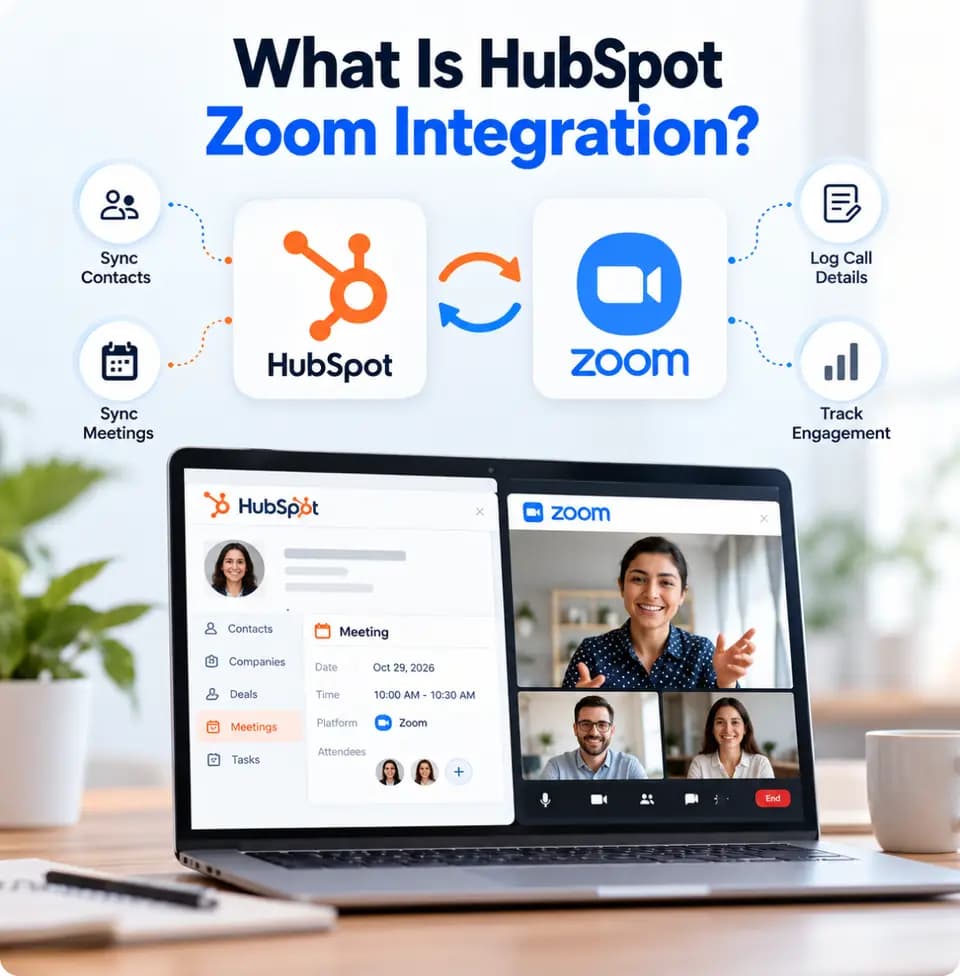
A HubSpot Zoom integration connects supported meeting and webinar activity with HubSpot CRM. It helps businesses organize customer interactions, manage attendee information, and coordinate follow-ups from a more connected environment.
Connecting these platforms can reduce manual work and help sales, marketing, and customer success teams manage customer interactions more efficiently.
When Zoom and HubSpot operate separately, meeting details and webinar engagement can remain disconnected from customer records. WebGuruz helps businesses connect supported Zoom activity with HubSpot to improve record visibility, team collaboration, and follow-up management.

Associate supported meetings with relevant HubSpot contacts, companies, and deals.
Bring meeting activity closer to customer records and sales workflows.
Sync available meeting and attendee information through a suitable integration.
Help sales, marketing, and customer success teams access relevant customer interaction details.
Connect meeting activity with CRM records to maintain better customer context.
Build workflows that can adapt as meeting volumes and business needs grow.
Manually recording meetings, updating attendee details, and assigning follow-up tasks can take valuable time. These tasks may also lead to incomplete CRM records.
WebGuruz helps configure suitable Zoom and HubSpot workflows for meeting logging, attendee information, CRM updates, and follow-up tasks. This reduces repetitive work and helps teams maintain more organized customer records.

When meeting and webinar activity is scattered across platforms, teams may struggle to identify engaged leads and plan timely follow-ups. Connecting supported Zoom activity with HubSpot helps businesses organize customer interactions and improve lead management.
Keep available meeting records associated with relevant CRM contacts and deals.
Organize registration and attendee information in HubSpot where supported by the integration.
Reduce manual updates by synchronizing supported meeting details between platforms.
Use available meeting and participation data to support more relevant follow-ups.
Give teams better access to customer interaction history and engagement details.
Review meeting processes regularly to improve follow-up coordination and CRM efficiency.
Managing meetings, attendee updates, and follow-ups across separate platforms can slow down daily operations.
WebGuruz helps businesses connect meeting activity with suitable HubSpot workflows. Depending on the integration, teams can automate follow-up tasks, update CRM records, and coordinate customer communication with less manual effort.

Customer meetings and webinars can signal important next steps in the buying journey. Connecting Zoom with HubSpot helps businesses link supported meeting activity with relevant CRM processes.
WebGuruz builds connected workflows that help teams organize meeting records, manage leads, and coordinate follow-ups more efficiently.
A properly configured HubSpot Zoom integration helps businesses organize meeting activity, manage webinar leads, and improve communication across customer-facing teams.
Keep supported meeting information connected with relevant CRM records.
Reduce manual updates through configured synchronization workflows.
Organize available registration and attendee data to support lead follow-ups.
Use meeting history to help teams prepare more relevant customer communication.
Give sales, marketing, and customer success teams shared access to relevant CRM information.
Build processes that adapt as meeting volumes and business requirements change.

WebGuruz plans each integration around your meeting processes, CRM requirements, and customer engagement goals.
Review your Zoom usage, HubSpot setup, webinar processes, and follow-up requirements.
Set up the suitable connection, data mapping, permissions, and synchronization rules.
Configure supported meeting logging, lead capture, CRM updates, and follow-up workflows.
Test data synchronization, workflow triggers, and CRM updates to confirm the setup works as expected.
Review workflow performance and make improvements as your business needs change.
Connect supported registration and attendee information with HubSpot to help marketing and sales teams organize webinar leads and plan follow-ups.
Associate available Zoom meeting activity with relevant CRM records, giving sales teams better visibility into customer conversations and deal progress.
Organize onboarding calls, training sessions, and account reviews alongside customer records to support better coordination across customer-facing teams.
Configure workflows for follow-up tasks, reminders, lead nurturing, and customer communication based on supported meeting activity and available CRM triggers.
Connecting Zoom with HubSpot helps teams organize meeting information, improve follow-ups, and manage customer engagement more efficiently.
WebGuruz builds connected CRM and AI workflows based on your business needs and available tools. AI capabilities depend on the selected platforms, subscriptions, permissions, and integration setup.

Depending on the integration and tools configured, businesses may support:
WebGuruz helps businesses connect Zoom with HubSpot through reliable integrations and practical CRM workflows.

Improve meeting management and customer follow-ups.
Connect meeting activity with relevant CRM records.
Manage planning, configuration, and testing.
Configure workflows around your business needs.
Adapt meeting processes as your business grows.
Improve workflows as your requirements change.
HubSpot Zoom integration requirements vary by industry, meeting volume, and customer engagement needs.






Connect meeting activity with CRM workflows to simplify follow-ups, organize webinar leads, and improve customer engagement. WebGuruz helps build an integration around your business processes and technical requirements.
Book An Appointment
A move to HubSpot rarely fails on launch day. The import report says “complete,” the contacts are there, and the deals sit in the pipeline.
Read More →
Your business uses HubSpot to manage customer relationships, but disconnected systems create data issues.
Read More →
Building a website takes more than picking colors, dropping in images, and writing copy.
Read More →